

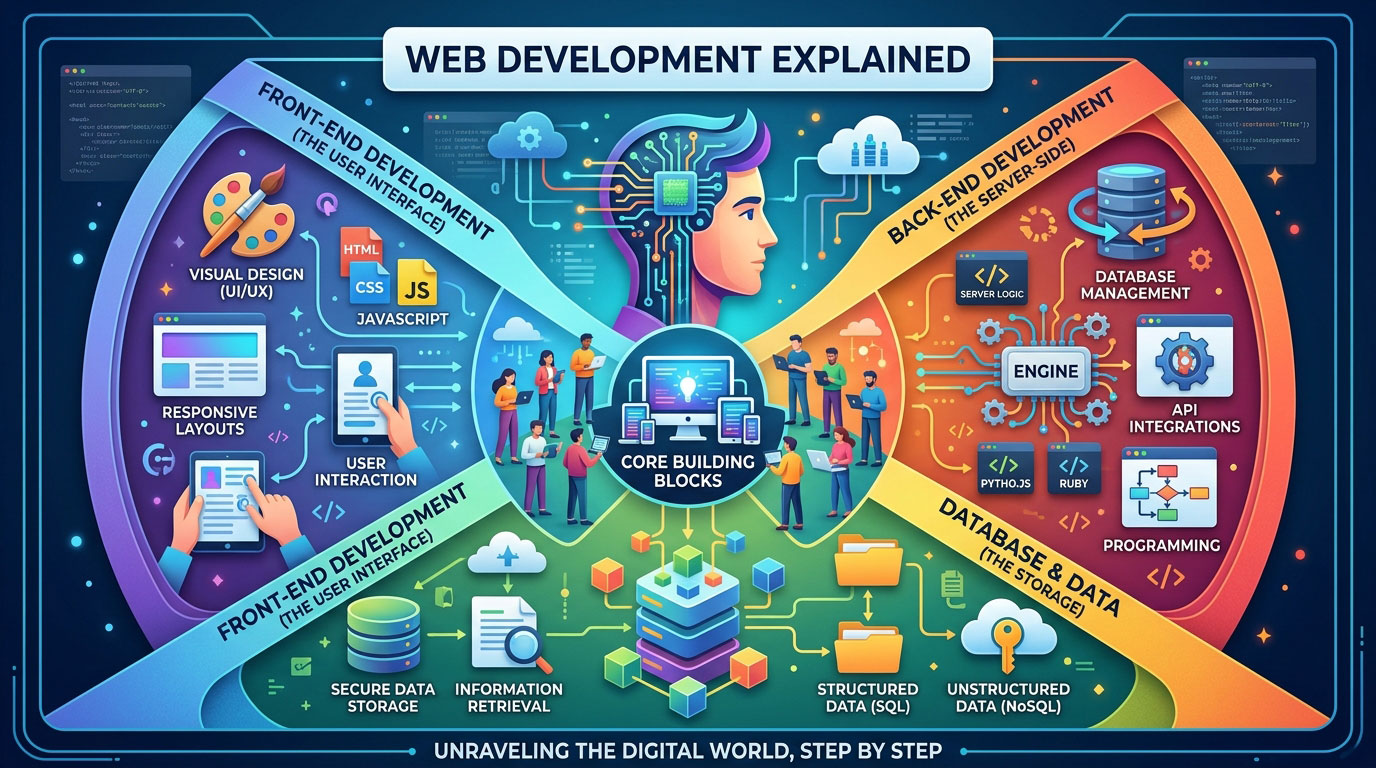
Web development is the work of building and maintaining websites and web applications, from the buttons and text on your screen to the servers and databases running behind them.
Every time you check a bank balance, book an appointment, or order dinner online, you’re using the result of web development. It turns an idea into something people can use in a browser.
This guide explains the subject in plain English. You’ll see how a page loads, how front-end and back-end work differ, where data lives, and which languages and tools matter.
It also covers performance, accessibility, security, and SEO, then answers the practical questions: whether to code a site yourself, use a website builder, or hire someone, and what the career pays in the U.S. according to current government data.
Understanding Web Development From the Ground Up
Key Takeaways
- Web development covers everything needed to build, launch, and maintain a website or web app, not just writing code.
- Front-end work shapes what users see, back-end work runs the logic and data, and full-stack developers handle both.
- HTML, CSS, and JavaScript are the foundation every beginner should learn first.
- Speed, accessibility, security, and technical SEO are decided during the build, not added later.
- A website builder or WordPress suits most simple sites, while custom code fits unique features.
- S. web developers earn a median of $92,650 a year, with steady job growth projected through 2035.
- AI coding tools speed up routine work, but human judgment still decides quality and security.
What Is Web Development?
Web development is the process of creating, launching, and maintaining websites and web apps. It includes writing the code that structures pages, adding interactivity, setting up servers and databases, testing, and keeping everything secure and up to date after launch.
The web itself began in 1989, when Tim Berners-Lee proposed the World Wide Web at CERN, and the core idea still holds: a browser asks for a page, and a server sends it back.
It helps to know what it isn’t. Choosing colors, fonts, and layouts is usually a separate discipline called web design. A designer decides how a checkout page should look. A developer makes that checkout actually process an order.
The field also produces two kinds of products. A website mainly presents information, like a restaurant’s menu. A web application lets you do things, like log in, save data, or pay. Gmail and online banking are web apps.
How a Website Works Behind the Scenes
When you type a URL and press Enter, this happens in a fraction of a second:
- Your web browser (the client) requests the page.
- The Domain Name System (DNS) translates the domain name into the server’s IP address, much like looking up a phone number.
- The browser sends an HTTP request, or an encrypted HTTPS request, to the web server.
- The server runs its code and pulls any needed data from a database.
- The server returns HTML, CSS, JavaScript, and images, and the browser assembles the page.
| Part | What it does | Everyday comparison |
| Domain name | Human-readable address (example.com) | A street address |
| Web hosting | Server space where site files live | The building |
| Web server | Receives requests and sends responses | Staff taking orders |
| Database | Stores users, products, and posts | A filing cabinet |
| Browser | Turns code into the page you see | The reader |
Why Businesses Invest in a Website

For a U.S. business, good web development pays off in ways a social media profile can’t:
- Visibility: Customers find you through search engines.
- Credibility: A professional site signals a real, active business.
- 24/7 availability: People can book or buy after hours.
- Lead generation: Forms and sign-ups turn visitors into prospects.
- Ownership: You control the platform, content, and customer data.
For a U.S. business, good web development pays off in ways a social media profile can’t:
- Visibility: Customers find you through search engines.
- Credibility: A professional site signals a real, active business.
- 24/7 availability: People can book or buy after hours.
- Lead generation: Forms and sign-ups turn visitors into prospects.
- Ownership: You control the platform, content, and customer data.
Front-End, Back-End, and Full-Stack Roles
Most web development work splits into three roles.
Front-end development, also called client-side development, covers everything users see and touch: layouts, menus, forms, and animations. Front-end developers turn design files into pages that behave consistently across browsers and screen sizes.
Back-end development, or server-side development, handles the logic users never see: accounts, payments, search, and data storage. Back-end developers build APIs (application programming interfaces), which are structured ways for the front end to request and send data.
Full-stack development covers both. Full-stack developers can build a complete application alone, which makes them common at startups, though most still lean toward one side.
| Front-end | Back-end | Full-stack | |
| Focus | User interface (UI) and experience | Server logic and data | The whole application |
| Core tech | HTML, CSS, JavaScript, React | Python, PHP, Node.js, Java, SQL | A mix of both |
| Typical tasks | Build layouts, forms, responsive pages | Build APIs, manage databases, handle logins | Connect both sides and deploy |
Databases: Where Website Data Lives
Almost every web development project with accounts, orders, or posts needs a database. There are two broad types:
- Relational databases such as MySQL and PostgreSQL store data in tables with rows and columns, like a strict spreadsheet. Developers query them with SQL. They suit orders and payments.
- NoSQL databases such as MongoDB store flexible, document-style records. They suit content whose shape changes often.
Other Specializations Worth Knowing
- Ecommerce development: Online stores with product pages, shopping carts, and payment gateways.
- CMS development: Themes and plugins for a content management system (CMS) such as WordPress, which powers roughly four in ten websites.
- Progressive web apps (PWAs): Websites that can be installed on a phone and work offline, much like native apps.
Core Languages and Tools
Every browser understands three core languages. Server-side languages handle the rest.
| Language | Role | Example use |
| HTML | Structure | Headings, paragraphs, links, images |
| CSS | Presentation | Colors, fonts, layout, mobile adjustments |
| JavaScript | Behavior | Dropdown menus, form checks, live updates |
| TypeScript | JavaScript with type checking | Catching errors before code runs |
| SQL | Database queries | Pulling a customer’s order history |
| Python, PHP, Java, C# | Server-side logic | Processing logins and payments |
JavaScript is the most widely used language among developers, with about two-thirds of respondents to the 2025 Stack Overflow Developer Survey reporting that they use it. HTML is maintained as a “living standard” by WHATWG, so “HTML5” is now more of a nickname than a current version.
Everyday tools include:
- Frameworks: React, js, and Angular on the front end; Node.js, Django, Laravel, and Ruby on Rails on the back end. A framework is a prebuilt code structure that saves you from writing common features from scratch.
- Code editor: Visual Studio Code
- Version control: Git, with code hosted on GitHub
- Hosting: AWS, Vercel, Netlify
Expect change: frameworks shift every few years, so continuous learning is part of web development.
Static, Dynamic, and Hybrid Websites
- Static website: Every visitor gets the same prebuilt files. These sites are fast, cheap to host, and suit portfolios and brochure sites, but updates mean editing files.
- Dynamic website: Pages are built on request from a database, which enables logins, personalization, and online stores, but it adds more parts to secure and maintain.
- Hybrid website: A mix, such as static marketing pages next to a dynamic customer account area. A headless CMS stores content separately and delivers it to any front end through an API.
The Build Process, Step by Step
Most professional projects follow a similar path:
- Planning: Define goals, target audience, features, budget, and timeline.
- Sitemap and wireframes: A sitemap lists every page and its hierarchy. A wireframe is a bare-bones sketch of each layout.
- Design: Designers create mockups and clickable prototypes, often in Figma.
- Development: Developers build the front end and back end and connect third-party services.
- Testing: Check browsers, mobile devices, forms, speed, accessibility, and security.
- Launch: Deploy to hosting, connect the domain, enable HTTPS, and submit an XML sitemap to Google Search Console.
- Maintenance: Apply updates, run backups, and monitor uptime.
Many owners treat launch as the finish line, but maintenance is where sites succeed or quietly decay.
Responsive Design, Performance, and Accessibility
Responsive web design makes a layout adapt to any screen using CSS media queries, Flexbox, and CSS Grid. A mobile-first approach designs for phones first, then expands for larger screens. This matters for search too, because Google primarily uses the mobile version of a page for indexing.
Google measures page experience with Core Web Vitals:
| Metric | What it measures | “Good” threshold |
| Largest Contentful Paint (LCP) | Loading speed | 2.5 seconds or less |
| Interaction to Next Paint (INP) | Responsiveness | 200 milliseconds or less |
| Cumulative Layout Shift (CLS) | Visual stability | 0.1 or less |
Interaction to Next Paint replaced First Input Delay as a Core Web Vital in 2024.
Common fixes include image compression, modern formats like WebP, lazy loading, caching, and a content delivery network (CDN).
Web accessibility means people with disabilities can use your site, including those who rely on screen readers or keyboard navigation. The W3C publishes the Web Content Accessibility Guidelines (WCAG), and core practices include semantic HTML, descriptive alt text, strong color contrast, and labeled form fields.
This carries legal weight in the U.S. The Department of Justice has stated that the ADA applies to the websites of businesses open to the public, and it requires state and local government sites to meet WCAG 2.1 Level AA under its Title II rule. Building accessibly from day one costs far less than retrofitting later.
Security Basics Every Website Needs
Security belongs in web development from day one:
- Serve every page over HTTPS with an SSL/TLS certificate. Let’s Encrypt issues them free.
- Apply security patches to your CMS, plugins, and frameworks promptly.
- Guard against SQL injection (malicious database commands typed into forms) and cross-site scripting (XSS) (injected scripts). The OWASP Top 10 lists the most critical risks.
- Hash passwords and offer multi-factor authentication.
- Keep automated backups stored off the server.
How Web Development Affects SEO
Technical choices made during web development decide whether search engines can find, read, and rank your pages:
- Crawlability: Clean URLs, solid internal links, a correct txt file, and an XML sitemap.
- Rendering: Content that appears only after client-side JavaScript runs can be harder for search engines to process. Server-side rendering (SSR) or static site generation (SSG) sends ready-made HTML instead.
- Semantic structure: One clear H1, logical headings, and descriptive link text.
- Structured data: Schema markup can make pages eligible for rich results.
- Speed: Strong Core Web Vitals support a better user experience.
Bring SEO into the project before the build starts. Changing URL structure after launch means redirects and a real risk of lost rankings.
Web Development vs. Web Design
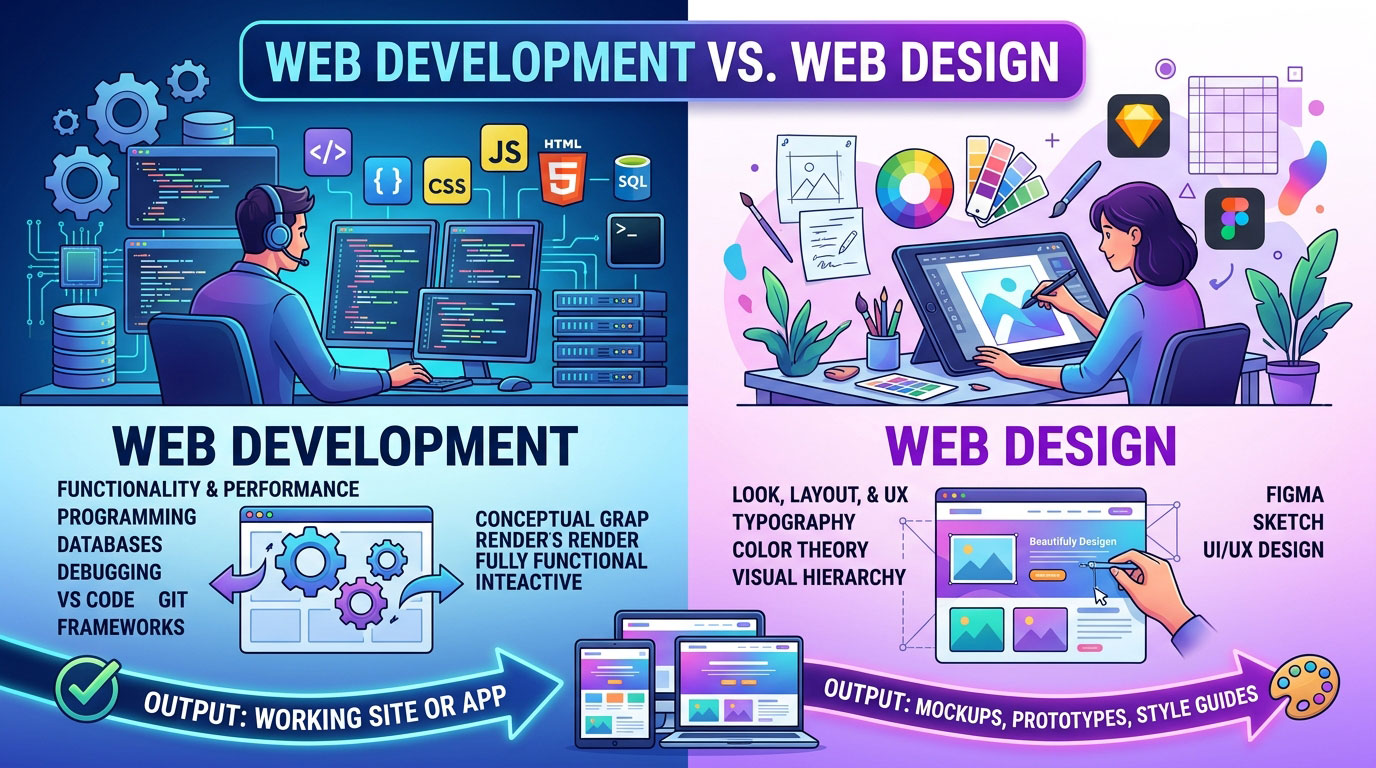
| Web development | Web design | |
| Main focus | Functionality and performance | Look, layout, and user experience (UX) |
| Core skills | Programming, databases, debugging | Typography, color theory, visual hierarchy |
| Common tools | VS Code, Git, frameworks | Figma, Sketch |
| Output | A working site or app | Mockups, prototypes, style guides |
Code It, Use a Builder, or Hire a Developer?
| Option | Best for | Strengths | Limits |
| Website builder (Wix, Squarespace, Shopify) | Simple sites, small stores, tight timelines | Fast, no code, hosting included | Less flexibility, platform lock-in, monthly fees |
| WordPress | Blogs, content sites, growing businesses | Huge plugin ecosystem, full content control | Needs regular updates; plugin conflicts |
| Custom code | Unique features, web apps, high performance | Full control and scalability | Highest time and cost; ongoing developer needed |
| Freelancer or agency | Businesses without time or in-house skills | Professional build and strategy | Costs vary widely; quality depends on the hire |
A reasonable rule: if you need standard pages or a simple store, a builder or WordPress is usually enough. If your business depends on custom features like booking logic, integrations, or user dashboards, custom web development is often worth the cost. Before hiring, ask to see live sites, confirm you’ll own the code and domain, and agree on maintenance in writing.
Careers: Roles, Pay, and Job Outlook
The Bureau of Labor Statistics describes a web developer’s duties as meeting with clients, writing and testing code, integrating graphics and video, monitoring site traffic, and building prototypes.
Job titles you’ll see in U.S. listings include front-end developer, back-end developer, full-stack developer, UI developer, WordPress developer, and DevOps engineer.
| Occupation | Median annual pay (May 2025) | Projected growth, 2025–35 |
| Web developers | $92,650 | 4% |
| Web and digital interface designers | $104,000 | 6% |
| Web developers and digital designers (combined) | $99,520 | 5% |
| All occupations | $50,980 | 3% |
BLS projects about 13,600 openings a year across these web development and design roles, driven largely by ecommerce growth. About 18% of web developers are self-employed, so freelancing is a realistic path.
How to Start Learning Web Development
A practical order for beginners:
- HTML and CSS: Build a few simple static pages.
- JavaScript: Learn variables, functions, and how to change a page with code.
- Git and GitHub: Save and share your work.
- One framework: React is a common choice.
- A back-end language plus SQL: Node.js and Python are popular options.
- Real projects: Deploy a portfolio site, a to-do app, or a small store.
You don’t need a specific credential to get hired. BLS notes that education for these roles ranges from a high school diploma to a bachelor’s degree, and that candidates can qualify by showing prior work or projects. MDN Web Docs, freeCodeCamp, and The Odin Project are credible free starting points.
How AI Is Changing the Work
AI coding assistants are now part of everyday web development. Tools such as GitHub Copilot, Cursor, and ChatGPT can draft boilerplate code, suggest fixes, write tests, and explain error messages. For many developers, that means less time on repetitive work.
The limits are real, though:
- Generated code can contain bugs, security holes, or outdated patterns.
- AI doesn’t understand your business goals or your users.
- Someone still has to review, test, and take responsibility for what ships.
BLS itself notes that better tools and AI may soften job growth and let some non-developers handle basic tasks. The value is shifting toward judgment, architecture, security, and UX thinking.
Frequently Asked Questions
Is web development hard to learn?
The basics are approachable, and many beginners publish a simple page early on. Difficulty rises with JavaScript logic and back-end concepts, where consistent practice matters more than natural talent.
How long does it take to learn web development?
It varies with study hours and goals. Learners who practice consistently often reach entry-level front-end skills in several months to a year, while back-end and full-stack skills usually take longer.
Do I need to be good at math?
For most web work, no. Basic arithmetic and logical thinking cover layouts, forms, and typical app logic. Heavier math only shows up in areas like data visualization, graphics, or performance-critical code.
Is web development the same as coding?
Not exactly. Coding is one part of it. Web development also includes planning, testing, deployment, performance, security, and ongoing maintenance.
Will AI replace web developers?
AI is changing jobs more than removing them. Routine code is faster to produce, but businesses still need people who can plan systems, spot security risks, review AI output, and connect technical choices to business goals.
How much does a website cost?
It depends on the route. A builder plan is a predictable monthly fee, WordPress adds hosting and premium plugin costs, and custom builds are priced by scope. Get itemized quotes that include maintenance, not just the launch.
Read More: https://linkneon.com/best-free-blogging-sites-2026/
Conclusion
Web development is more than writing code. It’s the full chain from how a server answers a request to how fast, accessible, secure, and searchable the finished page is. Once you understand that chain, choosing a career path, a platform, or a developer to hire becomes much clearer.
Your next step depends on your goal. If you’re learning, build one small page this week and publish it free on GitHub Pages or Netlify. If you run a business, list the three things your site must do, then use the builder, WordPress, or custom-code table above to pick your route.