

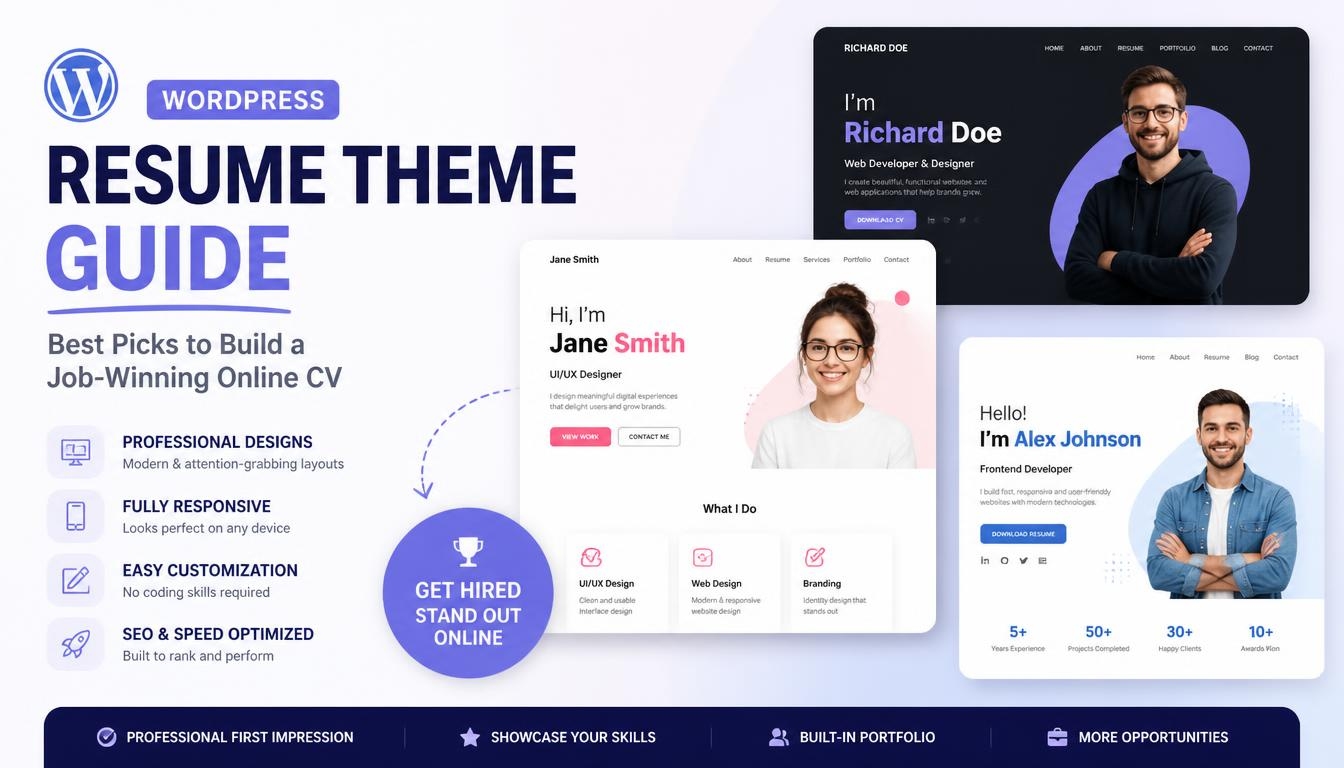
A WordPress resume theme is a ready-made design that turns your CV into a complete personal website. It gives you pre-built sections for your bio, work experience, education, skills, portfolio and contact details. Recruiters and clients can look you up online at any time. An online resume gives them more than a list of jobs: case studies, project galleries and writing samples, all behind one shareable link that can also appear in Google search.
This guide explains how a WordPress resume theme works, who needs one, and which sections and features matter most. It then compares 17 themes from several developers, each checked against its current product page, by purpose, price and update status. You will also learn how to choose the right theme for your profession, set up your resume website, avoid common mistakes, and help people find you when they search your name.
Key Takeaways
- A WordPress resume theme gives you ready CV sections, timelines and portfolio layouts, so you can launch a professional site without coding.
- RyanCV leads for role-specific demos, Leven for a top-rated vCard layout, and ResumeX Pro for a low-cost all-in-one site at $19.
- Most premium resume themes in this guide cost CV Resume Portfolio, PortfolioX and five Astra templates are free.
- The features that matter most are one-click demo import, dark/light mode, responsive design, SEO-friendly code and active maintenance.
- A name-based domain and Google Search Console help your resume site get found when someone searches your name.
What Is a WordPress Resume Theme and How Does It Work?
The process is simple. You install the theme on your WordPress site, run its demo import, and a finished layout appears with sample content in every section: bio, experience timeline, skill bars, portfolio and contact form. You then replace the sample text and images with your own. A multipurpose theme would make you design each of those sections yourself, but a WordPress resume theme hands you the CV structure ready to fill in.
Online Resume vs PDF CV: What Changes for Job Seekers
| Factor | PDF CV | Online Resume Website |
| Sharing | Email attachment | One link for applications, email and LinkedIn |
| Content depth | 1–2 pages | Room for case studies, galleries and samples |
| Searchability | Not indexed | Can appear in search for your name and specialism |
| Updates | Re-send a new file | Edit once, live everywhere |
| Personality | Plain format | Design, color and animation show your style |
The two work best together. Send the PDF when an application asks for a file, and share your website link everywhere else.
Resume Website vs Portfolio Website vs vCard Website
| Type | Leads With | Best For |
| Resume website | Career history, skills and credentials | Job seekers and career changers |
| Portfolio website | Work samples that speak first | Designers, photographers and creatives |
| vCard website | A compact, card-style personal profile | Anyone who wants a digital business card |
Many modern templates blend classic CV layouts with portfolio-led designs, so creatives can show credentials and work side by side. Most resume themes include portfolio sections, so one theme can cover both needs.
Dedicated Resume Themes vs Multipurpose Themes
A dedicated resume theme includes CV widgets, timelines and profession-specific demos from day one. A multipurpose theme like Divi can build a resume site too, but you shape every section by hand. If speed matters, a dedicated WordPress resume theme gets you live faster.
Who Needs a WordPress Resume Theme?
- Job seekers and career changers: a personal site sets you apart from candidates who only send a PDF, and gives you a clean URL for every application.
- Developers and technical professionals: web developers, ML engineers, coders and cybersecurity experts benefit from demos designed around technical projects.
- Designers, photographers and creatives: artists and musicians need portfolio grids, carousels and project popups more than long text sections.
- Freelancers and consultants: if you pitch clients rather than employers, a portfolio-first layout with services and pricing attracts inbound work.
- Writers, influencers and personal brands: a built-in blog helps you publish regularly and grow search visibility around your name or niche.
Benefits of Building Your Resume Website on WordPress
A WordPress resume site gives you full control over your domain, design and content, free from the limits of LinkedIn or resume builder platforms. One link works everywhere: in job applications, email signatures and social profiles. Typography and color turn the site into a personal brand page, and a site on your own domain can appear when people search your name.
You also don’t need to code. Elementor, the block editor and setup wizards handle the build, and you can add a blog or new projects as your career grows.
Essential Sections Every Resume Website Should Include
- About and bio: your role, specialism and a professional photo
- Work experience timeline: past roles in order, often with company logos
- Education: degrees, courses and certifications
- Skills: tools and strengths, often shown with skill bars
- Portfolio: your best case studies, design projects or writing samples
- Testimonials and references: quotes from employers, colleagues and clients that build trust
- Services and pricing: essential if you freelance
- Downloadable PDF CV: a clear download button for recruiters
- Contact form: a direct way for recruiters and clients to reach you
Key Features to Look for in a WordPress Resume Theme
- Page builder support: Elementor, Gutenberg or WPBakery for visual, drag-and-drop editing
- One-click demo import: a full site in minutes instead of hours
- Profession-specific demos: layouts built for developers, designers, product managers and more
- Dark and light mode: a UI switcher that gives visitors a choice
- Portfolio tools: filterable grids, carousels and project popups
- Responsive design: clean display on desktop, tablet and mobile, with retina-ready images
- Page speed: lightweight code that helps pass Core Web Vitals
- SEO foundations: clean code and schema markup so Google can read your page as a personal profile
- Global reach: WPML and Polylang support, RTL layouts and translation-ready files
- WooCommerce support: sell services or digital products from your resume site
- Active maintenance: regular updates and security patches from the developer
How We Evaluated These WordPress Resume Themes
Each theme was judged on five criteria: design quality, resume-specific features, ease of setup, maintenance and value for price. Design quality means a modern, professional look you can customize without a developer. Resume features cover timelines, skill bars, portfolio tools and CV download options. Ease of setup looks at demo import, setup wizards and page builder support. Maintenance looks at how recently each theme was updated and whether it has any known security issues. Value weighs the price against features, updates and support.
Every theme’s availability, price and update status were checked against its product page, marketplace listing or official site in October 2026.
WordPress Resume Theme Comparison Table
| Theme | Best For | Builder | Price | Status |
| RyanCV | Profession-specific demos | Elementor | 29 direct) | Updated Sep 2026 |
| Leven | Top-rated vCard resume | Drag-and-drop builder | $49 | Updated Jun 2026 |
| ResumeX Pro | All-in-one resume + blog | Setup wizard | $19 (free version available) | Active, WP 7.1 compatible |
| CV Resume Portfolio | Free dedicated resume | Theme options | Free | Updated Sep 2026 |
| Arter | Elegant typography | Elementor | 29 direct) | Updated Sep 2026 |
| Cvio | Dark aesthetic | Elementor | 29 direct) | Updated Sep 2026 |
| Glitche | Minimal resume | Elementor | 29 direct) | Updated Aug 2026 |
| Myour | One-page resume | Elementor | 29 direct) | Updated Aug 2026 |
| Luique | Creative one-page | Elementor | 29 direct) | Updated Aug 2026 |
| Ober | Experience and education | Elementor | 29 direct) | Updated Sep 2026 |
| Trueman | Page transitions | Elementor | 29 direct) | Updated Aug 2026 |
| Courtney | Advanced animations | Elementor | 29 direct) | Updated Sep 2026 |
| PortfolioX | Portfolio-first freelancers | Elementor | Free + paid Pro | Updated Aug 2026 |
| Authority Pro | Experts showing credentials | Gutenberg | Free with WP Engine hosting | Available |
| Divi | Fully custom resume design | Divi Builder | $89/yr or $249 lifetime | Active |
| H-Code | vCard and resume layouts | WPBakery | $60 | Active |
| 907 | Portfolio-led resume site | Elementor, WPBakery | $59 | Updated Feb 2026 |
Prices are regular single-site licenses at the time of checking. “Direct” means the lower price when you buy from the developer’s own website instead of the marketplace. Prices change often with promotions.
Best Dedicated WordPress Resume Themes
RyanCV: Best for Profession-Specific Demos
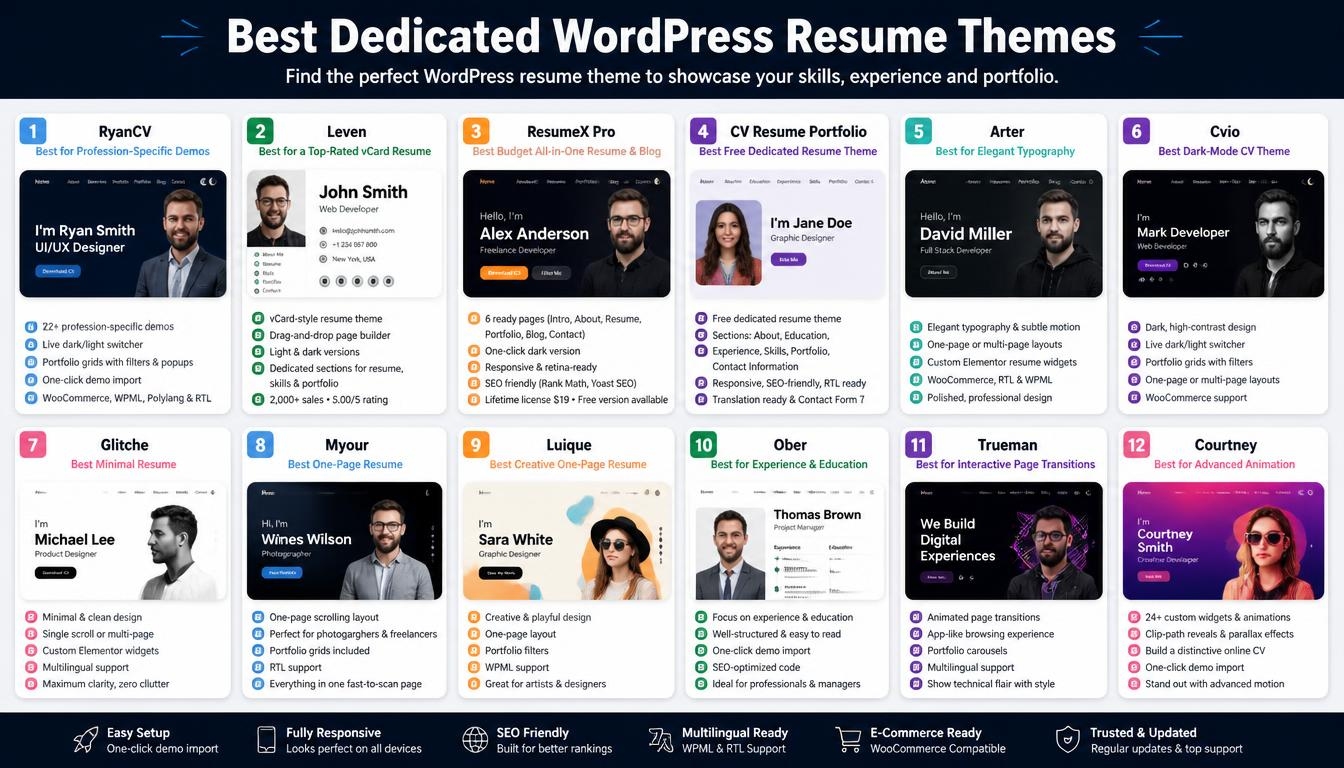
If your field is specialized, RyanCV saves you from bending a generic layout to fit. Its developer lists 22+ demos, each built for a specific role, from UI/UX design to cybersecurity consulting.
Recent updates, now at version 4.1.1, added Product Designer and Product Manager demos. You also get a live dark/light switcher, portfolio grids with filters and popups, one-click demo import, WooCommerce integration, and WPML and Polylang support with full RTL. RyanCV has the widest role-specific demo library in this list.
Leven: Best for a Top-Rated vCard Resume
Leven comes from LMPixels, an Elite Author on ThemeForest. It has 2,000+ sales and a perfect 5.00/5 rating from over 50 reviews, and its latest update came in June 2026. The regular license is $49.
It is a vCard-style resume theme with a drag-and-drop page builder, light and dark versions, and dedicated sections for your resume, skills and portfolio. Leven suits anyone who wants a resume theme with a long sales history and consistently strong buyer reviews.
ResumeX Pro: Best Budget All-in-One Resume and Blog
ResumeX Pro packs six ready pages (Intro, About, Resume, Portfolio, Blog and Contact) into one low-cost theme. A setup wizard handles the installation in a few clicks.
It includes a one-click dark version, a responsive and retina-ready layout, and compatibility with Rank Math, Yoast SEO and WordPress 6.0 through 7.1+. The lifetime commercial license costs $19 with 6 months of support and a 30-day money-back guarantee, and a free version is also available. It is the lowest-cost premium option here.
CV Resume Portfolio: Best Free Dedicated Resume Theme
CV Resume Portfolio is a free theme by omegathemes on WordPress.org, last updated in September 2026. Unlike most free themes, it is built specifically for resumes, with ready sections for About Me, Education, Experience, Skills, Portfolio and Contact Information.
It offers a responsive design, an SEO-friendly structure, RTL support, translation readiness and Contact Form 7 compatibility. It is the best zero-cost option if you want real resume sections rather than a generic blog layout.
Arter: Best for Elegant Typography
Arter suits engineers, developers and freelancers who want a polished, understated look. Careful type choices and subtle motion give the page a refined feel. It supports one-page and multi-page structures, custom Elementor resume widgets, and WooCommerce, RTL and WPML. Its typography-led design reads as professional, not flashy.
Cvio: Best Dark-Mode CV Theme
Cvio leans into a dark, high-contrast style with crisp lines. That suits developers, musicians and photographers whose work looks best on a dark background. A live dark/light switcher lets visitors change the view, and portfolio grids with filters, one-page or multi-page layouts and WooCommerce support round it out.
Glitche: Best Minimal Resume
Glitche strips the resume down to essentials, so your experience carries the page. It works as a single scroll or a full multi-page site, with custom Elementor widgets and multilingual support. It is the choice for maximum clarity with minimal visual noise.
Myour: Best One-Page Resume
Myour fits your whole profile into a single scrolling page. It is ideal for photographers and freelancers who want visitors to see everything in seconds. Portfolio grids and RTL support come built in, and for a recruiter it is the fastest page to scan.
Luique: Best Creative One-Page Resume
Luique adds playful, design-forward touches to the single-page format. That makes it a fit for artists and designers who want personality in their CV. It includes portfolio filters and WPML support for multilingual sites.
Ober: Best for Experience and Education
Ober gives career history and education clear, well-spaced sections. It suits professionals whose credentials matter as much as their portfolio. One-click demo import and SEO-optimized code make it quick to launch.
Trueman: Best for Interactive Page Transitions
Trueman uses animated transitions between sections to make browsing feel app-like. It suits coders and creatives who want to show technical flair without a custom build. Portfolio carousels and multilingual support are included.
Courtney: Best for Advanced Animation
Courtney ships with 24+ custom widgets and effects such as clip-path reveals and parallax effects. That gives you room to build a distinctive online CV, and one-click demo import gets the base layout in place fast.
Best Portfolio-First Resume Themes for Freelancers and Creatives
PortfolioX: Best Free Portfolio-First Theme
PortfolioX puts project work ahead of a structured CV, which suits freelancers pitching clients. It’s free on WordPress.org, where its latest update was in August 2026, and a paid Pro version adds more options. Its clean, minimal design comes with Elementor integration and a mobile-optimized layout. It is a free, actively updated starting point for a freelance portfolio.
Authority Pro: Best for Experts Showing Credentials
Authority Pro is a StudioPress theme on the Genesis Framework, designed for experts who want to show their resume and expertise. It offers one-click setup, Gutenberg block editing, WooCommerce styling and an accessibility-ready design. It is included free for customers who host with WP Engine.
Multipurpose Alternatives You Can Use for a Resume Site
These themes aren’t built only for CVs, but each one can power a personal resume website if you prefer more design freedom.
Divi: Best for a Fully Custom Resume Design
Divi lets you design your resume site from scratch with its visual drag-and-drop builder and responsive editing controls. It costs $89 per year for unlimited sites, or $249 as a one-time lifetime payment. It gives you total design freedom, as long as you’re willing to build your resume sections yourself.
H-Code: Best Layout Variety for vCard and Resume Pages
H-Code offers 190+ ready-to-use layouts built with WPBakery Page Builder, plus lifetime free updates. Its developer lists it at $60. It has the largest layout library in this guide to adapt into a vCard or resume site.
907: Best Portfolio-Led Multipurpose Option
907 has 14,700+ sales and a 4.52/5 rating, and its latest update came in February 2026. It supports Elementor, WPBakery and WPML, with parallax, video backgrounds and masonry portfolio layouts. The regular license is $59. It is an actively maintained option for a resume-plus-work site.
Free WordPress Resume and CV Templates
Not everyone needs a premium WordPress resume theme. Besides the free CV Resume Portfolio and PortfolioX themes above, the Astra theme offers six resume and CV templates, and five of them are free. Personal Portfolio showcases personal or professional work. Alexandrina Kennedy and Adham Hoffman are link-in-bio pages for designers, and Kate Stone works as a Linktree alternative. Portfolio & CV combines portfolio and CV sections for job seekers. The sixth, Photographer Portfolio, needs an Astra Pro plan.
The templates include schema markup, accessibility support, RTL compatibility and translation readiness.
Free vs Premium: What You Actually Get
| Feature | Free Templates | Premium Resume Themes |
| Demo import | Usually included | Included, often with many demos |
| Resume widgets | Basic sections | Custom CV widgets and timelines |
| Support | Community or limited | Dedicated developer support |
A free template is enough for a simple, fast online resume. A premium WordPress resume theme is worth paying for when you want profession-specific demos, advanced portfolio filters or direct developer support.
WordPress Resume Theme Pricing and Licensing
Most premium resume themes in this guide cost 49 on ThemeForest, and ResumeX Pro sits below that at $19. Some developers sell directly from their own sites at a discount. For example, the developer behind RyanCV, Arter, Cvio, Glitche, Myour, Luique, Ober, Trueman and Courtney charges $29 direct instead of $39 on the marketplace. ThemeForest regular licenses typically include future updates and 6 months of support. Builders like Divi offer both a yearly plan and a one-time lifetime license, and some themes, such as Authority Pro, come free with certain hosting plans. Prices change often with promotions, so always check the live listing before you budget.
How to Choose the Right WordPress Resume Theme
Match the Theme to Your Profession
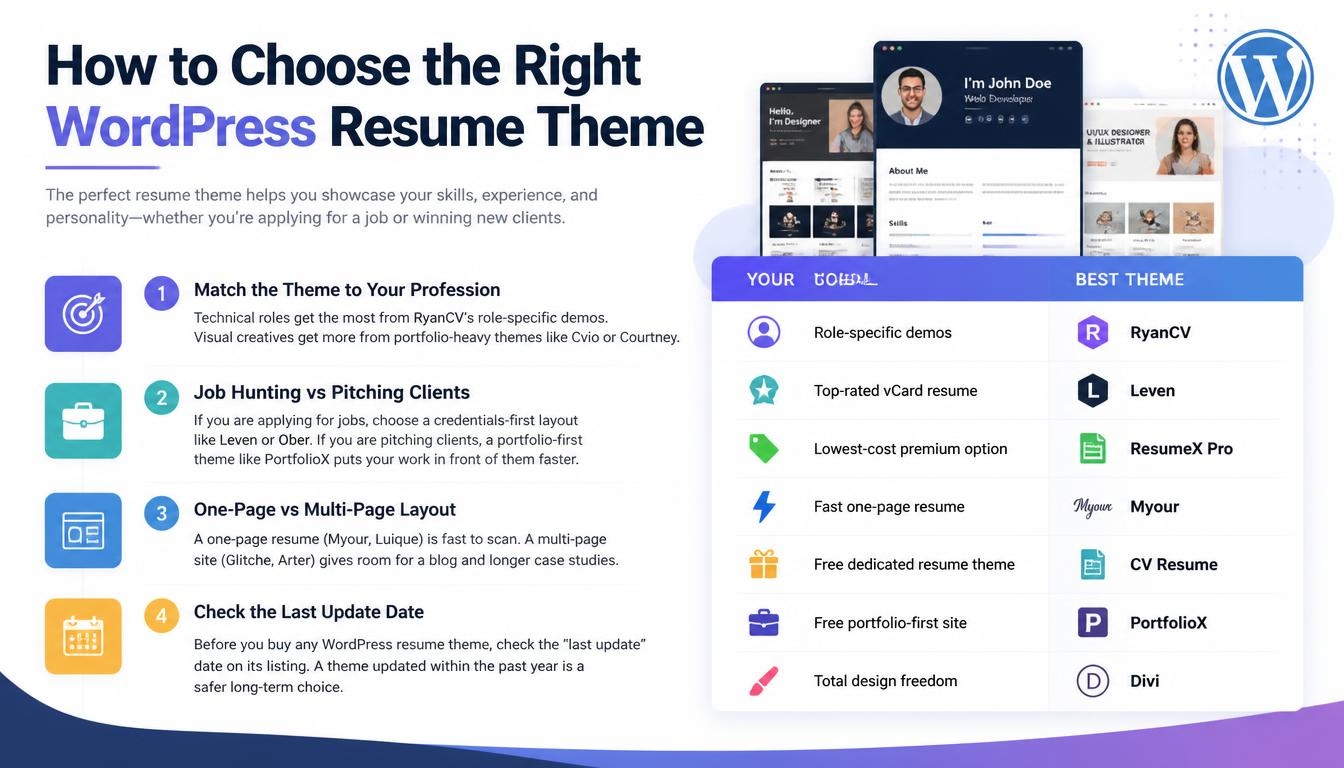
Technical roles get the most from RyanCV’s role-specific demos. Visual creatives get more from portfolio-heavy themes like Cvio or Courtney.
Job Hunting vs Pitching Clients
If you are applying for jobs, choose a credentials-first layout like Leven or Ober. If you are pitching clients, a portfolio-first theme like PortfolioX puts your work in front of them faster.
One-Page vs Multi-Page Layout
A one-page resume (Myour, Luique) is fast to scan. A multi-page site (Glitche, Arter) gives room for a blog and longer case studies.
Check the Last Update Date
Before you buy any WordPress resume theme, check the “last update” date on its listing. A theme updated within the past year is a safer long-term choice.
| Your Goal | Best Theme |
| Role-specific demos | RyanCV |
| Top-rated vCard resume | Leven |
| Lowest-cost premium option | ResumeX Pro |
| Fast one-page resume | Myour |
| Free dedicated resume theme | CV Resume Portfolio |
| Free portfolio-first site | PortfolioX |
| Total design freedom | Divi |
How to Set Up a Resume Website With a WordPress Theme
Choose a Domain Based on Your Name
A name-based domain makes your resume link easy to remember and helps people find you when they search your name.
Install the Theme and Import a Demo
Upload your WordPress resume theme, activate it, and run the demo import to load a complete starter site.
Replace the Placeholder Content
Swap the demo text and images for your own bio, experience, skills, projects and testimonials.
Add a Downloadable PDF CV Button
Upload your PDF to the media library and link it to a download button on your homepage or resume page.
Optimize for Your Name in Google
Use your full name in the site title and main heading so search engines connect the site with your name.
Verify With Google Search Console
Verify your site in Google Search Console and keep publishing to help search engines index it.
Common Mistakes to Avoid With a Resume Website
The most common mistake is choosing a generic template when a WordPress resume theme gives you a CV structure from the start. Another is ignoring mobile, even though many people open links on their phones. Buying an unmaintained theme is risky, so always check the last update date and any reported security issues first.
Leftover demo content, like placeholder text and sample projects, makes a site look careless. Heavy animation can slow your page speed, so use effects sparingly. Finally, make it easy for visitors to act: a missing contact option is a lost opportunity.
Frequently Asked Questions About WordPress Resume Themes
What is the best WordPress resume theme?
RyanCV is the strongest all-round pick, with 22+ role-specific demos and regular 2026 updates. Leven is the top-rated vCard option, with a perfect 5.00/5 rating on ThemeForest. If budget comes first, ResumeX Pro costs $19.
How much does a WordPress resume theme cost?
Most premium resume themes in this guide cost 49, and ResumeX Pro costs $19. Free options include CV Resume Portfolio, PortfolioX and five Astra templates. Builders like Divi cost $89 per year or $249 for lifetime access.
Do I need coding skills to use a WordPress resume theme?
No. Setup wizards and drag-and-drop builders like Elementor let you build a full site visually.
Do I need Elementor for a resume theme?
Not always. Many resume themes are built on Elementor, but Authority Pro uses the block editor and H-Code uses WPBakery. Check the required plugins before you buy.
Can I sell services from my resume website?
Yes, if your theme supports WooCommerce. RyanCV, Arter, Cvio and Glitche include WooCommerce support, so freelancers can sell services or digital products from the same site as their CV.
Will my resume website work on mobile phones?
The dedicated resume themes in this guide are responsive. Before you publish, preview your site on a phone, since many people open links on mobile.
Can I link my resume website in job applications?
Yes. Your own domain gives you a clean URL for applications, email and your LinkedIn profile.
Read More: https://linkneon.com/brazilian-food-wordpress-theme/
Final Thoughts on Choosing a WordPress Resume Theme
Your online resume is often the first impression a recruiter or client gets of you, sometimes before a call or interview. A theme built for that job makes it easy to look polished without hiring a developer.
The right pick depends on your goal. Specialists get the most from a role-specific demo, job seekers from a credentials-first layout, and freelancers from a portfolio-first design. If budget is tight, a free dedicated theme still gives you real resume sections. Whichever WordPress resume theme you choose, keep your content current so your site always reflects your latest work.
Ready to build yours? Pick one theme from the comparison table, import its demo today, and replace the placeholder content with your own story this week.