

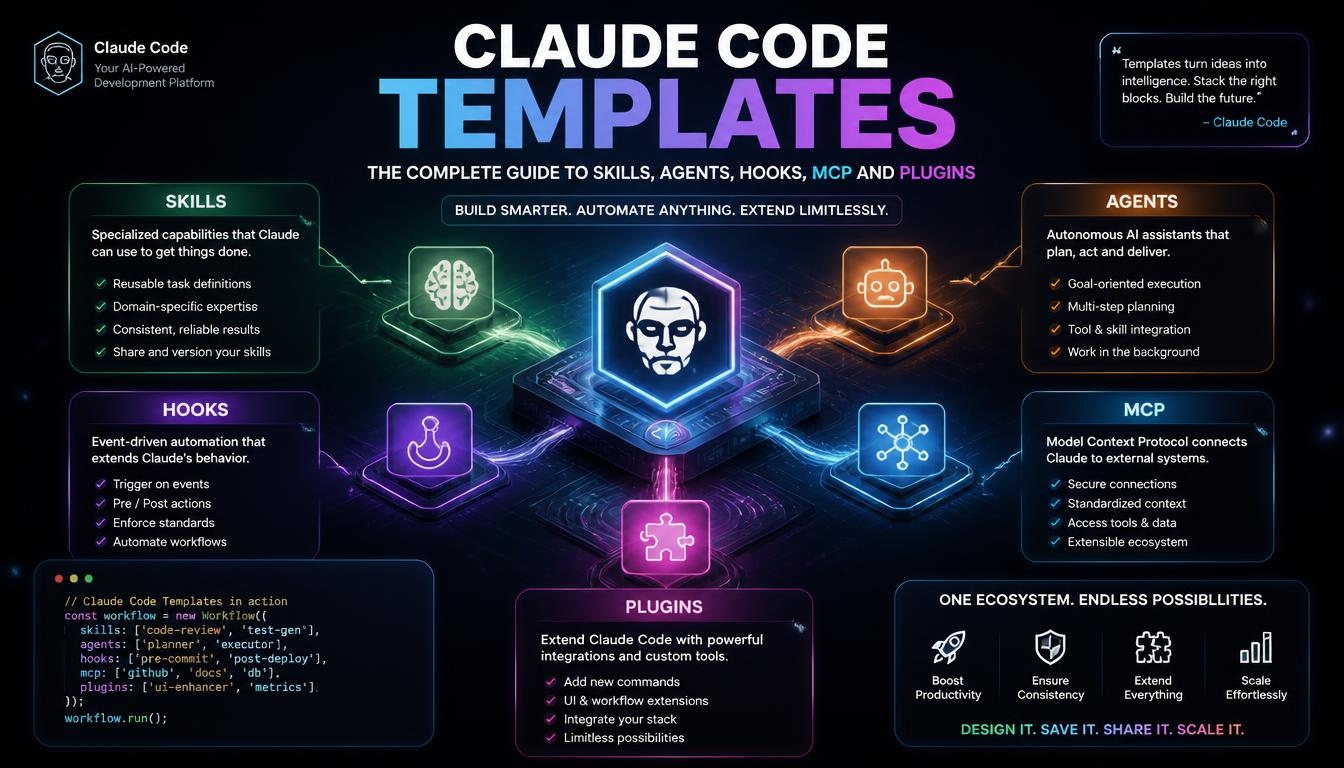
Do you find yourself explaining the same project rules to Claude Code at the start of every session? “Use our test command. Follow this folder structure. Never touch that file. Write commits this way.” It works, but it’s repetitive, and it’s easy to forget a step.
Claude Code templates solve that problem. They are small, reusable files that teach Claude Code how your project works once, so every session starts with the right project context, the right tools and the right guardrails already in place.
In this guide, I’ll explain what Claude Code templates are and how Claude Code loads them from your project folder. You’ll learn the eight template types, from CLAUDE.md and skills to subagents, hooks, MCP servers, settings and plugins, and when to use each one.
I’ll also show you the built-in commands that manage your templates, walk you through the popular claude-code-templates CLI, the best places to find ready-made templates, copy-and-paste examples you can use today, a security checklist and the mistakes that trip most people up.
Key Takeaways
- Claude Code templates are plain files, mostly Markdown and JSON, stored in your project’s .claude folder or your home folder
- CLAUDE.md gives Claude your project briefing, while skills, subagents and hooks add focused, reusable behavior on top
- Hooks enforce rules every time, skills encode repeatable workflows and subagents bring specialist expertise in their own context
- Plugins bundle several templates together so a whole team can install the same setup with one command
- The open-source claude-code-templates CLI lets you browse and install more than a thousand community components with npx
- Always read a community template before installing it, because hooks and settings can run commands on your machine
What Are Claude Code Templates?
Claude Code is Anthropic’s agentic coding tool. It reads your codebase, edits files and runs commands from your terminal or IDE. Out of the box, it knows a lot about programming but nothing about your specific project. Templates close that gap.
A Claude Code template is any reusable configuration file that shapes how Claude Code behaves. Instead of clicking through a settings screen, you write a file, place it in the right folder and Claude Code discovers it automatically. Most templates are Markdown files with YAML frontmatter, JSON configuration files or small shell scripts.
The term is used in two ways, and it helps to know both. The first meaning is a component template: a single skill, subagent, hook or MCP configuration you drop into a project. The second is a project starter kit: a complete repository with a CLAUDE.md, a .claude folder and often app code, designed to give a new project a running start.
Many people also use “Claude Code Templates” to mean one specific open-source project, the claude-code-templates CLI and its catalog at aitmpl.com, which I cover in its own section below.
How Claude Code Loads Templates: The .claude Folder Explained
Everything starts with location. Claude Code looks for template files in predictable places, and the folder you choose decides who the template applies to. Here’s what a typical project setup looks like:
my-app/
├── CLAUDE.md # Project briefing for every session
├── CLAUDE.local.md # Your private notes (gitignored)
├── .mcp.json # Project MCP servers
└── .claude/
├── settings.json # Shared permissions and hooks
├── settings.local.json # Your personal overrides
├── rules/ # Modular, topic-based instructions
├── skills/ # Reusable workflows (SKILL.md)
├── agents/ # Custom subagents
└── commands/ # Legacy slash commands
The same structure also exists in your home folder under ~/.claude, which applies to all of your projects. Organizations can add a third layer through managed settings controlled by IT. This configuration scope system is what makes templates so flexible:
| Scope | Where It Lives | Who It Affects | Shared Through Git? |
| Project | ./CLAUDE.md and ./.claude/ | Everyone working on the repository | Yes |
| Local | ./CLAUDE.local.md and .claude/settings.local.json | Only you, in this project | No |
| User | ~/.claude/ | Only you, in every project | No |
| Managed | System files or the claude.ai admin console, set by IT | Everyone in the organization | Admin-controlled |
| Plugin | Inside an installed plugin | Anyone who enables the plugin | Through a marketplace |
A simple rule of thumb: put team conventions in the project folder and commit them, keep personal preferences in your user folder and never commit secrets or machine-specific paths.
The 8 Types of Claude Code Templates
Each template type solves a different problem. Understanding the difference is the key to building a setup that feels helpful instead of noisy.
1. CLAUDE.md Templates (Project Memory)
CLAUDE.md is the foundation of every good setup. It’s a Markdown file Claude Code reads at the start of every session, so it works as your project’s standing briefing: build and test commands, architecture notes, coding standards and files that are off-limits.
Claude Code loads CLAUDE.md files from your working directory and every directory above it, and it also supports a user-level file at ~/.claude/CLAUDE.md and a gitignored CLAUDE.local.md for private notes.
You don’t have to start from a blank page. Running /init asks Claude to analyze your codebase and generate a starting CLAUDE.md with the build commands, test instructions and conventions it discovers.
Anthropic’s documentation recommends keeping each CLAUDE.md under 200 lines, because longer files use more context and reduce how consistently Claude follows them. You can split instructions into topic files with @path imports, which can nest up to four levels deep, or move them into the .claude/rules/ folder, where rules can be scoped to specific file paths.
2. Skill Templates
Skills are the most powerful template type for repeatable workflows. A skill is a folder containing a SKILL.md file: YAML frontmatter with a name and a description, followed by step-by-step instructions in Markdown. Claude loads a skill automatically when your request matches its description, or you can call it directly by typing /skill-name.
Skills live in .claude/skills/ for a project or ~/.claude/skills/ for all your projects. Because only the description is read until the skill is needed, long reference material inside a skill costs very little context.
You can also pass arguments with $ARGUMENTS, pre-approve the tools a skill needs with allowed-tools so Claude can use them without a permission prompt while the skill runs, and make a skill manual-only with disable-model-invocation, which suits side-effect workflows like deployments.
Claude Code skills follow the open Agent Skills standard, so a well-written skill can work across multiple AI tools.
3. Custom Slash Command Templates
Slash commands are on-demand shortcuts like /review or /generate-tests. Historically, you created them as Markdown files in .claude/commands/. Anthropic has since merged custom commands into skills: a file at .claude/commands/deploy.md and a skill at .claude/skills/deploy/SKILL.md both create /deploy, and existing command files keep working.
For new work, the docs recommend skills, because they add a folder for supporting files, frontmatter controls and automatic loading.
4. Subagent Templates
Subagents are specialized assistants with their own role, system prompt, tool access and model. Each one runs in its own fresh context window, so a side task such as a large code search or log analysis doesn’t flood your main conversation; the subagent returns only a summary.
A subagent is a Markdown file in .claude/agents/ or ~/.claude/agents/. Only the name and description fields are required, and optional fields let you set a tool allowlist, a model such as sonnet, opus or haiku, a permission mode or a maximum number of turns.
Claude Code also ships with built-in subagents, including Explore for fast read-only codebase searches, Plan for research in plan mode and a general-purpose agent for complex multi-step tasks.
5. Hook Templates
Hooks are where templates turn into guarantees. A hook is a handler that runs automatically at a specific point in Claude Code’s lifecycle, such as before a tool runs (PreToolUse), after it finishes (PostToolUse), when you submit a prompt (UserPromptSubmit), when a session starts (SessionStart) or when Claude stops (Stop). The current documentation lists more than 30 lifecycle events.
Hooks are defined in settings files, and a handler can run a shell command, send an HTTP request, call an MCP tool or ask a Claude model to evaluate a condition. For a PreToolUse hook, exiting with code 2 blocks the tool call.
This is the important difference from CLAUDE.md: instructions are context Claude tries to follow, while hooks are deterministic rules that run every time. Use them for auto-formatting, linting, notifications and blocking risky commands.
6. MCP Server Templates
The Model Context Protocol (MCP) connects Claude Code to external tools and data, such as GitHub, databases, issue trackers and browsers. An MCP template is usually a configuration entry in a project’s .mcp.json file that tells Claude Code which server to start and how to connect to it.
Running claude mcp add with the project scope creates this file for you, and because .mcp.json is meant to be committed, you should reference tokens through environment variables instead of pasting them in.
Once connected, the server exposes tools Claude can call during a session. Because MCP servers can access real systems, treat these templates with the same care as code.
7. Settings and Permission Templates
Settings templates live in settings.json files and control what Claude Code is allowed to do. They hold permission rules that allow, ask about or deny specific tools and commands, plus environment variables, hooks and plugin settings.
A shared .claude/settings.json can be committed so the whole team works with the same guardrails, while .claude/settings.local.json keeps your personal overrides out of Git. When the same setting appears in several files, managed settings win first, then local, then shared project, then user settings.
A good permissions template reduces approval prompts for safe commands like running tests while still blocking destructive ones.
8. Plugin Templates
Plugins are the distribution layer. A plugin bundles skills, subagents, hooks and MCP servers into one installable package with a manifest at .claude-plugin/plugin.json. Plugins are shared through marketplaces: a repository with a .claude-plugin/marketplace.json file that lists available plugins.
Installing a plugin takes two commands. You register a marketplace with claude plugin marketplace add, then install with claude plugin install plugin-name@marketplace-name, or do the same inside a session through the /plugin panel.
Skills from a plugin are namespaced, so a skill called hello in a plugin called my-plugin runs as /my-plugin:hello. Anthropic runs an official marketplace, and the name claude-plugins-official is reserved for it.
Which Template Type Should You Use?
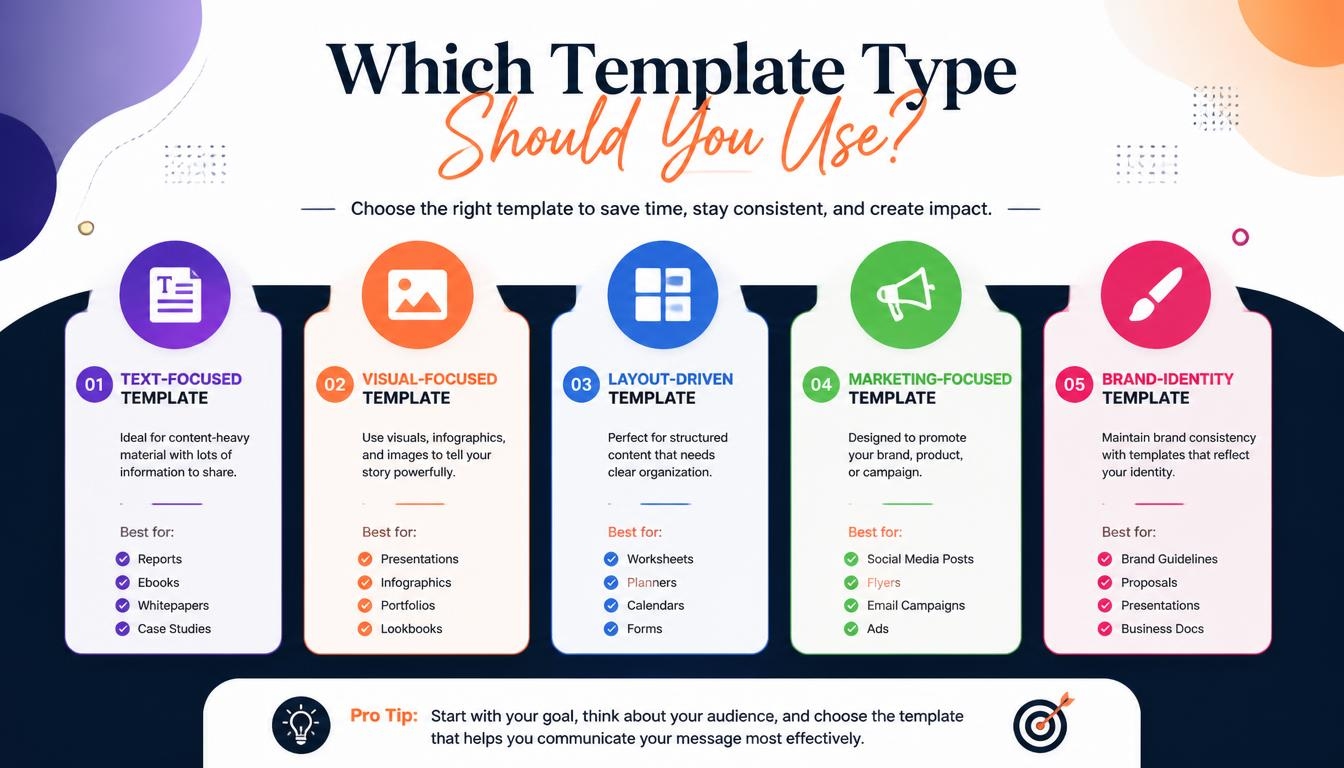
Most problems map clearly to one template type. Use this table when you’re deciding where a new rule or workflow belongs:
| Your Goal | Best Template Type | Why |
| Share project context with every session | CLAUDE.md | Loaded at the start of every session |
| Repeat a multi-step workflow | Skill | Loads only when relevant, can be called by name |
| Trigger a quick action on demand | Skill (or legacy command) | Called with a slash command |
| Hand off a specialized or noisy task | Subagent | Own context window and tool limits |
| Enforce a rule every single time | Hook | Runs deterministically, can block actions |
| Connect to external tools or data | MCP server | Gives Claude new tools through a standard protocol |
| Control what Claude may run | Settings | Allow, ask and deny rules for tools and commands |
| Share a full setup across a team | Plugin | Bundles everything into one install |
The most effective setups combine several types. A typical example is a CLAUDE.md for context, a code-review subagent for expertise, a formatting hook for consistency and a deployment skill for a repeatable process.
Built-In Claude Code Commands for Managing Templates
You don’t have to edit every file by hand. Claude Code includes short built-in commands that create, inspect and troubleshoot your Claude Code templates from inside a session. Type / at the prompt to see every command available to you, or type a few letters after it to filter the list.
| Command | What It Does | Template Type |
| /init | Creates a starting CLAUDE.md for your project | CLAUDE.md |
| /memory | Edits your CLAUDE.md files and manages auto memory | CLAUDE.md |
| /skills | Lists every available skill and lets you filter or hide them | Skills |
| /hooks | Shows the hooks currently configured | Hooks |
| /mcp | Manages MCP server connections and sign-ins | MCP servers |
| /permissions | Manages allow, ask and deny rules by scope | Settings |
| /config | Opens the settings interface for theme, model and other preferences | Settings |
| /plugin | Opens the plugin menu, or installs, enables and disables plugins directly | Plugins |
| /reload-plugins | Applies plugin changes without restarting Claude Code | Plugins |
| /context | Shows how much of the context window your templates and conversation use | All |
| /compact | Summarizes the conversation to free up context | All |
| /clear | Starts a fresh conversation with empty context | All |
| /doctor | Runs a setup checkup for installation, settings, extensions and CLAUDE.md problems | All |
| /status | Shows your version, model, account and which settings files loaded | Settings |
| /help | Shows help and the full list of available commands | All |
Two of these are worth running regularly. /context shows whether a long CLAUDE.md or too many skills are eating into your context, and /doctor catches broken settings files and misconfigured extensions before they cause confusing behavior. Remember that your own skills appear in the same / menu, so a skill named deploy runs as /deploy right alongside the built-in commands.
The claude-code-templates CLI (aitmpl.com) Explained
When people search for Claude Code templates, many are looking for one specific project: claude-code-templates, an open-source CLI created by Daniel Avila and hosted on GitHub under the MIT license. Its web catalog at aitmpl.com lets you browse, search and combine components before you install them.
As of November 2026, the project’s README lists roughly 1,900 installable components, including more than 890 skills, 420 agents, 280 commands, 100 MCP configurations, 75 settings and 60 hooks, and the repository has passed 30,000 GitHub stars. These numbers grow quickly, so treat them as a snapshot.
Installing Components With One Command
You don’t need to install anything globally. The CLI runs through npx, and each component type has its own flag:
npx claude-code-templates@latest –agent development-team/frontend-developer
npx claude-code-templates@latest –command performance/optimize-bundle
npx claude-code-templates@latest –hook automation/simple-notifications
npx claude-code-templates@latest –setting permissions/allow-npm-commands
npx claude-code-templates@latest –mcp web-fetch
npx claude-code-templates@latest –skill web-development/roier-seo
You can combine several flags in a single command to install a whole stack at once, and add –yes to skip confirmation prompts. On aitmpl.com, the Stack Builder lets you add components across categories and then generates the matching install command for you. The CLI also accepts the shorter alias cct.
Built-In Tools: Analytics, Chats and Health Check
Beyond installation, the CLI includes a few useful utilities. The –analytics flag opens a local dashboard for monitoring your Claude Code sessions in real time, –chats opens a web interface for reading and searching past conversations, and –health-check diagnoses your Claude Code installation and project setup. The health check is a handy first step when something isn’t loading the way you expect.
Best Places to Find Claude Code Templates
There’s no shortage of templates, but quality varies a lot. Here are the most useful sources and what each one is best for:
| Source | What You’ll Find | Best For |
| Claude Code Docs | Official examples for skills, subagents, hooks and plugins | Learning the correct format |
| Official plugin marketplace | Anthropic-curated plugins installed through /plugin | Vetted, lower-risk add-ons |
| claude-code-templates (aitmpl.com) | A large community catalog with a one-command CLI | Fast setup and browsing by category |
| Example settings files in the Claude Code Docs | Ready-made personal, team and organization settings files | Safe permission and hook starting points |
| Claude Quickstarts | Runnable sample apps from Anthropic | Learning agent patterns end to end |
| Community lists such as Awesome Claude Code | Curated links to commands, hooks, skills and starter repos | Discovering niche templates |
| Project starter kits | Framework-specific repos (Next.js, Python, monorepos) with Claude configuration built in | Starting a new app quickly |
Start with the official docs to understand the format, then use community catalogs for speed. Whatever the source, check when the template was last updated, because Claude Code adds features quickly and older templates may use legacy formats.
Ready-to-Use Claude Code Template Examples
Reading about templates only goes so far. These four examples follow the official formats and are small enough to adapt in minutes.
CLAUDE.md Starter Template
# Project: my-app
## Commands
– Install: npm install
– Dev server: npm run dev
– Tests: npm test
– Lint: npm run lint
## Architecture
– Next.js app in /app, shared UI in /components, API routes in /app/api
## Conventions
– TypeScript strict mode; no `any`
– Write tests for every new utility function
– Use conventional commit messages
## Do not edit
– /generated, /migrations
Keep it short and specific. Every line should be something Claude couldn’t figure out on its own by reading the code.
Code Review Subagent Template
Save this as .claude/agents/code-reviewer.md. This format comes straight from the official documentation:
—
name: code-reviewer
description: Reviews code for quality and best practices
tools: Read, Glob, Grep
model: sonnet
—
You are a code reviewer. When invoked, analyze the code and provide
specific, actionable feedback on quality, security, and best practices.
Because every tool on the list is read-only, this reviewer can inspect your code but can’t change it, which is exactly what you want from a second opinion.
Auto-Lint Hook Template
Add this to .claude/settings.json to run a lint script every time Claude edits or writes a file:
{
“hooks”: {
“PostToolUse”: [
{
“matcher”: “Edit|Write”,
“hooks”: [
{ “type”: “command”, “command”: “/path/to/lint-check.sh” }
]
}
]
}
}
The matcher limits the hook to file edits, so it doesn’t fire on every search or read.
Change Summary Skill Template
Save this as .claude/skills/summarize-changes/SKILL.md. The line starting with an exclamation mark runs git diff before Claude reads the skill, so the output is injected straight into the instructions:
—
name: summarize-changes
description: Summarizes uncommitted changes and flags anything risky. Use when the user asks what changed or wants a commit message.
—
## Current changes
!`git diff HEAD`
## Instructions
Summarize the changes above in two or three bullet points, then list any risks.
Type /summarize-changes, or just ask Claude what changed, and Claude can load the skill on its own because the request matches its description.
How to Build Your Own Claude Code Template Stack
The best setups grow gradually. Adding twenty community components on day one usually creates noise, conflicting instructions and wasted context. Here’s a calmer path that works for solo developers and teams alike:
| Stage | What to Add | What You Get |
| Day 1 | Run /init and trim the CLAUDE.md it creates | Every session starts with the right commands and conventions |
| Week 1 | One skill for your most repeated workflow | A reliable process you can trigger by name |
| Week 2 | A formatting or lint hook | Consistent code without reminders |
| Week 3 | One specialist subagent, such as a reviewer or test writer | Focused expertise without cluttering your main session |
| When needed | MCP servers for the tools you use daily | Direct access to GitHub, databases or docs |
| When sharing | Package everything as a plugin | One-command setup for the whole team |
Add each piece when you feel real friction, not because a catalog makes it easy. After every addition, use Claude Code for a few days and check whether it actually saves time.
Sharing Templates With Your Team Through Plugins
Once your setup works well, the next step is making it repeatable for everyone. For a single repository, committing the .claude folder and CLAUDE.md is often enough, because everyone who clones the project gets the same configuration.
For several repositories or a whole organization, plugins are the cleaner option. You create a plugin with your skills, subagents, hooks and MCP servers, list it in a marketplace repository and ask teammates to add that marketplace once.
From then on, you ship changes by updating the marketplace, and teammates pick them up through the normal plugin update flow. Before you publish, run claude plugin validate on the plugin or marketplace folder to catch JSON syntax errors, missing required fields and invalid relative paths, then test an install on your own machine before you share it.
Administrators can also require a marketplace on every machine through managed settings, which is useful for team onboarding and compliance.
Security Checklist Before Installing Community Templates
Templates are configuration, but some configuration can execute code. Hooks run shell commands, MCP servers connect to external systems and settings can widen what Claude is allowed to do. Before installing any community template, run through these checks:
- Read every file in the template, especially hook scripts, settings.json and .mcp.json
- Check that tool access is limited to what the template actually needs
- Look for commands that delete files, push code or send data to unknown servers
- Prefer templates with recent updates, clear documentation and an active maintainer
- Never commit API keys or tokens inside templates; use environment variables instead
- Test new templates in a separate branch or sandbox before using them on important work
A few minutes of review protects your codebase, your credentials and your team.
Common Mistakes With Claude Code Templates
Most problems with templates come from doing too much rather than too little. Watch out for these:
- Writing a CLAUDE.md that’s hundreds of lines long, so key instructions get lost
- Putting rules that must always apply in CLAUDE.md instead of a hook
- Installing large bundles of agents and skills you never use
- Writing vague skill descriptions, so Claude never knows when to load them
- Keeping conflicting instructions across CLAUDE.md, rules and skills
- Committing personal settings that belong in a local file
Fixing these usually makes Claude Code faster, more predictable and cheaper to run, because less unnecessary context loads into each session.
FAQs
What are Claude Code templates?
Claude Code templates are reusable configuration files, such as CLAUDE.md, skills, subagents, hooks, MCP configurations, settings and plugins, that tell Claude Code how to work in your project. They live in your project’s .claude folder or your home folder, and Claude Code loads them automatically.
How do I install Claude Code templates?
You can copy template files into the right folders yourself, install plugins through the /plugin command, or use the community CLI with a command like npx claude-code-templates@latest –agent development-team/frontend-developer.
What is the difference between CLAUDE.md and a skill?
CLAUDE.md loads at the start of every session and holds broad project context. A skill holds a specific workflow and loads only when it’s relevant or when you call it by name, which keeps your context lean.
Are slash commands still supported in Claude Code?
Yes. Custom commands have been merged into skills, so existing files in .claude/commands/ keep working, but Anthropic recommends skills for new work because they add supporting files, frontmatter controls and automatic loading.
Is the claude-code-templates CLI official?
No. It’s an open-source community project created by Daniel Avila and released under the MIT license. Anthropic’s official extension channels are the formats in the Claude Code documentation and its official plugin marketplace.
Are Claude Code templates safe to use?
Most are, but hooks, MCP servers and settings can run commands or access external systems. Always read a template’s files before installing it and test it on a separate branch first.
Can I use Claude Code templates across multiple projects?
Yes. Put templates in ~/.claude/ to apply them to every project on your machine, or package them as a plugin to share them across repositories and teams.
Read More: https://linkneon.com/ai-ready-content/
Conclusion
Claude Code templates turn a helpful assistant into a teammate that already knows how your project works. CLAUDE.md gives it context, skills give it repeatable workflows, subagents give it specialist focus, hooks give it rules it can’t ignore, MCP servers connect it to your tools, and plugins let you share the whole setup in one step.
Start small. Run /init, trim the result, add one skill for the task you repeat most and one hook for the rule you’re tired of repeating. Then explore the official docs and the claude-code-templates catalog for the next piece you actually need. A focused set of well-chosen Claude Code templates beats a huge collection you never open.