


There’s a particular kind of frustration in building a good-looking website and then watching almost nobody walk through the door. You publish, refresh your analytics, and wonder where everyone went. A WordPress site can look polished and still stay nearly invisible in search results — like a bright shop on a street nobody walks down.
The good news is that if you want to improve SEO on your WordPress website, you don’t need to turn it into a keyword-stuffed maze. Good SEO simply means helping search engines understand your pages while making those pages genuinely useful to real people. When those two things line up, results tend to follow — even if SEO rarely delivers them overnight.
Here are 10 practical, high-impact ways to strengthen your WordPress site, ordered so you can tackle the biggest wins first.
| # | Area | What to Do |
| 1 | Site Structure | Keep navigation simple and logical |
| 2 | Search Intent | Create content that answers the real question |
| 3 | Titles & Meta Descriptions | Write clear, specific, click-worthy copy |
| 4 | Internal Linking | Connect related pages with purpose |
| 5 | Page Speed | Optimize loading time and caching |
| 6 | Image Optimization | Compress images and add alt text |
| 7 | Mobile Experience | Make the site fast and easy on phones |
| 8 | Technical Health | Fix broken links, redirects, and indexing issues |
| 9 | Content Credibility | Add original, trustworthy information |
| 10 | Content Refreshes | Update and improve older posts |
1. Build a Clear Site Structure
A search engine shouldn’t have to play detective to figure out what your website is about. Your navigation, categories, and URLs should form a sensible path from one topic to the next, rather than sending visitors wandering like they’ve lost their car in a parking lot.
Start by deciding which pages matter most. A service business might lean on Home, Services, About, and Contact, with focused pages beneath each. A blog might use a handful of broad categories with useful articles underneath. This kind of site structure improves usability while helping search engines understand how your content relates.
A few guiding principles:
- Keep the main navigation short and understandable
- Group related articles under sensible categories
- Avoid dozens of tiny categories with one lonely post each
- Use descriptive URL structure instead of strings of numbers
- Keep important pages reachable within a few clicks
- Redirect or remove outdated pages
Think of your site as a house. The search engine needs a floor plan, and your visitor needs to find the kitchen without asking three people first.
2. Create Content Around Real Search Intent
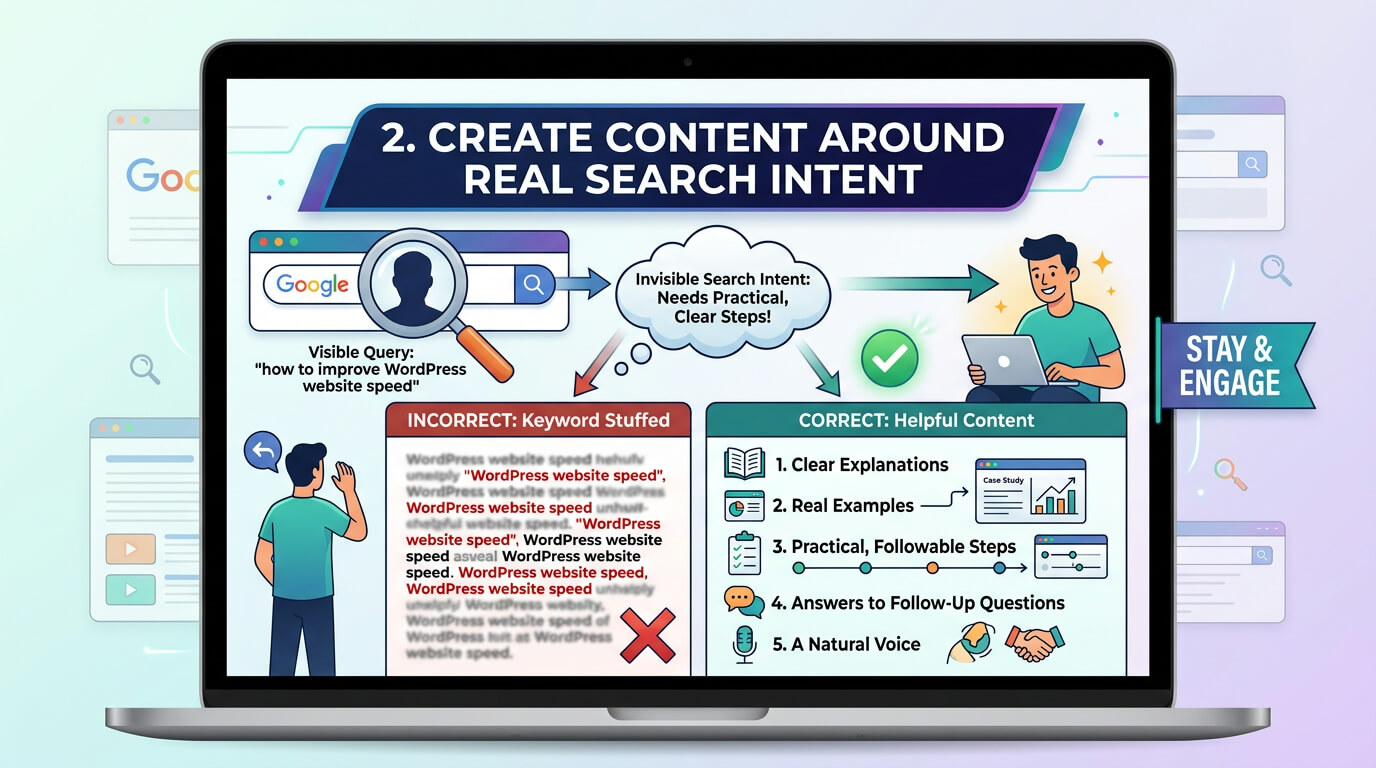
One of the most reliable SEO habits is also the easiest to get wrong: don’t write for keywords alone — write for the reason someone typed those words into Google in the first place.
If someone searches “how to improve WordPress website speed,” they don’t want a paragraph that repeats the phrase twelve times. They want explanations, steps, and a realistic sense of what to do first. That’s search intent — the invisible question behind the visible query.
Useful content usually includes:
- Clear explanations instead of vague claims
- Real examples that show how something works
- Practical, followable steps
- Answers to likely follow-up questions
- A natural voice, not a keyword-stuffed one
The best content doesn’t just earn a click — it gives the reader a reason to stay.
3. Write Titles and Meta Descriptions That Earn the Click
Your page title is often the first thing a searcher sees, so it needs to communicate value fast. “Services” tells people almost nothing. “WordPress Website Design for Small Businesses” tells them exactly what they’ll find.
Meta descriptions don’t directly push rankings, but they influence whether someone picks your result over a competitor’s. Treat each one like a small invitation, not a place to cram keywords.
For every important page, aim for a title that is:
- Specific to that page
- Easy to understand at a glance
- Naturally connected to the topic
- Distinct from your other page titles
Then write a description that tells readers what they’ll actually get. A little personality is fine — search results don’t need to read like tax forms.
4. Strengthen Internal Linking
Internal linking is the quiet road network connecting the different neighborhoods of your site. When you publish something new, don’t let it sit alone — link to it from relevant older posts, and link out from it to useful existing pages.
For example, an article about page speed could naturally link to one about image optimization or hosting. This gives visitors context and helps search engines understand how your pages relate.
Good internal linking means:
- Linking only where the connection is genuinely useful
- Using descriptive anchor text instead of “click here”
- Pointing your most important pages from several other pages
- Revisiting older content when a new article creates a useful link
There’s no prize for cramming 40 links into a 900-word post. One well-placed link often beats ten forced ones.
5. Make Page Speed a Real Priority
A slow site tests even the most patient visitor. You click, stare at a blank screen, check whether your internet has died, and quietly leave — that small drama plays out millions of times a day across the web.
Page speed shapes both the visitor experience and how search engines evaluate a page, particularly through Core Web Vitals, which measure loading, interactivity, and visual stability. Improving speed is therefore both a technical fix and a usability win.
Start with the basics:
- Compress unnecessarily large images
- Remove plugins you no longer use
- Choose reliable hosting
- Keep themes and plugins updated
- Enable caching so pages don’t rebuild from scratch every visit
- Reduce unnecessary scripts
You don’t need a stripped-down, personality-free site. The goal is to remove unnecessary waiting, not the character of your brand.
6. Optimize Images Without Making Them Ugly

Images make an article welcoming, but oversized files can make a site crawl. The fix isn’t fewer images — it’s the right image at the right size.
Resize photos for the space they’ll actually occupy, use modern formats where possible, and avoid uploading a 5,000-pixel image to fill a 700-pixel space. Add meaningful alt text for important images, both for accessibility and for helping search engines understand visual content.
Good image optimization combines:
- Sensible dimensions and compression
- Descriptive filenames where useful
- Helpful alt text on meaningful images
- Lazy loading for images below the fold
Your visitors should see a crisp photo, not wait through a coffee break to load one.
7. Make the Mobile Experience Genuinely Good
A large share of web traffic now comes from phones, and Google evaluates most sites primarily through their mobile version. Don’t just shrink the desktop layout and call it done — open the site on an actual phone. Tap the buttons. Fill out the form. Read a long paragraph. Open the menu.
Strong mobile optimization includes:
- Readable text without zooming
- Buttons large enough to tap comfortably
- Menus that stay simple, not confusing
- Forms that don’t require excessive scrolling
- Fast loading on an ordinary mobile connection
A technically responsive site can still be unpleasant to use — so test it like a visitor, not like its proud owner.
8. Keep the Technical Foundation Healthy
Technical problems can undercut even great content. Broken links, accidental noindex tags, duplicate pages, and redirect chains all create unnecessary friction for search engines and visitors alike.
Set aside time every month or two for a basic technical SEO check — you don’t need to become a developer to catch the obvious issues.
Look for:
- Broken internal links
- Pages returning unexpected errors
- Important pages accidentally blocked from indexing
- Duplicate or near-duplicate content
- Incorrect redirects
- Outdated plugins or themes
SEO is partly about discovery, but it’s also about housekeeping. A tidy site has fewer traps waiting for the people who visit it.
9. Build Trust With Original, Credible Content
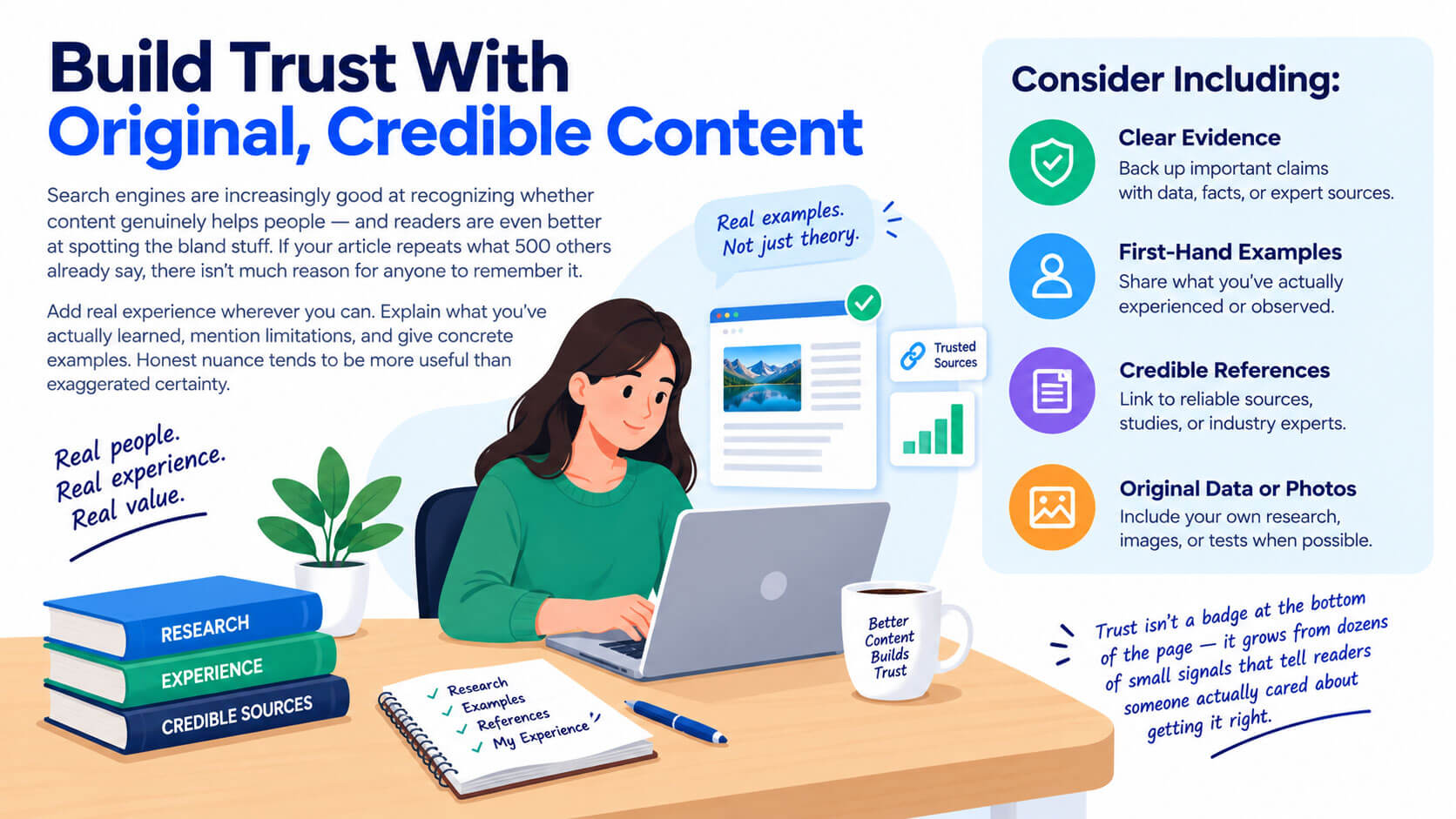
Search engines are increasingly good at recognizing whether content genuinely helps people — and readers are even better at spotting the bland stuff. If your article repeats what 500 others already say, there isn’t much reason for anyone to remember it.
Add real experience wherever you can. Explain what you’ve actually learned, mention limitations, and give concrete examples. Honest nuance tends to be more useful than exaggerated certainty.
Consider including:
- Clear evidence for important claims
- First-hand examples or observations
- Relevant, credible references
- Original data, photos, or tests when possible
Trust isn’t a badge at the bottom of the page — it grows from dozens of small signals that tell readers someone actually cared about getting it right.
10. Refresh Old Content Instead of Always Chasing New
There’s a strange online obsession with publishing more, more, more. But your best SEO opportunity might already be sitting in an article you wrote two years ago and forgot about.
Review older posts. Some may still hold up well; others might have outdated statistics, weak introductions, or information that could now be explained more clearly. Updating those pages is often more productive than endlessly creating new ones.
When refreshing content, look for:
- Outdated information or statistics
- Weak or thin sections that need expanding
- Broken or missing internal links
- Outdated screenshots or examples
- Titles and introductions that could be sharper
Think of old articles as rooms in a house — before building a new one, it’s worth fixing the ceiling that’s already leaking.
Building a Practical SEO Routine
You don’t need to implement all 10 changes in one frantic weekend — in fact, please don’t. WordPress SEO works better as a set of deliberate changes measured over time.
Start with your biggest weakness. If your site takes eight seconds to load, a tiny wording tweak in one meta description isn’t the priority. If the site is fast but the content is thin and confusing, speed isn’t what needs your attention first.
A simple monthly routine might include:
- Checking site performance
- Reviewing key pages for outdated information
- Scanning for broken links and technical errors
- Adding internal links when publishing new content
- Testing important pages on mobile
- Refreshing one or two older articles
SEO rarely delivers a dramatic before-and-after moment. It behaves more like gardening — fix the soil, plant thoughtfully, pull the weeds, and one morning you notice something has actually grown.
Frequently Asked Questions
How long does it take to see WordPress SEO results? Most sites start seeing measurable movement in organic traffic within 3 to 6 months, though competitive niches can take longer. SEO is cumulative, so improvements made today often compound with changes made a few months later rather than producing overnight results.
Do I need a paid SEO plugin, or is a free one enough? Free plugins like Yoast SEO or Rank Math cover the essentials — title tags, meta descriptions, and XML sitemaps — and are enough for most small to mid-sized sites. Paid versions add extras like advanced schema options and content analysis, which matter more once your site scales up.
Does WordPress hosting affect SEO? Yes. Hosting directly impacts page speed and uptime, both of which influence rankings and user experience. A slow or unreliable host can undo the benefit of otherwise solid on-page optimization, so it’s worth choosing a provider built for WordPress performance.
How many keywords should I target per page? Focus each page around one primary topic, supported by a handful of naturally related terms. Trying to rank one page for many unrelated keywords usually dilutes relevance rather than strengthening it — separate topics generally deserve separate pages.
Is it better to create new content or update old posts? Both matter, but updating older posts is often the faster win. Pages that already rank on page two or three can sometimes jump higher with a content refresh — updated facts, better internal links, and clearer structure — without the slow ramp-up that new content requires.
Can I improve SEO on WordPress without touching code? Largely, yes. Plugins, theme settings, and content changes handle most of what’s covered in this guide. Some advanced technical SEO fixes may need a developer, but the core work — structure, content, speed, and links — is manageable without writing code.
Read More: https://linkneon.com/seo-pricing-guide-2026/
Final Thoughts
There’s no single switch that makes a website rank. Instead, you improve SEO by stacking sensible changes that reinforce one another: a clearer structure, more useful content, stronger internal links, faster pages, and a bit of regular maintenance.
Most importantly, don’t lose sight of the person on the other side of the search box. They’re not a traffic statistic — they’re someone with a real question and a low tolerance for nonsense. If your WordPress SEO efforts help that person find a clear answer, the work has already done its job.