


Anyone building a news site, blog, or online magazine on WordPress eventually hits the same wall: most free themes look fine on a demo screenshot and fall apart the moment real content — ads, categories, a busy homepage grid — gets loaded in. Fonts run out, footer columns lock into one layout, and customization options that looked generous in the preview turn out to be premium-only once the real build starts. The Magbook WordPress Theme from Theme Freesia is built specifically for that use case, aiming at news portals, magazines, and review sites rather than trying to be a generic all-purpose theme.
This review covers what the Magbook WordPress Theme actually includes in its free version, what’s locked behind the paid Magbook Plus upgrade, how it compares on compatibility and setup, and who it’s realistically a good fit for. Every spec below comes directly from Theme Freesia’s own theme page and changelog, not assumptions (Theme Freesia, 2025).
What Is Magbook?
Magbook is a free WordPress theme built by Theme Freesia, aimed at news, newspaper, magazine, publishing, blog, and review websites. The current version is 1.3.3, last updated June 3, 2025. It’s released under the GNU General Public License v3.0, meaning it’s free to use and modify like any standard WordPress.org theme.
On the WordPress.org theme directory, Magbook shows 2,000+ active installations and a 4.3-out-of-5 rating from 15 total reviews — 11 five-star, 1 four-star, 1 three-star, 1 two-star, and 1 one-star (WordPress.org, 2026). That’s a small review sample, so the rating reads more as a rough directional signal than a statistically strong one, but it’s real third-party data rather than a vendor’s own claim.
One inconsistency to flag: Theme Freesia’s own theme page states a requirement of WordPress 6.7 and above, while the official WordPress.org listing shows a minimum WordPress version of 6.6 and PHP 5.6 (WordPress.org, 2026; Theme Freesia, 2025). The gap is minor, but it means checking the actual host’s WordPress version against both listings makes sense before installing rather than assuming either number is final.
Theme Freesia describes itself as a WordPress theme and plugin development company built around releasing free themes to the WordPress community alongside paid, feature-expanded versions of the same designs (Theme Freesia, 2025). Magbook fits that pattern: a genuinely usable free theme with an optional Plus upgrade rather than a stripped-down demo designed purely to push a sale.
Theme Freesia markets Magbook as “the best free magazine WordPress theme,” which is a vendor claim best taken with a grain of salt rather than as an independently verified ranking — plenty of magazine themes exist, and “best” depends heavily on what a specific site needs. What can be said more confidently, backed by the WordPress.org numbers above, is that Magbook is a well-adopted theme with a mostly positive track record, not just a name with no real usage behind it.
Key Features of the Magbook WordPress Theme
The free version ships with a reasonable feature set for a no-cost theme:
- Cross-browser compatibility — tested across Edge, Chrome, Firefox, Opera, and Safari (Theme Freesia, 2025), which matters because a layout that looks fine in Chrome can quietly break in Safari if a theme wasn’t tested against it.
- Responsive design — adapts to desktop, tablet, and mobile screens, which is close to non-negotiable now that most publication traffic arrives on a phone.
- One-click demo import — pulls in ready-made demo content instead of building a layout from a blank page, using the separate Theme Freesia Demo Import plugin.
- Multiple layout options — a default layout plus the ability to set a different layout per post or page, useful for a magazine site running both long-form features and short news updates.
- SEO-friendly markup — structured in a way intended to help content get indexed and discovered by search engines.
- Social media icon integration — built-in icon support across major platforms without needing a separate plugin just for icons.
- WooCommerce compatibility — an online store can be added without extra coding, relevant for publications selling merchandise or subscriptions.
- Color options panel — theme colors can be adjusted through the WordPress Customizer to match a logo or brand, without editing CSS directly.
- Smart sticky navigation — the main menu stays accessible while scrolling, confirmed in the theme’s official WordPress.org listing (WordPress.org, 2026).
- Additional plugin integrations — beyond WooCommerce and bbPress, the WordPress.org listing also confirms support for WP-PageNavi, Jetpack, Polylang, and Contact Form 7 (WordPress.org, 2026).
None of these are unusual for a modern WordPress theme, but having them bundled into a free download — rather than gated behind a premium plugin — is a genuine point in Magbook’s favor for anyone starting on a tight budget.
Demo Layouts: Which One Fits a Given Site
The Magbook WordPress Theme ships with four demo layouts — Default, Newspaper, Journal, and Publication — each a separate one-click-importable starting point (Theme Freesia, 2025; WordPress.org, 2026). One honest caveat: this review is based on the theme’s listings rather than a hands-on install of each demo, so the specific visual differences aren’t independently confirmed beyond their names and stated purpose. The names do map to distinct target use cases — general magazine, newspaper-style news, editorial journal, and formal publication — rather than four cosmetic variations of one layout.
Default Demo
The general-purpose starting point, intended for a mixed-content blog, magazine, or review site (Theme Freesia, 2025).
Newspaper Demo
Built around the newspaper site use case named in Theme Freesia’s own theme description — aimed at sites publishing frequent, shorter news updates (Theme Freesia, 2025).
Journal Demo
Positioned as the more editorial option among the four, based on its naming and placement alongside the other publication-style demos.
Publication Demo
Aimed at more formal publishing sites, per its name and inclusion in Theme Freesia’s official demo set (Theme Freesia, 2025).
Since all four demos are one-click imports, testing more than one before committing is realistic and doesn’t require rebuilding a site from scratch each time — and given the visual differences aren’t independently confirmed here, that hands-on comparison is simply the more reliable way to pick between them than any written description, including this one.
Magbook Free vs. Magbook Plus
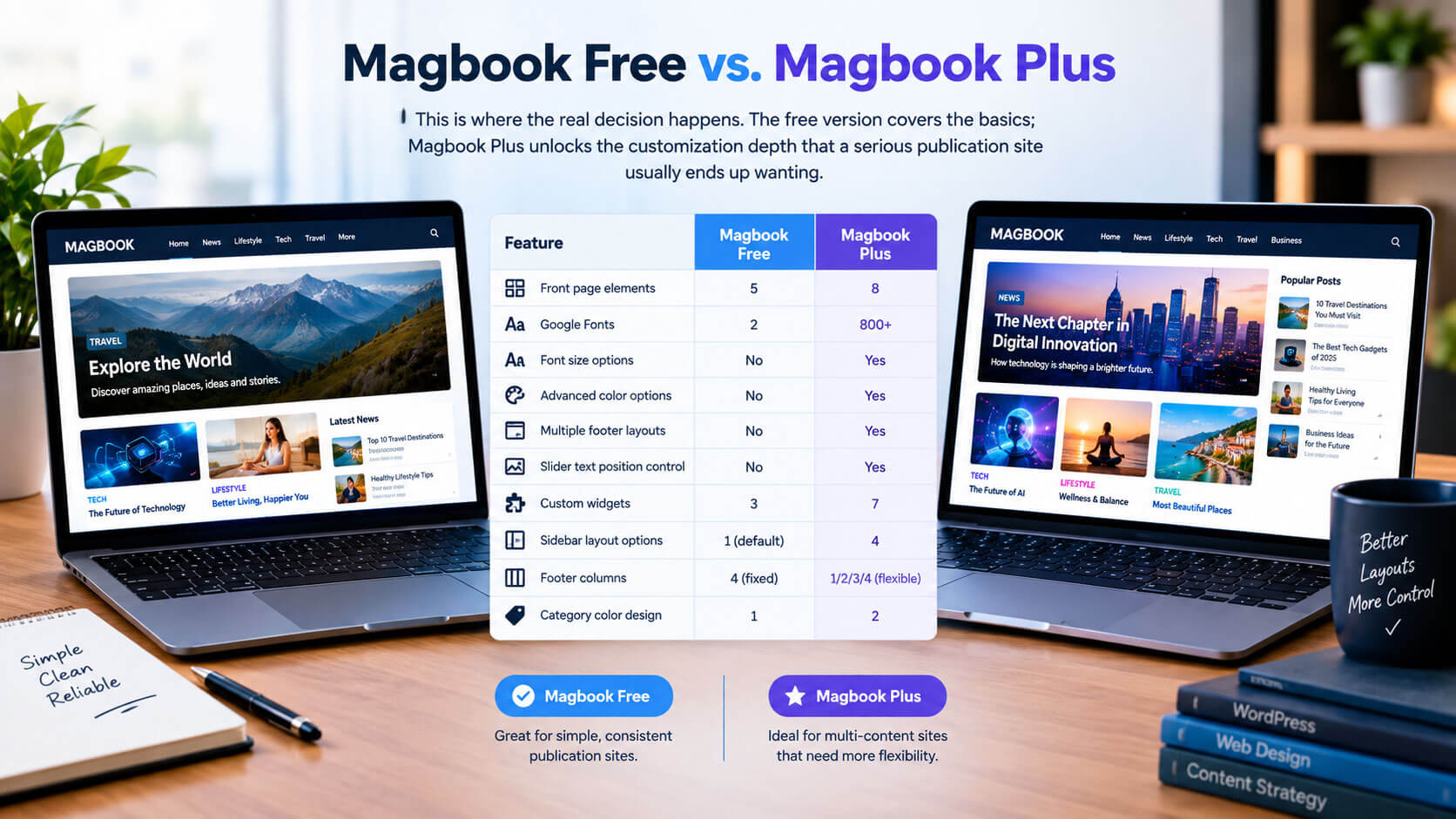
This is where the real decision happens. The free version covers the basics; Magbook Plus unlocks the customization depth that a serious publication site usually ends up wanting.
| Feature | Magbook Free | Magbook Plus |
| Front page elements | 5 | 8 |
| Google Fonts | 2 | 800+ |
| Font size options | No | Yes |
| Advanced color options | No | Yes |
| Multiple footer layouts | No | Yes |
| Slider text position control | No | Yes |
| Custom widgets | 3 | 7 |
| Sidebar layout options | 1 (default) | 4 |
| Footer columns | 4 (fixed) | 1/2/3/4 (flexible) |
| Category color design | 1 | 2 |
(Source: Theme Freesia, 2025)
The jump from 2 fonts to 800+ is the single biggest gap on that table, followed by the flexibility around footer columns and sidebar layouts. For a site that’s fine with one consistent look across every page, the free version holds up well long-term. For a publication juggling multiple content types — reviews, news, long-form journalism — the layout flexibility in Plus starts to matter more quickly.
Magbook Plus Pricing
The paid tier of the Magbook WordPress Theme is sold in three license tiers (Theme Freesia, 2025):
- Personal — $59, single-site license.
- Business — $79, 5-site license.
- Developer — $99, unlimited-site license.
That pricing structure is fairly standard for the WordPress theme market — a per-site personal tier, a mid-range agency tier, and an unlimited developer license for anyone reselling or managing many client sites. There’s no subscription; it reads as a one-time purchase per tier based on how the license options are listed.
Compatibility With Other Plugins
The Magbook WordPress Theme is documented as compatible with several commonly used WordPress plugins: WooCommerce, bbPress, Newsletter, Breadcrumb NavXT, and WPForms Lite on Theme Freesia’s own theme page (Theme Freesia, 2025), with WP-PageNavi, Jetpack, Polylang, and Contact Form 7 confirmed separately on the WordPress.org listing (WordPress.org, 2026). Theme Freesia is explicit that these are third-party plugins it supports but doesn’t develop, and it disclaims responsibility if a specific plugin update causes conflicts — a reasonable and honest caveat that not every theme vendor bothers to include.
For a magazine or news site, WooCommerce compatibility matters if a paywall or merchandise store gets added later, bbPress support opens the door to a community forum, and WPForms plus Breadcrumb NavXT cover contact forms and navigation — both fairly standard needs for a publication-style site.
Support and Updates
Theme Freesia states that bug fixes for the Plus version are handled quickly, while free-version support and updates can take a few days rather than arriving immediately (Theme Freesia, 2025) — a standard, honest trade-off: paying customers get priority. That’s usually fine for a hobby blog or a site still in testing; it matters more for a live publication that can’t afford downtime.
Performance and SEO Considerations
Theme Freesia describes Magbook as tuned for quick page load times and built with SEO-friendly markup (Theme Freesia, 2025). No third-party speed test results are published alongside the theme listing, so it’s more accurate to read that as a stated design goal than a guaranteed benchmark number.
In practice, actual load speed on any WordPress theme depends heavily on hosting, image sizes, and how many plugins get added on top — a pattern that holds true regardless of which theme is chosen. A magazine-style homepage with dozens of thumbnail images is inherently heavier than a simple blog layout, so pairing Magbook with a reasonable image-optimization plugin and decent hosting matters more than the theme’s baseline code alone. The theme is also described by its developer as secure and built with minimal, clean code (Theme Freesia, 2025) — a reasonable starting point, though clean code alone doesn’t override the effect of a bloated homepage full of unoptimized images.
SEO-friendly markup on its own also isn’t the same thing as ranking well — it means the underlying HTML structure doesn’t get in the way of search engines reading the content, not that the theme guarantees any particular search position. Pairing it with a dedicated SEO plugin (Yoast, Rank Math, or similar) for meta control and sitemaps is still worth doing regardless of which theme is running underneath.
Pros and Cons
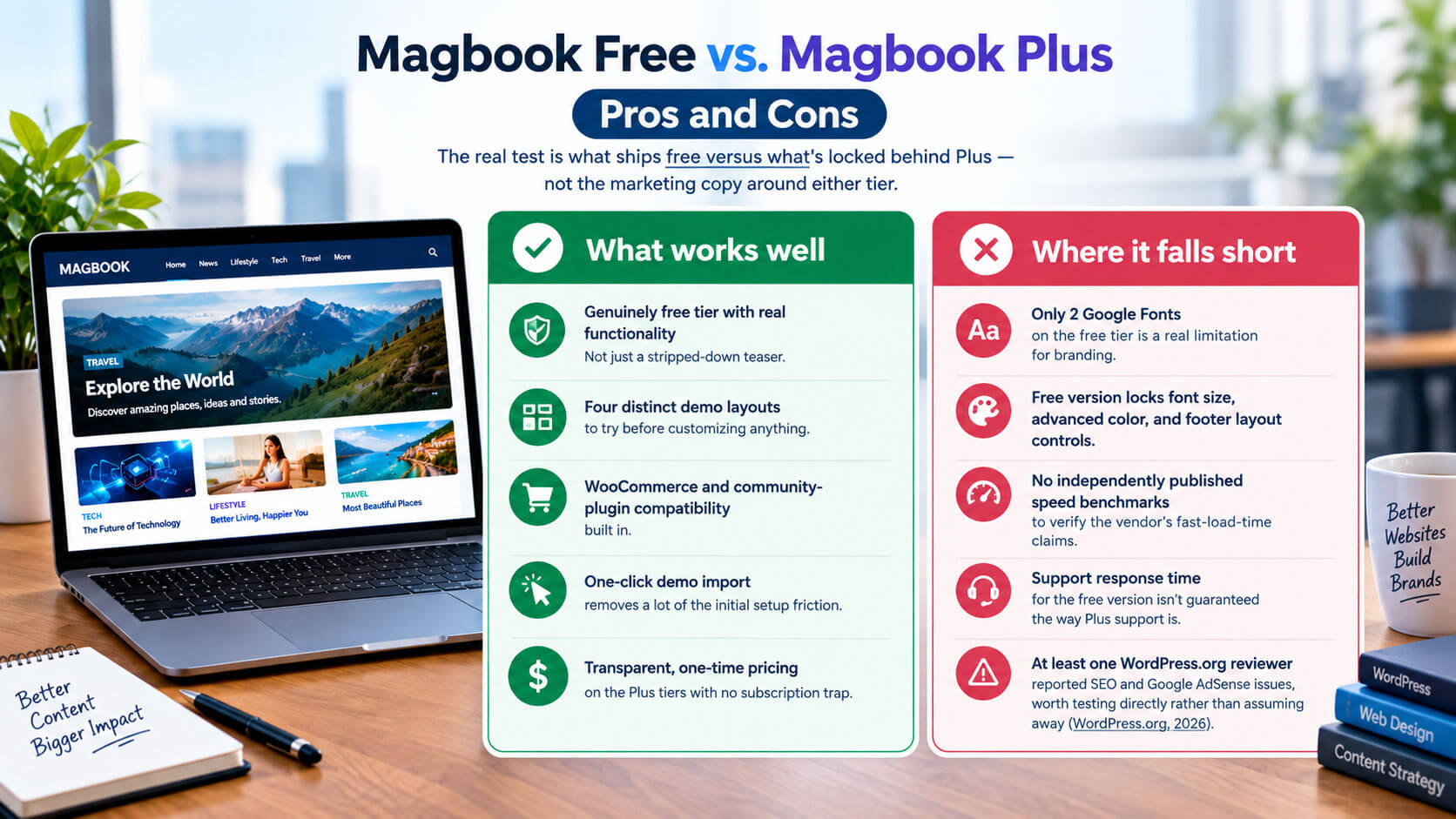
The real test is what ships free versus what’s locked behind Plus — not the marketing copy around either tier.
What works well:
- Genuinely free tier with real functionality, not just a stripped-down teaser.
- Four distinct demo layouts to try before customizing anything.
- WooCommerce and community-plugin compatibility built in.
- One-click demo import removes a lot of the initial setup friction.
- Transparent, one-time pricing on the Plus tiers with no subscription trap.
Where it falls short:
- Only 2 Google Fonts on the free tier is a real limitation for branding.
- Free version locks font size, advanced color, and footer layout controls.
- No independently published speed benchmarks to verify the vendor’s fast-load-time claims.
- Support response time for the free version isn’t guaranteed the way Plus support is.
- At least one WordPress.org reviewer reported SEO and Google AdSense issues, worth testing directly rather than assuming away (WordPress.org, 2026).
What Actual Users Say
Beyond the vendor’s own marketing and the WordPress.org star rating, the individual reviews on the theme’s support forum give a more textured picture. Reviews are mostly positive — titles like “So easy to handle” and “Really great!” reflect the bulk of the 4.3-star average (WordPress.org, 2026). But the reviews aren’t uniformly glowing: one review is titled “Gave me problems with SEO (Google and GoogleAdsense)” (WordPress.org, 2026) — a notable point given the theme is marketed as SEO-friendly. The full detail behind that specific complaint isn’t available from the review title alone, but its existence is a reasonable flag to test AdSense and basic SEO plugin behavior early after installing, rather than assuming compatibility by default.
That mix — mostly positive, with at least one concrete SEO-related complaint on record — is a more balanced picture than either the vendor’s page or a glowing single-source review would give on its own.
How to Install and Set Up Magbook
Theme Freesia also publishes a dedicated setup walkthrough video covering the Magbook demo import process (Theme Freesia, 2025), which is a useful resource for anyone setting up the Magbook WordPress Theme for the first time without prior WordPress experience.
- Download Magbook free from WordPress.org, or purchase a Magbook Plus license through Theme Freesia.
- Install the Theme Freesia Demo Import plugin, listed as a required companion tool for one-click setup (Theme Freesia, 2025).
- Choose a demo — Default, Newspaper, Journal, or Publication — and import it.
- Customize colors, widgets, and layout through the WordPress Customizer.
- Install any needed third-party plugins (WooCommerce, WPForms, etc.) separately, since Magbook supports them but doesn’t bundle them.
Who Should Use Magbook?
Team size, budget, and how much typography control a project needs matter more here than any single feature on the spec sheet.
- Independent bloggers and reviewers starting out on a limited budget will find the free tier covers real ground without an immediate upsell requirement.
- Small news or magazine sites that need a working, professional-looking layout fast will benefit from the one-click demo imports.
- Agencies managing multiple client sites are the clearest case for Magbook Plus, given the unlimited-site Developer license.
- Sites that need heavy typography customization from day one may find the free tier’s 2-font limit frustrating quickly, making Plus close to necessary.
Frequently Asked Questions
Is the Magbook WordPress Theme really free?
Yes. The base Magbook theme is free under the GNU GPL v3.0 license and available directly from WordPress.org, with Magbook Plus as an optional paid upgrade for more customization (Theme Freesia, 2025).
What’s the main difference between Magbook Free and Magbook Plus?
Plus unlocks significantly more Google Fonts (800+ vs. 2), flexible footer column layouts, advanced color controls, and more sidebar and widget options — the core layout structure stays the same across both.
Does Magbook work with WooCommerce?
Yes, Magbook is documented as WooCommerce-compatible, so a store can be added without custom coding (Theme Freesia, 2025).
How many demo layouts does Magbook offer?
Four: Default, Newspaper, Journal, and Publication — all importable with one click via the Theme Freesia Demo Import plugin.
Is Magbook a good choice for a personal blog, or only for magazines?
It’s built around magazine and news use cases, but the layout options work reasonably well for any content-heavy blog, especially one publishing frequently across multiple categories.
Does Magbook Plus require an ongoing subscription?
Based on how the pricing tiers are listed — Personal, Business, and Developer — it reads as a one-time license fee per tier rather than a recurring subscription.
How customizable is the Magbook WordPress Theme without the Plus upgrade?
Reasonably, for layout and demo choice — four full demo layouts and a working color panel are available for free. Typography is the tightest constraint, since the free tier caps out at 2 Google Fonts, which is worth checking against a site’s branding needs before deciding the free version is enough long-term.
Is technical or coding knowledge required to set up Magbook?
No. Setup is handled through one-click demo import and the standard WordPress Customizer, and the color panel and widget areas don’t require editing any code directly — though basic comfort with the WordPress dashboard still helps.
Is Magbook actually well-reviewed, or is that just marketing language?
On the official WordPress.org theme directory, Magbook holds a 4.3-out-of-5 rating from 15 reviews and shows 2,000+ active installations (WordPress.org, 2026) — real third-party data, though the review count is small enough that it’s a useful signal rather than a definitive verdict.
Read More: https://linkneon.com/best-cloud-hosting-services/
Conclusion
The Magbook WordPress Theme is a solid pick for anyone starting a magazine, news, or review site without a budget for premium themes on day one — the free tier isn’t a stripped-down trial, it’s a genuinely usable starting point. The real decision point is typography and layout flexibility: if 2 fonts and a fixed footer layout are workable for the long term, the free version holds up fine; if branding requires more font variety or flexible footer columns, the $59 Personal license solves that cleanly enough to be worth the cost. The practical next step is importing one of the four free demos and testing it with real content before deciding whether Plus is actually necessary.