

Your store’s design is the first thing every shopper judges. Before anyone reads a product description or compares a price, they decide whether your site looks trustworthy, modern and easy to shop. The good news for Magento store owners is that a professional look no longer requires an expensive premium template.
A Magento ecommerce themes free download gives you a ready-made storefront with responsive layouts, mega menus, product sliders and SEO-friendly code, and you can install it on your Magento 2 store without paying a license fee.
Because Magento’s theme system keeps design separate from store functionality, you can transform the entire look of your shop while your products, customers and orders stay exactly as they are.
But not every free theme deserves a place on your store. Some were built for early Magento 2 versions and never updated, some that once circulated as free downloads are now sold as paid products, and many are built for niches that may not match what you sell.
That is why this guide narrows the field to the 10 best options for a Magento ecommerce themes free download, each free to download and listed by its developer as compatible with Magento 2.4. You will see how the themes compare side by side, what each one does well, how to choose and install the right one, and how to make it truly yours, so you can launch a store that looks professional from day one.
What Are Magento Ecommerce Themes?
A Magento theme is a pre-designed template that controls how your store looks, including its colors, images, fonts and layout. It is installed on top of the platform, so it changes the storefront without changing how products, orders or payments work behind the scenes.
Because store appearance shapes user experience, the theme you choose decides how clear, appealing and easy to shop your site feels. A well-built theme also carries the practical tools shoppers expect, such as menus, product galleries and a smooth path to checkout, which is why the choice matters as much for sales as it does for looks.
How Magento Themes Separate Design From Store Functionality
Magento keeps the design layer apart from the functionality layer, which gives you room to create a unique look without rebuilding the store itself. The design layer covers everything a shopper sees, including typography, page layouts, sliders, banners and homepage sections.
The functionality layer covers the product catalog, shopping cart, checkout, payment gateways and order management that run the business. In practice, this means you can switch, test or customize a theme while your products, customer accounts and order history stay untouched.
Luma Default Theme vs. Free Third-Party Themes
Magento 2 comes with Luma, its default theme, and beyond it sits a large selection of third-party themes built for specific industries and design styles. Luma gives every store a working, general-purpose storefront from day one, but it is not designed around any particular niche.
Third-party themes fill that gap with layouts made for fashion, electronics, automotive or creative stores, and many add extra features out of the box. Many store owners start with Luma, then look for a Magento ecommerce themes free download once they need a design that fits their niche.
| Factor | Luma (Default Theme) | Free Third-Party Themes |
| Availability | Included with Magento 2 | Downloaded from the theme developer or the Adobe Commerce Marketplace |
| Design focus | General-purpose storefront | Built for niches such as fashion, electronics, automotive or creative products |
| Extra features | Core storefront features | Often add mega menus, banner and product sliders, promotion bars and custom homepage layouts |
| Cost | Free | Free |
10 Best Free Magento Themes at a Glance (Comparison Table)
All 10 themes below are free to download and listed by their developers as compatible with Magento 2.4. The table compares each theme by the type of store it suits, its standout feature, its Magento compatibility and where you can download it. Use it to shortlist your Magento ecommerce themes free download before reading the full reviews, so you only spend time on the themes that fit your niche.
| Theme | Best For | Standout Feature | Magento Compatibility | Download From |
| Etrend Lite | Multipurpose, lifestyle, electronics | Mega menu and promotion bar | Magento 2.4.8 | HiddenTechies |
| BizKick | Multi-category, fashion, electronics | Lightweight, SEO-optimized layout | Magento 2.4.8 | HiddenTechies |
| Shopkart Lite | Home decor, electronics, fashion | Multi-store support | Magento 2.4.8 | HiddenTechies |
| Apparel | Clothing, accessories, boutiques | Mobile-first design | Magento 2.4.8 | HiddenTechies |
| Next | Digital products, electronics | Fast-loading one-column homepage | Magento 2.4.8 | HiddenTechies |
| Pixtron | Creative and handcrafted products | Easy theme settings in the admin | Magento 2.4.8 | HiddenTechies |
| Bentriz | Automotive parts and tools | Retina-ready custom homepage | Magento 2.4.8 | HiddenTechies |
| Absolute | Multipurpose stores | Theme editor and automatic installer | Magento 2.4 | Adobe Commerce Marketplace |
| Breeze Evolution | Speed-focused stores | Breeze frontend with RTL support | Magento 2.4 (incl. 2.4.9) | Adobe Commerce Marketplace |
| Breeze Blank | Custom designs on a light base | 13 kB of critical CSS | Magento 2.4 (incl. 2.4.9) | Adobe Commerce Marketplace |
Free theme availability and download terms can change over time. Some themes that appeared on older free-theme lists, such as AllyBike, are now sold as paid products, so confirm the current price and Magento compatibility on the vendor’s page before you install.
10 Best Magento Ecommerce Themes Free Download
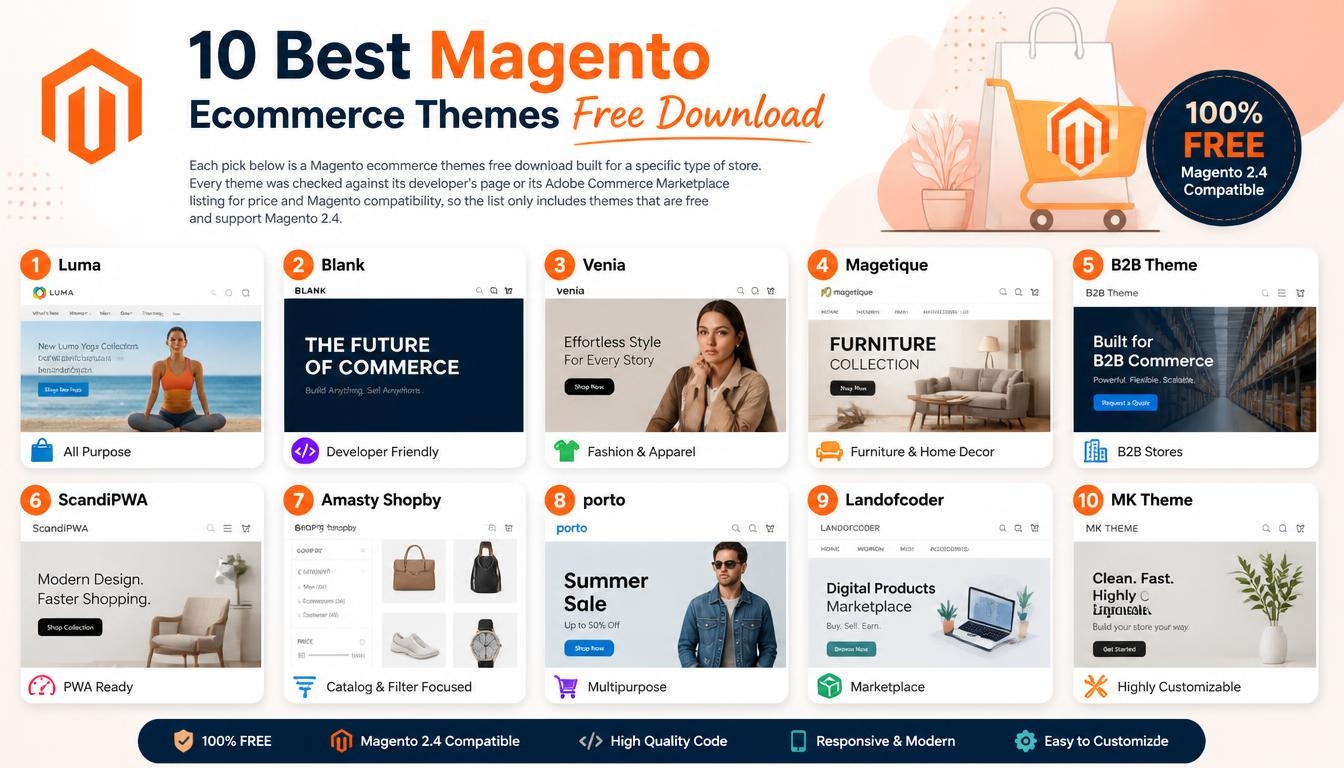
Each pick below is a Magento ecommerce themes free download built for a specific type of store. Every theme was checked against its developer’s page or its Adobe Commerce Marketplace listing for price and Magento compatibility, so the list only includes themes that are free and support Magento 2.4.
1. Etrend Lite: Best Free Multipurpose Magento 2 Theme
Etrend Lite is a free, feature-rich Magento theme from HiddenTechies that adapts to many niches, including lifestyle and electronics stores. It ships with a mega menu, a homepage banner slider, grid and list product views, and category-wise sorting, so shoppers can browse large catalogs with ease.
A promotion bar lets you highlight offers, deals and discounts, while multi-language support helps you reach international customers. New and Sale product labels draw attention to fresh arrivals and discounted items, and you can add your own CSS and scripts without touching the theme files. HiddenTechies also offers a premium upgrade if you need more advanced features later.
2. BizKick: Best for Multi-Category Stores
BizKick is a free theme that HiddenTechies describes as known for its clean layout, fast load time and modern feel. It is recommended for multi-category stores, fashion and electronics, and is flexible enough for both B2B and B2C businesses.
The theme uses a responsive design that works on all devices, is built for cross-browser compatibility and is optimized for SEO. It also comes with customizable admin settings, which makes it a practical starting point for a store that wants simplicity and speed without paying for a premium template.
3. Shopkart Lite: Best for Multi-Store Setups
Shopkart Lite is a flexible and fast free Magento 2 theme suited to home decor, electronics and fashion stores. You can customize it to match your brand colors, fonts and homepage structure, and it includes multi-store support for businesses that run more than one storefront.
Product hover effects make listings more interactive, a blog-ready layout supports content marketing, and layered navigation helps shoppers filter products quickly. Like Etrend Lite, Shopkart Lite has a premium upgrade path if your store outgrows the free version.
4. Apparel: Best for Fashion and Boutique Stores
Apparel is a free, responsive Magento 2 theme from HiddenTechies with a stylish, minimalist look crafted for fashion brands. It suits clothing, accessories and boutique stores, using clean white space and intuitive product grids to create an engaging shopping experience.
The theme takes a mobile-first approach and includes an optimized image gallery, a sleek product slider and user-friendly navigation. Its documentation also highlights attractive animations and a modern design, and notes that the theme works for stores selling watches, jewelry and furniture as well.
5. Next: Best for Digital Products and Electronics
Next is a free HiddenTechies theme designed for modern digital and electronics shops, such as stores selling cameras, TVs, smartphones, gadgets and household appliances. Its minimal flat design pairs with a one-column homepage that keeps the focus on featured products, and the theme is lightweight and fast loading.
Next works with Magento’s built-in CMS blocks and supports the latest Magento patches, with documented compatibility across Magento 2.2, 2.3 and 2.4. It also comes with documentation and a user guide, which helps first-time store owners get set up.
6. Pixtron: Best for Creative and Handcrafted Products
Pixtron is a free, responsive Magento 2 theme that HiddenTechies recommends for creative stores and handcrafted products. It combines attractive typography with custom sliders, helping you tell your brand’s story visually.
The theme offers multiple homepage sections, easy theme settings in the admin, flexible banner management and a layout optimized for conversions. Because its admin settings are highly customizable, you can adjust the look without editing code, which makes Pixtron a good fit for art, handmade and creative product businesses.
7. Bentriz: Best for Automotive Parts Stores
Bentriz is a free Magento 2 theme designed for car parts and accessories stores, along with industrial and tools businesses. Its robust look helps merchants showcase high-ticket items with confidence.
The theme includes a custom homepage layout, a responsive, retina-ready design, a grid-based category layout and an SEO-ready codebase. HiddenTechies points out that it stands out in a market with few auto-related free themes, and its customizable admin settings make it easy to adapt to your brand.
8. Absolute: Best for Easy Setup With a Theme Editor
Absolute is a free, multipurpose Magento 2 template from Swissuplabs, listed on the Adobe Commerce Marketplace with Magento 2.4 compatibility. If easy setup matters most in your Magento ecommerce themes free download, Absolute is a strong place to start: its installer, run through the Swissup module manager, sets up the configuration, content blocks and CMS pages for you.
The theme includes a homepage image slider, a featured product slider, a quick product overview, newsletter and popular tags blocks, and a theme editor, plus color options to match your brand. Recent versions added Page Builder support and compatibility with the Breeze frontend, and Swissuplabs offers support through its contact form and support forum.
9. Breeze Evolution: Best for Speed-Focused Stores
Breeze Evolution is a completely free Magento 2 template from Swissuplabs, built as a modern replacement for the default Luma theme. It runs on the Breeze frontend, and Swissuplabs says the combination can reach a Google PageSpeed score of 98. The design uses light, rounded shapes, generous white space and contrasting calls to action, and it includes a custom Contact Us page, a Thank You page and a checkout with progress indicators.
Its feature list covers RTL support, translation readiness, responsive images, a Tailwind 3.0 color palette and compatibility with Luma-based modules. Swissuplabs describes it as suitable for clothes, books, electronics, accessories, furniture and food products, and its latest release added Magento 2.4.9 compatibility.
10. Breeze Blank: Best Lightweight Base for Custom Designs
Breeze Blank is a free, minimalist Magento 2 template from Swissuplabs that you can use as a faster base than Luma when building your own design. Its CSS is written from scratch, with just 13 kB of critical CSS, and its built-in scripts are replaced by the lightweight Breeze frontend.
Swissuplabs reports PageSpeed scores of 97 on mobile and 99 on desktop. The theme offers mobile-friendly navigation, touch-friendly buttons, responsive images, RTL support and CSS custom properties for colors and animations. One limitation to know: according to its marketplace listing, Breeze Blank does not yet support multi-shipping checkout.
How to Choose the Right Free Magento Theme
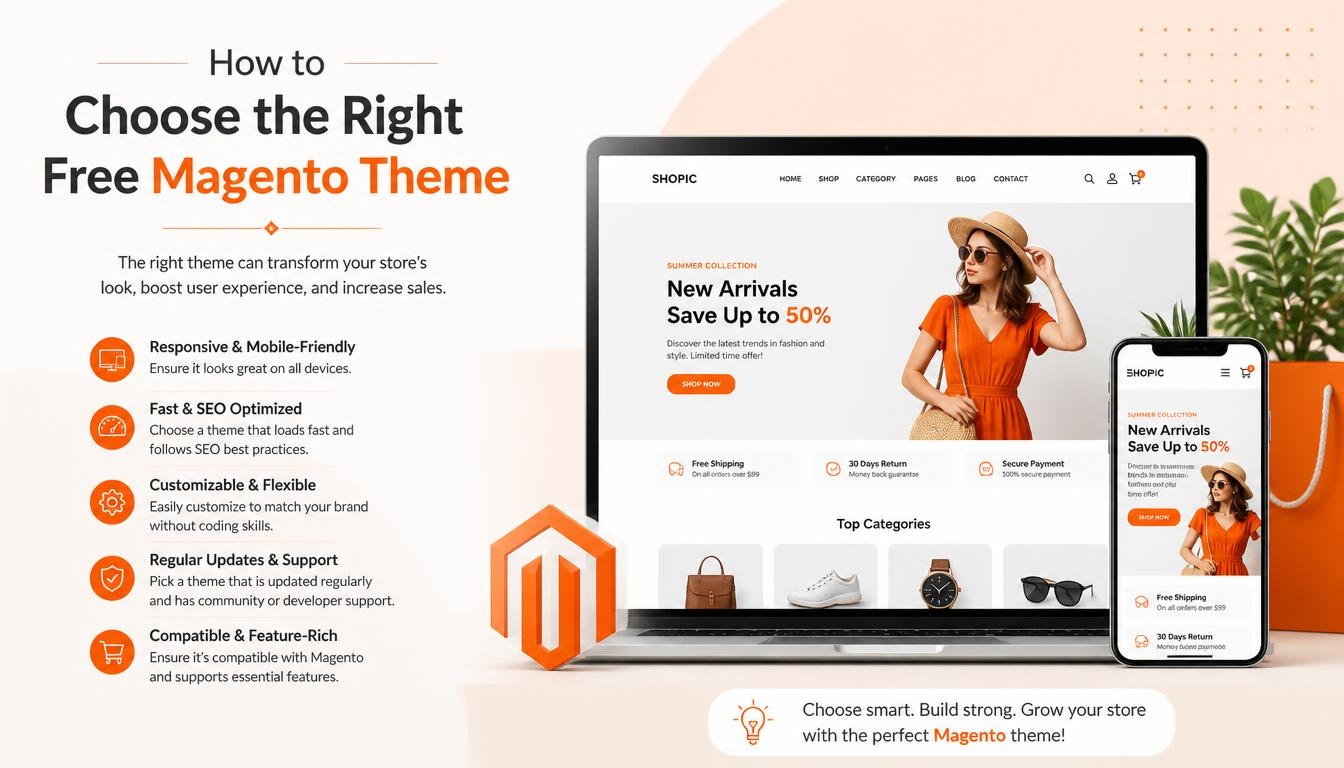
The right theme is the one that fits your products, your customers and your technical setup, not simply the one with the most attractive demo. Before you commit to any Magento ecommerce themes free download, check it against the six factors below, which cover compatibility, design, speed, features, integrations and support. Taking a few minutes to run through them can save you from a painful theme switch later.
Magento 2 Compatibility and Regular Updates
Compatibility comes first, because a theme that does not support your Magento version will not install cleanly or may break after an upgrade. Some free themes that still appear on popular lists were built for Magento 2.0 or 2.1 and have not been updated since, so a theme being free is no guarantee it will run on a current store.
Confirm the supported Magento version on the vendor’s page or the Adobe Commerce Marketplace listing, check when the theme was last updated, and review the release notes for recent compatibility fixes. A theme that receives regular updates, such as Breeze Evolution with its Magento 2.4.9 release, is far less likely to cause problems as Magento evolves.
Responsive, Mobile-Friendly Design
Many shoppers browse and buy on phones and tablets, so a theme must look and work well on small screens. A responsive design adjusts the layout automatically to every screen size, while mobile-friendly navigation keeps categories easy to reach.
Touch-friendly elements, such as the touch-friendly buttons in Breeze Blank, make mobile browsing feel natural rather than cramped. Every theme on this list is responsive, but it is still worth testing the demo on your own phone before you decide.
SEO-Friendliness and Page Speed
A theme affects how fast pages load and how cleanly search engines can read your content. Look for themes described as SEO-friendly or speed-optimized, such as BizKick, which HiddenTechies lists as optimized for SEO, or Bentriz with its SEO-ready codebase.
Fast loading speed improves user experience and keeps shoppers engaged, which is why lightweight options like Breeze Blank focus on reducing CSS and JavaScript. Avoid themes that load heavy scripts you will never use.
Must-Have Ecommerce Features (AJAX Cart, Quick View, Filters, Wishlist)
The most important thing to check in any free Magento 2 template is its set of ecommerce features, because these decide whether the store is easy to shop. A theme can look beautiful and still lose sales if shoppers cannot find, compare or buy products quickly. Make sure your shortlisted theme supports these core features:
- Product showcases and category navigation
- Product filters and sorting options
- Wishlist functionality
- Cart management and AJAX cart
- A smooth checkout process
- Payment gateway integration
Payment Gateway and Marketing Integrations
Seamless integrations save time and money after launch, because you will not need custom development to connect essential services. Breeze Evolution, for example, is built to work with Luma-based modules, and its release notes list PayPal integration improvements.
Absolute includes newsletter subscription blocks on its homepage, which helps you start building an email list right away. Check that any theme you shortlist works with the payment methods, marketing tools and extensions you already use or plan to add, since a theme that conflicts with key extensions can create checkout errors that are costly to fix.
Customer Support Availability
Support varies by vendor, so check what is offered before you commit. Swissuplabs provides customer support for Absolute through its contact form and support forum, and its marketplace listings include installation and user guides.
HiddenTechies publishes online documentation for its free themes, covering installation, child theme creation and homepage setup. If you have no developer on hand, choose a theme with clear documentation and an active support channel.
How to Download and Install a Free Magento Theme
Installing a free theme takes three stages: download it from a trusted source, add it to your Magento 2 store, then activate it in the admin panel.
The process is straightforward for anyone comfortable with file uploads and basic command-line work, and both vendors in this guide provide installation documentation.
Always test a new theme on a staging site first, so any layout issues or extension conflicts appear before real customers see them.
Where to Download Free Magento Themes Safely
A safe Magento ecommerce themes free download comes from the original developer or an official marketplace, never from an unknown file-sharing site. Official sources give you the genuine theme files, the latest version and access to documentation. These are the places to look, and the one source to avoid:
- Developer websites: HiddenTechies offers free downloads of Etrend Lite, BizKick, Shopkart Lite, Apparel, Next, Pixtron and Bentriz
- Adobe Commerce Marketplace: Absolute, Breeze Evolution and Breeze Blank are listed free, each with a quality report showing passed installation, coding standard and malware checks
- Avoid “nulled” or repackaged files: unauthorized copies can contain malicious code and usually get no updates
Installing the Theme on Your Magento 2 Store
Most free themes install through file upload or Composer. The exact steps can vary from theme to theme, because some include extra modules, installers or demo data. Follow the vendor’s documentation whenever it differs from the general process below.
- Back up your store files and database.
- Upload the theme folder to app/design/frontend/<Vendor>/<theme>, or install it with Composer if the vendor provides a package.
- Upload any extra modules the theme requires, as listed in its documentation.
- Run these commands from your Magento root directory:
bin/magento setup:upgrade
bin/magento setup:static-content:deploy -f
bin/magento cache:flush
Activating the Theme From the Admin Panel
Once the files are in place and the commands have run, the theme is installed but not yet live. You still need to apply it to the storefront from the admin panel, and you can choose a different theme for each store view if you run more than one store.
- Log in to the Magento admin panel.
- Go to Content > Design > Configuration.
- Click Edit on the store view you want to update.
- Choose the new theme from the Applied Theme dropdown.
- Click Save Configuration, then flush the cache and check your storefront.
How to Customize a Free Magento Theme for Your Brand
A Magento ecommerce themes free download is a starting point, not a finished store. You can modify the default Luma theme or any third-party theme to match your requirements and reflect your brand identity.
The goal is a store that looks like your business rather than a demo, while keeping the theme’s tested layout and features intact. Small, deliberate changes usually deliver more value than a complete redesign.
Changing Colors, Fonts and Layouts
Magento’s flexible design tools let you change colors, fonts, layouts and more to shape how your site looks. Start with the color scheme, matching buttons, links and banners to your brand colors so the store feels consistent with your logo and packaging.
Next, choose readable typography for headings and product descriptions, since clear text makes product details easier to scan. Then reorder homepage sections such as sliders, featured products and promotional blocks to highlight what you sell best, and finish with a header and footer that carry your logo, menu links and contact details.
No-Code Customization Through Theme Settings
Many free themes include settings panels, so you do not need to edit code for common changes. Pixtron offers easy theme settings in the admin, Absolute includes a theme editor, and Etrend Lite lets you add custom CSS and scripts without touching the theme files.
These tools make it practical for store owners to handle routine updates, such as seasonal banners or new featured collections, without waiting on a developer. For deeper changes, such as new page templates or custom functionality, you will still need a Magento developer.
Building a Consistent Brand Identity
A custom design that speaks to your target audience strengthens your brand presence and improves user engagement. Keep the same colors, fonts and tone on every page, from the homepage and category pages to the cart and checkout.
Consistency makes your store recognizable, builds trust with returning shoppers and helps your brand stand out in a crowded market. Before publishing changes, preview them on desktop and mobile to make sure the design holds together on every screen.
Free Magento Themes vs. Performance-Focused Alternatives
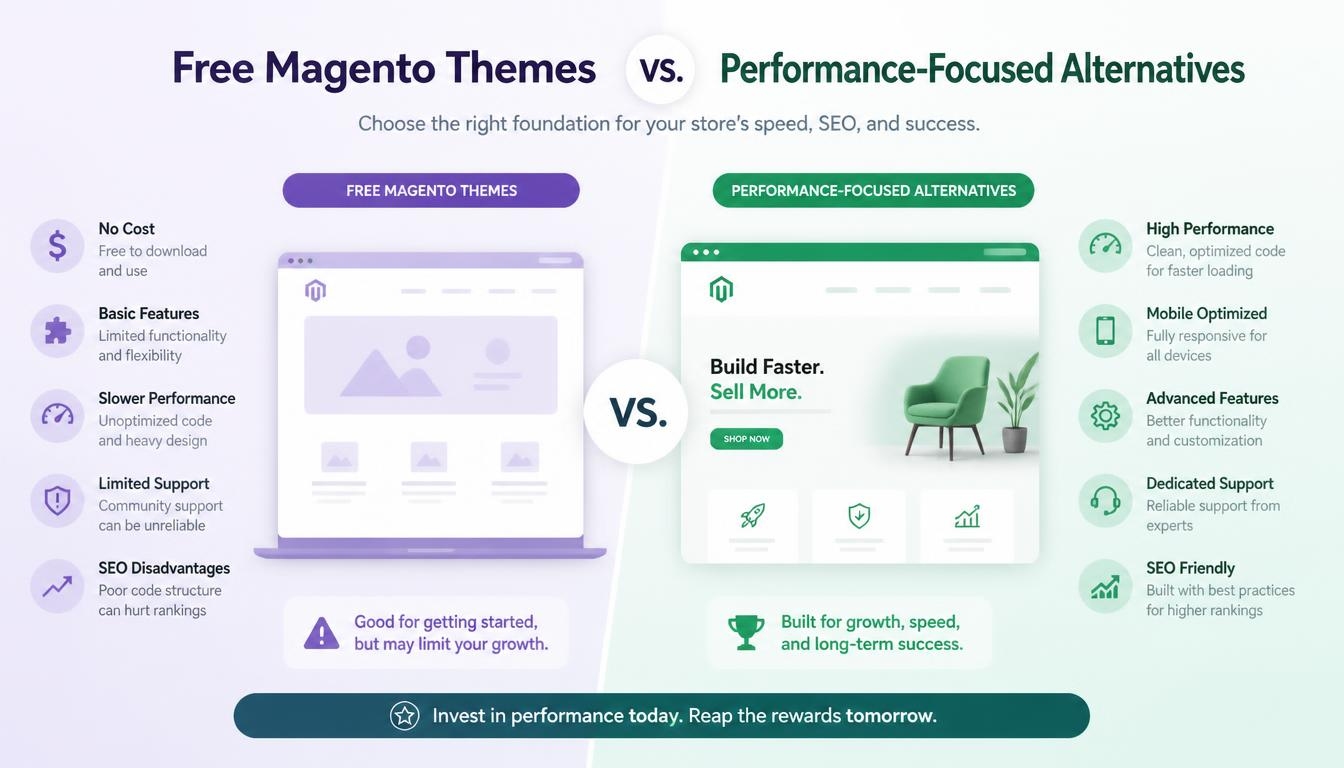
Beyond ready-made designs, options like Hyvä Themes and Daffodil offer specialized features built for performance, accessibility and customization. They differ from a typical Magento ecommerce themes free download: instead of a ready-made niche design, they give developers a faster frontend foundation to build on.
That makes them better suited to stores with development resources than to owners who want to install a theme and start selling the same day. Both are free at their core, so they belong in any comparison of free Magento options. Breeze, the third well-known performance option, is covered in the list above through Breeze Evolution and Breeze Blank.
Hyvä Themes
The Hyvä Theme became free and open source on November 10, 2025, under the OSL 3.0 and AFL 3.0 licenses, the same licenses Magento Open Source uses. Its code is available on GitHub and through Composer, so developers can install and modify it without paying a license fee. Only the core theme is free, however. Hyvä Checkout, Hyvä Enterprise, Hyvä Commerce and Hyvä UI remain paid products, so budget for them if your project needs those extras.
Daffodil
Daffodil is an open-source, Angular-based frontend framework for ecommerce, released under the MIT license. It connects to Magento and other ecommerce platforms through drivers, so a storefront can switch backends with minimal changes to the frontend code. This flexibility suits development teams building a headless storefront, but it requires Angular skills and is not a plug-and-play design for non-technical store owners.
| Option | Cost | License | Built For |
| Hyvä Theme | Free (core theme) | OSL 3.0 + AFL 3.0 | Fast Magento 2 frontend development |
| Daffodil | Free | MIT | Angular-based headless storefronts |
Why the Right Magento Theme Matters for Your Store
Choosing well the first time improves performance, customer satisfaction and engagement across your whole store. A theme is not a cosmetic layer you can swap every month; it shapes how shoppers move through your catalog and how your brand is remembered. A careful Magento ecommerce themes free download decision pays off for years, for three main reasons.
Lower Long-Term Maintenance Costs
Many stores keep the same design for a long time, because a redesign touches every page, product image and customization. Maintenance, support and design changes all cost money, so switching themes suddenly brings extra expenses you may not have planned for. Picking a well-built, compatible theme from the start keeps those costs predictable and frees your budget for marketing, inventory and growth.
Stronger Brand Recognition
A consistent design helps your brand stand out and stay memorable in a crowded market. The more often a store changes its look, the less recognizable the brand becomes in the eyes of customers. Returning shoppers rely on familiar colors, layouts and navigation to feel confident, so a stable theme quietly supports repeat purchases and long-term loyalty.
Better User Experience and Sales
The wrong theme can create several problems at once. Unclear store navigation confuses shoppers and makes products harder to find, while missing integrations with payment or marketing tools force costly workarounds. Complex maintenance slows down updates and fixes, which can leave bugs live on your storefront for longer. Together, these issues lead to a poor user experience and, ultimately, revenue loss, which is why the theme decision deserves careful thought.
FAQs About Magento Ecommerce Themes Free Download
Are free Magento themes good enough for a professional online store?
Yes, for many stores they are. The free themes in this guide are responsive and customizable, and several are actively maintained, such as Absolute and the two Breeze templates, which have been updated for recent Magento 2.4 releases. HiddenTechies also offers premium upgrades for Etrend Lite and Shopkart Lite if you need advanced features later. Test any free theme thoroughly on a staging site before using it on a live store.
Which free Magento themes work with Magento 2?
All 10 themes in this guide are listed by their developers as compatible with Magento 2.4: Etrend Lite, BizKick, Shopkart Lite, Apparel, Next, Pixtron, Bentriz, Absolute, Breeze Evolution and Breeze Blank. Some older free themes, such as Ves Fasony and Ves Yume, were built for Magento 2.0 and 2.1 and have not been updated for current versions. Always confirm the supported version on the vendor’s page before installing.
What is the best free Magento theme for a fashion store?
Apparel is the strongest fashion pick on this list, since HiddenTechies designed it for clothing, accessories and boutique stores with a mobile-first layout and a sleek product slider. Shopkart Lite and BizKick are also recommended for fashion stores, adding multi-store support and SEO optimization respectively.
Where can I download free Magento themes safely?
The safest Magento ecommerce themes free download comes from the theme developer’s own website or the official Adobe Commerce Marketplace. These sources give you genuine files, current versions and access to documentation and updates. Avoid repackaged or “nulled” files from unknown sites, because they may contain harmful code and usually never receive security fixes.
How do I install a free Magento theme?
Upload the theme to app/design/frontend or install it with Composer, then run the setup upgrade, static content deploy and cache flush commands from your Magento root directory. Next, apply it under Content > Design > Configuration in the admin panel by editing your store view and selecting the theme. Back up your store first and test on a staging site before going live.
Can I customize a free Magento theme without coding?
Yes, for most everyday changes. Pixtron offers theme settings in the admin, Absolute includes a theme editor, and Shopkart Lite can be customized to match your brand colors, fonts and homepage structure. Larger changes, such as new page templates or custom features, still require a Magento developer.
Do free Magento themes include customer support?
It depends on the vendor. Swissuplabs offers support for its free Absolute theme through a contact form and support forum, while HiddenTechies provides online documentation for its free themes. If dependable help matters to you, check the support options on the theme’s page before you install it.
Read More: https://linkneon.com/wordpress-resume-theme/
Final Thoughts: Picking the Best Free Magento Theme for Your Store
The best Magento ecommerce themes free download is the one that matches your niche, works with Magento 2 and gives shoppers a fast, clear path to checkout. All 10 picks in this guide are free and Magento 2 compatible, but each one shines in a different type of store. Use the summary below to match your business with the right starting point:
- Multipurpose stores: Etrend Lite, BizKick or Absolute
- Fashion stores: Apparel or Shopkart Lite
- Electronics and digital products: Next
- Creative and handmade products: Pixtron
- Automotive parts stores: Bentriz
- Speed-focused stores: Breeze Evolution or Breeze Blank
- Developer-led builds: Hyvä Theme or Daffodil
Once you have a shortlist, test each theme’s demo on desktop and mobile, then install your favorite on a staging site before going live. Customize it to fit your brand with consistent colors, fonts and layouts, and keep it updated alongside Magento so your store stays fast, secure and easy to shop. A thoughtful choice today saves you the cost and disruption of a redesign later.