

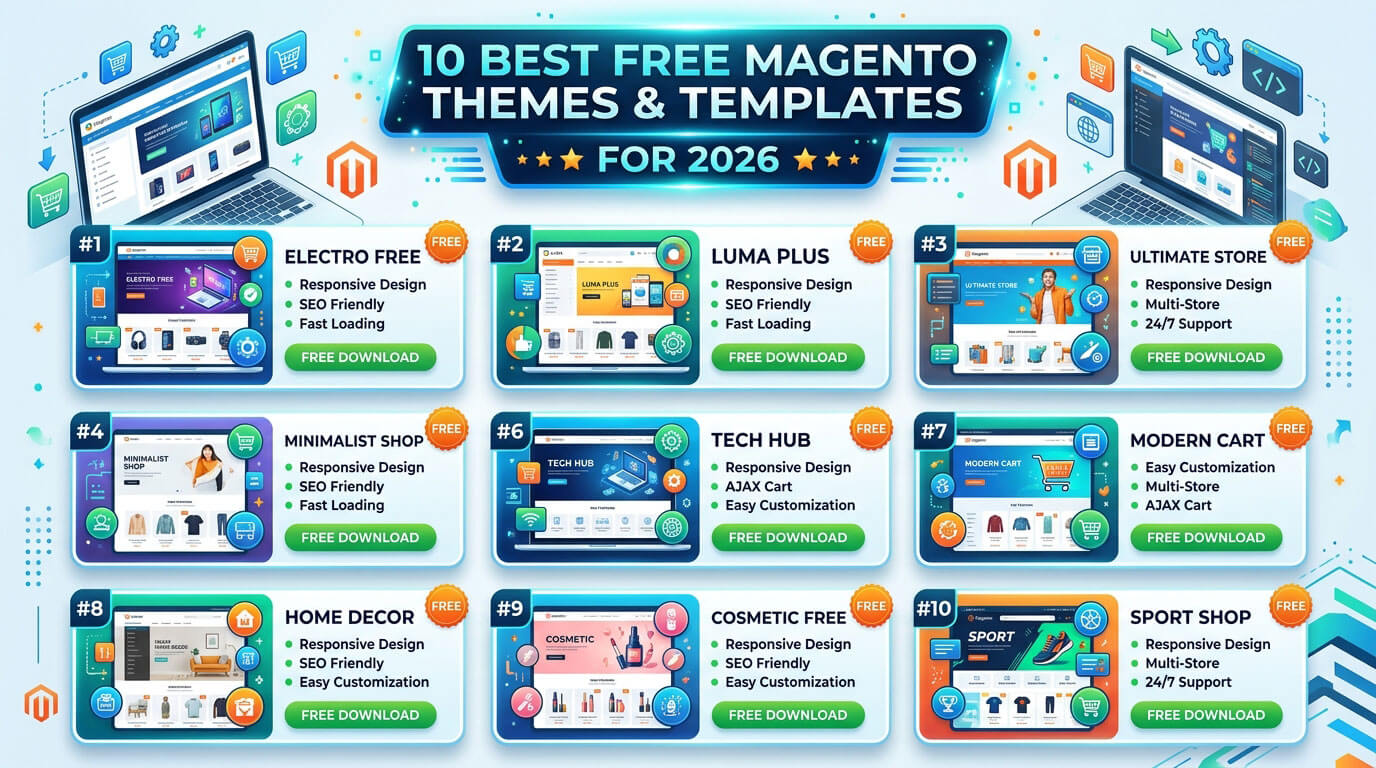
A new Magento store lives or dies on first impressions, and the theme is what people see before they read a single product description. Free Magento themes give store owners – especially those just starting out or testing a niche – a way to launch a polished, functional storefront without spending on a premium license. They’re pre-built layouts that handle the typography, color scheme, and basic styling of your store, so you can focus on products and marketing instead of writing CSS from scratch.
This article shortlists the strongest free Magento themes available right now, based on documented features, Magento 2 compatibility, and store-type fit rather than marketing copy. It’s organized by the type of store each theme suits best, and it also covers what to check before installing one and where free themes fall short compared to paid options, so the decision is an informed one rather than a guess.
Last updated for 2026. Theme details are sourced from each theme’s own documentation and specs, cross-checked against Magento theme marketplaces not from personal store deployments.
Best Free Magento Themes in 2026
The themes below come up repeatedly across theme marketplaces and Magento development blogs as solid, actively available free options. None of them require a license fee, though several vendors sell a “Pro” version with extra features. They’re grouped loosely by the store type they suit best, since a theme built for electronics rarely looks right on a wine shop, and vice versa matching category to layout saves a lot of manual restyling later.
| Theme | Best For | Standout Feature | Magento 2 Ready |
| Etrend Lite | Multipurpose stores | Efficient checkout flow | Yes |
| Apparel | Fashion, general retail | No-code customization | Yes |
| Next | Electronics, digital goods | Clean, distraction-free layout | Yes |
| F2 | Fashion | Configurable swatches | Yes |
| Pixtron | Electronics | AJAX cart, product sliders | Yes |
| FreeGo | Electronics, multipurpose | Built-in blog, shop-by-brand | Yes |
| UB Trex | Minimalist multipurpose stores | Sticky navigation, mini cart | Yes |
| Bentriz | Auto parts | Promotion bars | Yes |
| Shopkart Lite | Small businesses, startups | Speed-focused build | Yes |
| GrandSale | Wholesale, bulk sellers | Layout built for large-volume browsing | Yes |
Etrend Lite
Etrend Lite is one of the more flexible free Magento 2 themes on the market, built to adapt to fashion, electronics, or home goods stores without much reconfiguration. It ships with an efficient checkout process, a promotion bar, and multi-language support, though its speed optimization features are reserved for the paid Pro tier (Source: Magefan; Neklo).
Apparel
Apparel is a fully responsive, free Magento theme aimed at clothing and accessory stores but genuinely usable for other product types. It stands out for extensive customization without needing to code, sticky add-to-cart buttons, and an Instagram gallery module useful for brands that lean on social proof (Source: Neklo).
Next
The Next theme was designed with electronics and digital devices in mind, and its minimalist, neutral-color layout keeps the focus on product photography. It includes a promotion bar and supports multiple languages, making it a reasonable pick for stores targeting more than one region (Source: Magefan; Tigren).
F2
F2 is a fashion-oriented theme with a mega menu, an AJAX cart (which updates the cart without reloading the page), and configurable swatches so shoppers can preview a product in different colors or sizes before adding it to the cart (Source: Neklo).
Pixtron
Built for electronics and tech accessory stores, Pixtron includes mega menu support, product sliders, and advanced search. It ships with detailed setup documentation, which is worth checking before you commit if you’re installing without developer help (Source: Neklo; Tigren).
FreeGo
FreeGo suits electronics and multipurpose stores alike. It comes with a built-in blog, a “shop by brand” filter, and a “Featured Products” list – small features that add up for stores trying to build content around their products (Source: Neklo; Magefan).
UB Trex
UB Trex takes a minimalistic and flat design approach, which tends to age better visually than heavily decorated themes. It’s a strong option for stores that want a clean, no-frills interface with a handy mini cart and sticky header (Source: Neklo; Tigren).
Bentriz
Bentriz was built specifically for auto parts and accessory stores, though it adapts reasonably well to other niches. It focuses on cross-browser compatibility and includes promotion bars to highlight sales (Source: Neklo; Magefan).
Shopkart Lite
Shopkart Lite targets small e-commerce businesses and startups, with an emphasis on quick loading times and a streamlined checkout. It’s a simplified template rather than a feature-heavy one, which is often exactly what a first-time store owner needs (Source: Neklo; Magefan).
GrandSale
Unlike most themes on this list, GrandSale is built around bulk and wholesale buying rather than single-item retail – its layout emphasizes quantity discounts and bulk-order visibility instead of single-product upsells, and it supports multiple languages (Source: Neklo; Magefan). It’s a niche pick, but a useful one if your store sells to other businesses or resellers rather than individual shoppers.
Other niche options worth a look: The 10 themes above cover the most common store types, but they’re not the only free Magento themes worth knowing about. If your store falls outside fashion, electronics, auto parts, or wholesale, a few other free options are built specifically for narrower categories: Ves Yume for furniture and home decor, MW-Jewelry for jewelry stores with a black-and-white layout, BlueScale for cosmetics stores that want a quick, low-configuration setup, Wine Shop for wine and beverage retailers, and Breeze Evolution for stores that need RTL language and dark-mode support built in. They’re less universally useful than the picks above, which is why they didn’t make the main list, but they’re worth a quick look if your niche is one of those.
What Are Magento Themes?
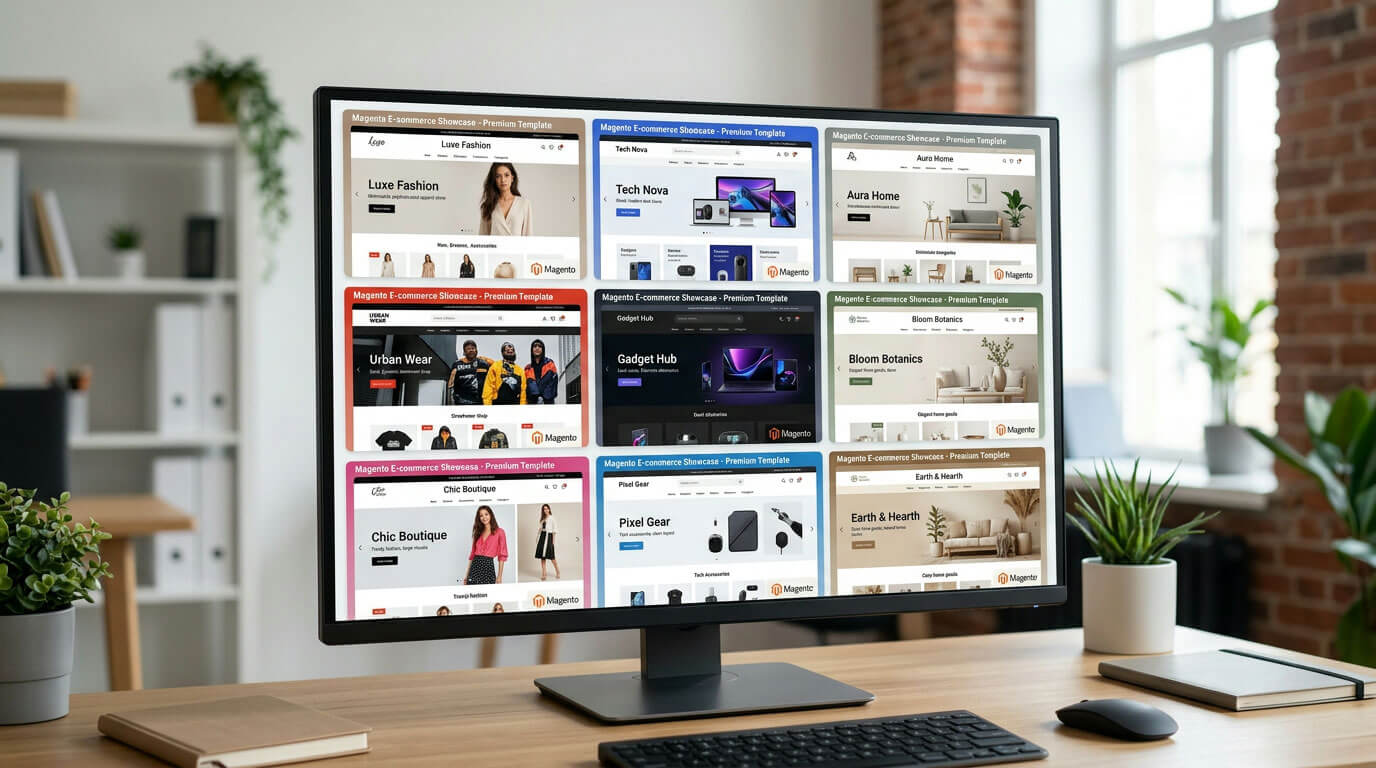
A Magento theme is a package of files templates, CSS, images, and sometimes JavaScript that controls how your storefront looks and, to a degree, how it behaves. Magento’s default theme (Luma) is functional but visually plain, which is why most store owners replace it early on. Installing a theme doesn’t touch your product data or store logic; it only changes presentation, so you can generally switch themes later without rebuilding your catalog.
Free Magento themes typically include the base layout, a set of homepage widgets (sliders, banners, product grids), and documentation for setup. What they usually skip, compared to premium versions, is priority customer support, frequent updates, and advanced modules like mega menus with rich content or built-in speed optimization.
Themes are also distinct from extensions. An extension adds a specific function – a payment gateway, a loyalty program, a search bar while a theme governs the visual shell those functions sit inside. Some free Magento themes bundle small extensions (a blog module, a mega menu, an AJAX cart), but larger upgrades almost always need to be installed separately. Understanding that distinction early avoids confusion when a demo page shows a feature that turns out to be a separate paid add-on.
How to Choose the Best Free Magento Theme
Not every theme labeled “free” is worth the download. A few criteria consistently separate the useful ones from the ones that’ll cause headaches six months in – and skipping this check is a common reason store owners end up re-theming a live site within the first year.
Responsiveness & Mobile-Friendliness
Most shopping traffic today arrives on a phone, so a mobile-optimized layout isn’t optional. Check the theme’s demo on an actual phone, not just by resizing a browser window – some “responsive” free themes break down awkwardly at tablet widths or hide key navigation elements on small screens.
SEO-Friendliness
Magento itself is reasonably SEO-friendly out of the box, but a badly coded theme can undercut that. Look for themes that mention clean HTML markup, proper heading structure, and ideally Schema.org support, since structured data helps search engines understand product listings and can enable rich results like star ratings in search.
Customization & Ease of Use
A good free Magento theme lets you change colors, fonts, and homepage sections from the Magento admin panel without touching code. Themes with a drag-and-drop page builder or a simple options panel save real time, particularly if you’re not a developer.
Speed & Performance
Page speed affects both conversions and rankings. Free themes packed with animations, large slider images, and unoptimized fonts tend to load slowly. Features worth checking for:
- Lazy loading for images below the fold
- Minimal external font and script requests
- A lightweight, uncluttered homepage layout
- Built-in caching support or compatibility with Magento’s caching layer
Magento 2 Compatibility
This one trips up a lot of people. Several older free-theme downloads still circulating online were built for Magento 1, which reached end of life in June 2020 and no longer receives security patches. Confirm Magento 2 compatibility on the theme’s product page before installing the theme’s own documentation or download page should state the supported Magento version directly.
Free vs Premium Magento Themes – Which Should You Choose?
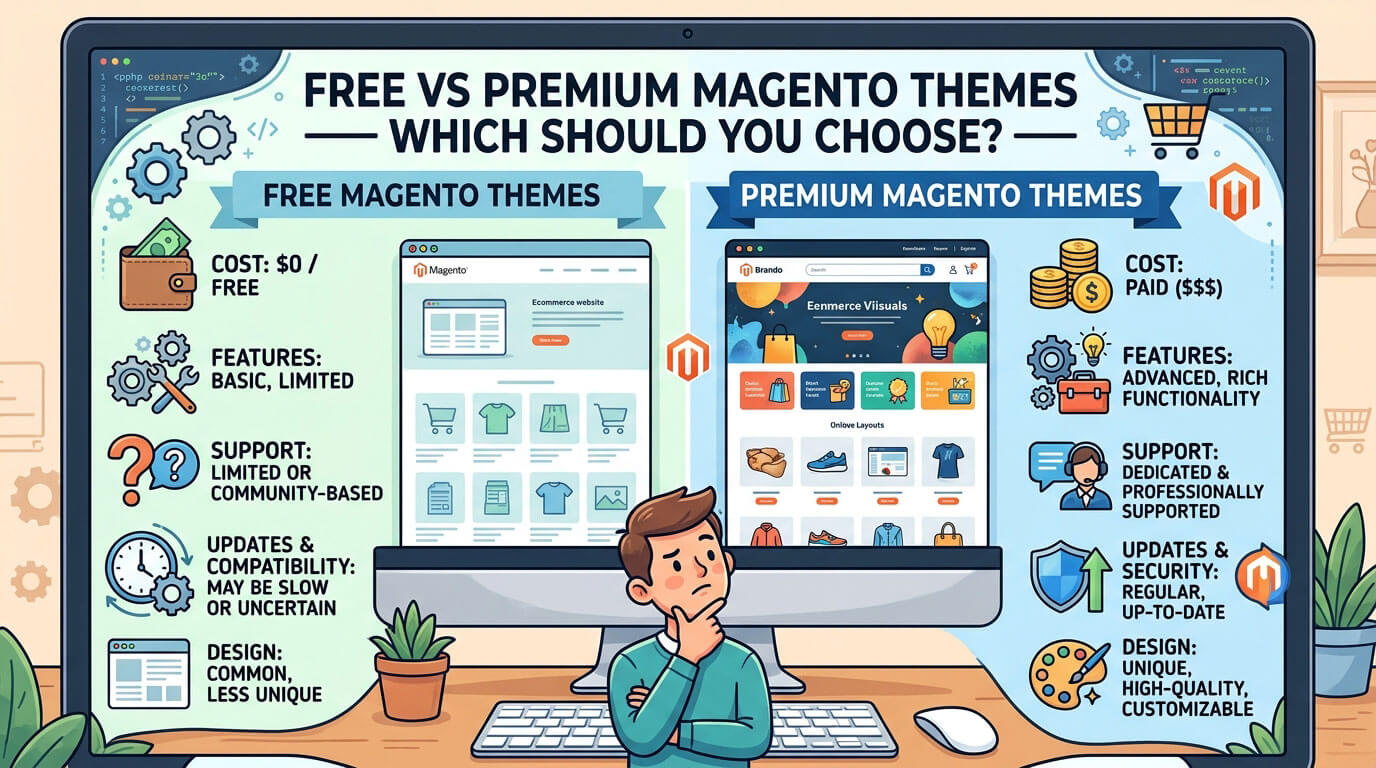
A free Magento theme covers most needs for a store that’s just getting started, but it isn’t the right fit for every business. The honest trade-offs look like this:
- Support: Free themes rarely include dedicated support. If something breaks after a Magento update, you’re often on your own or relying on community forums.
- Updates: Premium theme vendors tend to patch compatibility issues faster when Magento releases a new version. Free themes can lag behind or stop receiving updates entirely.
- Built-in extensions: Paid themes often bundle modules advanced search, related-product engines, loyalty features that would otherwise cost extra to add individually.
- Performance tuning: Speed optimization (image compression, code minification, caching configuration) is frequently a paid-tier feature rather than something included free.
- Uniqueness: Because free themes get reused across thousands of stores, your site can end up looking similar to competitors using the same template.
For a store still validating an idea, testing a niche, or working with a limited budget, a free Magento theme is a sensible choice – the limitations rarely matter until the store starts scaling. Once traffic and order volume grow, it’s worth looking at a premium theme, or Hyvä a Magento 2 frontend built on Tailwind CSS and Alpine.js that replaces the heavier default Luma engine. Its core theme became free and open source in November 2025, dropping the previous €1,000 license fee, though building and customizing a Hyvä storefront is still a real development cost.
A practical middle ground some store owners use is starting with a free Magento theme for the first several months, tracking where it actually falls short slow mobile load times, a checkout step customers abandon, a missing feature they keep asking for and using that real usage data to decide what a paid theme or custom build needs to fix. That approach avoids overpaying for features the store never ends up using.
Key Takeaways
- Free Magento themes work well for small stores, MVPs, and tight budgets, but most come with limited support and fewer built-in extensions than paid options.
- Etrend Lite, Apparel, and Next are among the most versatile free Magento 2 themes – they aren’t locked to one product category.
- Speed and SEO-friendliness vary a lot between free themes; a heavy theme can undo the SEO benefit Magento’s platform already gives you.
- Always confirm Magento 2 compatibility before downloading some older “free” listings still circulating online were built for the outdated, unsupported Magento 1.
- If your store scales past a few hundred SKUs or needs dedicated support, a premium theme or a custom build on Hyvä, whose core theme has been free and open source since November 2025 – usually pays for itself.
Frequently Asked Questions
Are free Magento themes safe to use?
Generally yes, if downloaded from a reputable source like TemplateMonster, Magefan, or the theme developer’s own site. Avoid random third-party download sites, since modified theme files can contain malicious code.
Do free Magento themes work with the latest Magento 2 version?
Most actively maintained free themes do, but not all. Always check the theme’s product page for a stated Magento 2.4.x compatibility note before installing, since some older listings were never updated past earlier versions.
Can I customize a free Magento theme without hiring a developer?
Many can be adjusted through the Magento admin panel – colors, homepage sections, and basic layout options – without touching code. Deeper structural changes, like adding a custom page layout, usually still require some development knowledge.
Are free Magento themes good for SEO?
Reasonably, yes, as long as the theme uses clean HTML and doesn’t slow the site down excessively. SEO also depends heavily on your content, product descriptions, and site structure – the theme is only one factor.
How do I install a new theme on my Magento store?
In the Magento admin panel, go to Content > Design > Configuration, click Edit on your store view, then select the new theme from the dropdown and save. It’s worth testing on a staging site first.
What’s the difference between Magento 1 and Magento 2 themes?
They’re not interchangeable. Magento 1 reached end of life and no longer receives security updates, so a Magento 1 theme should never be installed on a live Magento 2 store – the underlying architecture is different.
Is Magento itself free to use?
The Magento Open Source (formerly Community) edition is free. Adobe Commerce (formerly Enterprise Edition) is a paid, subscription-based product aimed at larger businesses needing advanced B2B and marketing features.
Will a free Magento theme slow down my store?
It can, if the theme relies on large uncompressed images, heavy slider animations, or too many external scripts. Checking a theme’s demo page speed before installing – using a free tool like Google PageSpeed Insights – gives a quick read on whether it’s likely to cause problems later.
Read More: https://linkneon.com/what-is-tavl-web/
Conclusion
The right free Magento theme comes down to matching the theme’s strengths to your store’s actual needs – a multipurpose option like Etrend Lite or Apparel if you’re still figuring out your niche, a specialized one like Bentriz or GrandSale if you already know your category.
If your store outgrows the limitations of a free theme later – slow load times, no support, missing features – that’s a good problem to have, and it’s the point where a premium theme starts to make financial sense.