

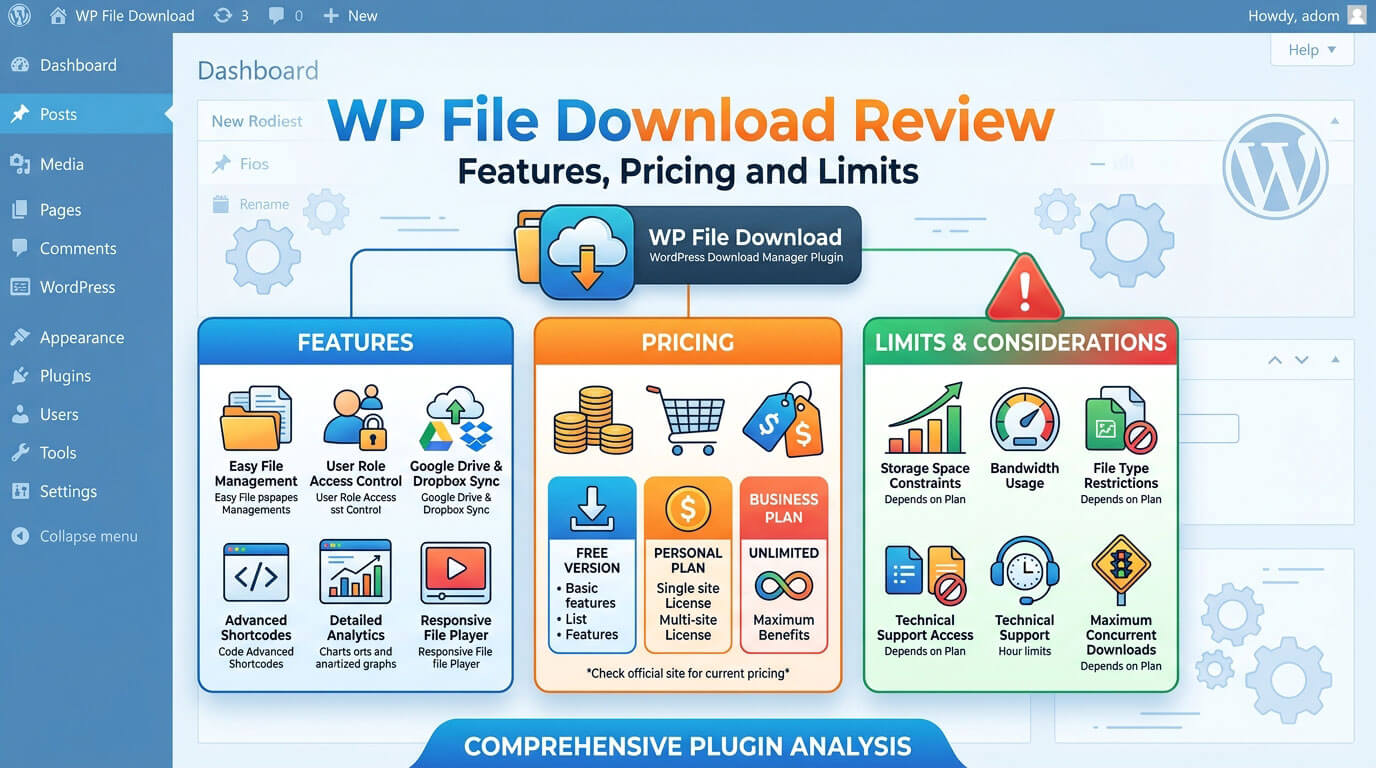
A download manager is a WordPress plugin that sorts files into categories, decides who may download them, and records what gets downloaded. WordPress can attach a file to a post, but WPLift notes it lacks the features to manage those assets properly (Source: WPLift). WP File Download is JoomUnited’s premium answer: a file manager inside the dashboard, with front-end display through shortcodes, blocks, and page-builder widgets (Source: JoomUnited).
This WP File Download review covers what the plugin does, how setup works, which features need add-ons, what it costs, and where it falls short. It also compares the plugin with two alternatives. The review rests on vendor documentation, vendor policy pages and forum replies, and three independent reviews, not on hands-on testing, and sources appear in brackets.
Prices and plan contents come from JoomUnited’s product page as read for this draft on September 19, 2026, so re-check them before you buy. The independent reviews date from 2017 to 2021, so treat them as background. Vendor forum replies are dated where the date is known, and JoomUnited’s FAQ and policy pages are undated.
Key takeaways
- WP File Download is a premium download manager for large file libraries, private user areas, cloud sync, and WooCommerce file sales.
- JoomUnited’s page lists $49 for the plugin and $69 with cloud and Social Locker add-ons, both covering unlimited sites for a year of updates and support.
- Selling files requires WooCommerce. JoomUnited staff said in 2023 that there is no trial version, and its refund policy covers only problems support cannot fix.
- Most evidence is vendor-written or dated, so test on a staging site first.
WP File Download: Features, Access Control, Pricing, and Limits
The sections below follow a buyer’s questions in order: what the plugin is, how it works, what it does, what it costs, and what to weigh before paying.
What Is WP File Download and Who Is It For?
WP File Download adds a file-management screen to the WordPress admin. You create categories, drag files in, and set who can see them. Visitors reach the files through a shortcode, a Gutenberg block, or a page-builder widget, and themes control the layout (Source: JoomUnited).
How a Download Manager Differs From the Media Library
By default, the Media Library shows uploads in a grid or list, newest first, and filters them by media type and date (Source: WordPress.org documentation). This plugin adds categories, per-user download rules, and download statistics on top (Source: JoomUnited).
JoomUnited also says (Source: JoomUnited; JoomUnited docs):
- the admin works like a desktop file browser, with drag and drop for uploads and ordering
- files use a custom post type
- uninstalling the plugin keeps your files and data unless you enable a delete option
Who It Suits, and Who Should Look Elsewhere
WP File Download suits:
- document libraries with many files, where drag-and-drop ordering and search matter
- client portals and membership areas, since the plugin can create a private category for each logged-in user (Source: JoomUnited)
- agencies, because the license covers unlimited websites (Source: JoomUnited)
- WooCommerce shops that sell files
- niche business sites that publish forms, price lists, or reports, such as the church, education, non-profit, medical, lawyer, restaurant, and gym theme categories at GraceThemes (a reasonable use case, not a vendor claim) (Source: GraceThemes)
- developers, since JoomUnited publishes hooks and filters for custom work (Source: JoomUnited)
It is a weaker fit if:
- you host a handful of PDFs, where a plain Media Library link may be enough (a reasonable view, not a vendor claim)
- you want to sell files without WooCommerce (see the comparison below)
How It Works: From Install to Published Download
Setup for WP File Download follows the usual plugin path, plus one step for paid updates.
- Install and activate the plugin. The 2019 and 2021 reviews describe an environment check on activation, then a prompt to pick a theme (Source: WP Mayor; WPLift).
- Connect your JoomUnited account under Settings > General, which is how paid updates arrive (Source: JoomUnited docs).
- Create a category with the New button and drag files into it (Source: WP Mayor).
- Set the category’s visibility, public or private by user group, and its theme (Source: JoomUnited docs).
- Insert the category, or a single file, with a shortcode, block, or widget, as the table shows.
| Method | What you insert | Source |
| Shortcode | A file, a category, an upload form, or a search engine | JoomUnited; WPLift |
| Gutenberg block | Files and categories; the changelog also lists a search block | JoomUnited changelog |
| Classic Editor button | Files and categories from the toolbar | WP Mayor |
| Page-builder widget | Dedicated widgets or modules | JoomUnited |
Core Features for Organizing and Displaying Files
Most day-to-day work with WP File Download happens in four areas: file handling, themes, search, and versioning.
Drag-and-Drop File Management and Bulk Actions
You can drag files from your desktop, Ctrl-click to select several, and move, copy, cut, or paste them. Right-clicking opens options such as visibility and publication date (Source: JoomUnited; WP Mayor). Each file has a sidebar for its title, description, version number, tags, custom icon, direct link, and shortcode (Source: WP Mayor).
For large libraries, the plugin imports from a server folder, and later versions added a synchronization delay and a file-type filter (Source: JoomUnited changelog). WP Mayor found the server-folder browser awkward when long names got cut off in deep folders (Source: WP Mayor).
Themes and the Icon Builder

JoomUnited’s feature table lists five themes: default, folder tree, table, Google Drive-style, and preview. Older reviews counted four. Kevin Muldoon named default, GGD, table, and tree, which suggests preview is the newer fifth (Source: JoomUnited; WP Mayor; WPLift; Kevin Muldoon).
You can assign a theme per category or clone one to customize. The icon builder creates SVG icons for each file type, and a PNG set is also included (Source: JoomUnited).
These are the plugin’s own file-list layouts, not WordPress themes. A WordPress theme sets your whole site’s design. GraceThemes, for example, sorts its themes by niche and lists CosmoCalm PRO for spas and salons, RazorCuts PRO for barber shops, and PetPulse PRO for veterinary clinics (Source: GraceThemes).
The plugin’s file lists appear inside your pages through shortcodes, blocks, or builder widgets (Source: JoomUnited). WP Mayor saw the upload form’s default styling look off in the Astra theme, so check the result in your own theme (Source: WP Mayor).
Full-Text Search
JoomUnited says its full-text document search reads document contents, and that content is indexed in the background at upload. You switch the search option to plain text and start indexing to activate it. Visitors can filter by category, tags, and dates (Source: JoomUnited).
Older notes are more cautious:
- WP Mayor said the feature was off by default and heavy on server resources (Source: WP Mayor, 2019).
- A 2016 staff reply warned that many large PDFs can slow small servers (Source: JoomUnited forum).
- An undated staff reply in that thread said content search covers only the plugin’s own files (Source: JoomUnited forum).
The sources don’t say whether text matches appear in native WordPress search results, so test that if you need one combined search.
File Versioning and Multi-Category Files
Replacing a file keeps the old version. JoomUnited says you can store up to 99 old versions and restore one in a click. A single master file can appear in several categories, so you edit it once (Source: JoomUnited).
Version 6.1.0 also added options to nofollow file links and to keep the file post type out of search indexes, which matters if you care about SEO (Source: JoomUnited changelog).
Previews, ZIP Downloads, Remote Files, and Migration
Beyond the core file list, the plugin also offers:
- JoomUnited’s own previewer or a Google preview; WP Mayor saw previews open in a lightbox (Source: JoomUnited; WP Mayor).
- ZIP downloads. Visitors can download several selected files, or a whole category, as a ZIP the plugin generates (Source: JoomUnited; WPLift).
- Remote files. Add a title, description, and URL, and the link can point to a cloud file or any public address (Source: JoomUnited).
- WP File Download exports files and categories, or only the structure, and imports from an XML file the way WordPress’s own importer does (Source: JoomUnited).
Access Control, Uploads, and Download Tracking
These controls decide who sees files, who adds them, and how you measure use.
Permissions by Role and by User
Access rules work at four levels:
- Private categories. Make a category private for a user group or a single user (Source: JoomUnited docs).
- Per-file access. Enable the users-restriction option under Configuration > Main Settings > Admin first (Source: JoomUnited docs).
- File management rights. Set who may add, edit, or remove files per WordPress role under Configuration > File Access > User Roles (Source: JoomUnited docs).
- Automatic private categories. The plugin can create one for each logged-in user in chosen roles (Source: JoomUnited).
JoomUnited’s tutorial says a private category also protects the download link, so the file won’t download without an allowed role (Source: JoomUnited tutorial). The sources don’t explain how files are stored on the server. Test direct-URL access on a staging site before trusting the plugin with sensitive documents.
Front-End Upload Form
A shortcode adds an upload form where visitors submit files to a category you choose, and you can review them before publication (Source: JoomUnited). The admin search can filter files waiting for approval (Source: JoomUnited changelog). WP Mayor found the form worked, though its default styling looked off in the Astra theme (Source: WP Mayor).
Download Statistics and Email Notifications
- A screen filters by category, file, and date range, shows charts and tables, and can be exported. If users are logged in, you can see who downloaded what, and a Google Analytics event option is available (Source: JoomUnited; WP Mayor).
- Email notifications. They can go to the file owner, the category owner, the admin, or custom addresses when a file is uploaded, edited, removed, changed, or downloaded (Source: JoomUnited).
Cloud Sync and Selling Files With WooCommerce
Both features come from the add-on rather than the base plugin (Source: JoomUnited docs).
Google Drive, Dropbox, OneDrive, Amazon S3, and Nextcloud
The add-on provides (Source: JoomUnited):
- two-way synchronization with Google Drive, Dropbox, and OneDrive (personal and business), so users can manage files from either side
- Amazon S3, which can serve downloads from Amazon’s servers
- Nextcloud, for your own cloud server
Social Locker, in the same add-on, locks a download until the visitor tweets or follows on Twitter, or likes or shares on Facebook. You can also set a session duration (Source: JoomUnited). The description names only those networks, so confirm current network support before relying on it.
Kevin Muldoon says he used Social Locker to lock graphic resources, though his review describes it in terms of Twitter and Facebook (Source: Kevin Muldoon). WP Mayor did not test the add-ons, and WPLift only describes them (Source: WP Mayor; WPLift).
Selling Digital Files Through WooCommerce
Selling files with WP File Download requires WooCommerce plus the add-on. To create a product (Source: JoomUnited docs):
- Right-click a file and choose Create Woo Product.
- Fill in the title, SKU, price, and images.
- Set a download limit and expiry.
On the front end, the Download button becomes Add to cart. WooCommerce’s access limits apply, and you can layer the plugin’s role and action rules on top. Variable products are supported, and orders appear in the plugin’s statistics (Source: JoomUnited docs). JoomUnited says cloud and remote files can be sold too (Source: JoomUnited).
One limit: a staff reply said product pages for each document are created manually (Source: JoomUnited forum, undated).
Page Builder and Plugin Compatibility
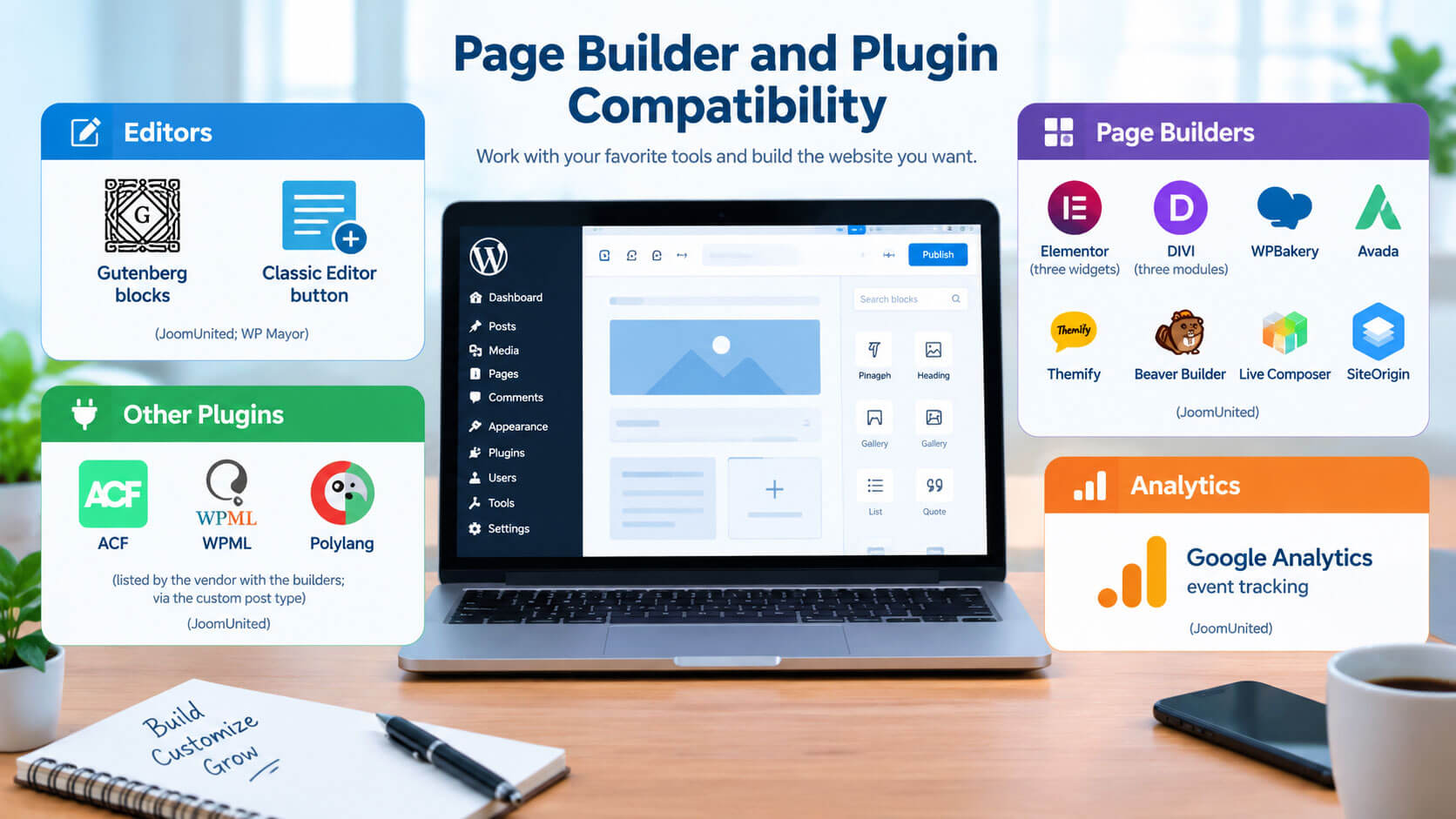
The sources name these editors, builders, and tools.
| Area | Named in the sources |
| Editors | Gutenberg blocks; Classic Editor button (JoomUnited; WP Mayor) |
| Page builders | Elementor (three widgets), DIVI (three modules), WPBakery, Avada; also Themify, Beaver Builder, Live Composer, SiteOrigin (JoomUnited) |
| Other plugins | ACF, listed by the vendor with the builders; WPML and Polylang, via the custom post type (JoomUnited) |
| Analytics | Google Analytics event tracking (JoomUnited) |
WP File Download Pricing and Licensing
| Plan | Price shown | What the page lists |
| Plugin | $49 | Plugin plus one year of support and updates |
| Plugin plus add-ons | $69 | The above plus the cloud and Social Locker add-ons |
| WordPress bundle | $199 | All JoomUnited WordPress plugins, one year of support and updates |
(Source: JoomUnited product page.) JoomUnited says WP File Download plans cover unlimited websites with no recurring payment, and its billing FAQ says payments run through PayPal or Stripe (Source: JoomUnited FAQ). The $49 and $69 cards list the same feature names in the text I could read, so the plan contents are partly inferred.
JoomUnited’s WooCommerce and Social Locker pages both say the same add-on carries WooCommerce selling, cloud sync, and Social Locker (Source: JoomUnited WooCommerce page; Social Locker page). Only the $69 card lists the add-ons. So on the evidence available, selling with WooCommerce belongs to the $69 plan. The $49 card still lists the same feature names, so confirm this at checkout.
Older reviews quote lower prices, from $29 (Source: WP Mayor; WPLift; Kevin Muldoon). An older copy of JoomUnited’s bundle page also showed $189 for the bundle, where the current product page shows $199, so treat every figure as changeable (Source: JoomUnited bundle page).
After year one, JoomUnited’s billing FAQ says the following, and its bundle page says much the same (Source: JoomUnited FAQ; JoomUnited bundle page):
- memberships are one-time payments with no automatic renewal
- you can keep using the plugin after expiry with no restrictions
- renewing, which buys new versions and support, carries an automatic 20% discount
The FAQ pages are undated, so confirm current terms.
A January 2025 forum thread reports a copy that stopped working, and the staff reply doesn’t say why (Source: JoomUnited forum, 2025), so ask pre-sales in writing what happens on expiry. Lapsed updates matter because the changelog includes security fixes, such as the XSS fix in version 6.2.6, which matches the version cutoff of CVE-2025-5034 (Source: JoomUnited changelog; Rapid7 Vulnerability Database).
Limitations to Weigh Before You Buy
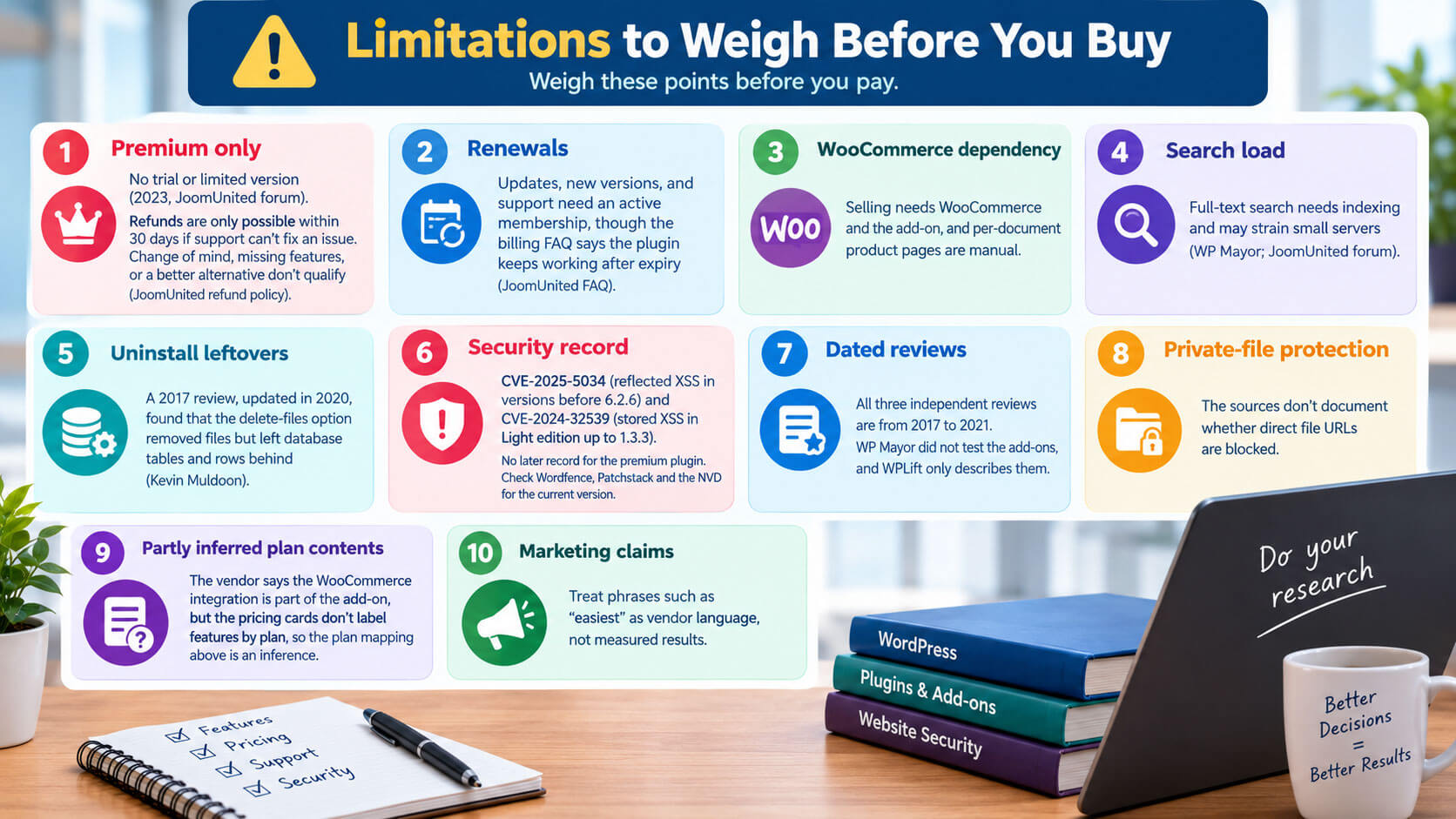
Weigh these points before you pay.
- Premium only. Staff said in 2023 that there is no trial or limited version (Source: JoomUnited forum, 2023). The refund policy allows a request within 30 days, but only when support could not fix an issue. A change of mind, missing features, or a better alternative do not qualify (Source: JoomUnited refund policy).
- Updates, new versions, and support need an active membership, though the billing FAQ says the plugin keeps working after expiry (Source: JoomUnited FAQ).
- WooCommerce dependency. Selling needs WooCommerce and the add-on, and per-document product pages are manual.
- Search load. Full-text search needs indexing and may strain small servers (Source: WP Mayor; JoomUnited forum).
- Uninstall leftovers. A 2017 review, updated in 2020, found that the delete-files option removed files but left database tables and rows behind (Source: Kevin Muldoon).
- Security record. A public record exists for the premium plugin: CVE-2025-5034 describes a reflected cross-site scripting flaw in versions before 6.2.6 (Source: Rapid7 Vulnerability Database; NVD). The changelog’s 6.2.6 entry fixes an XSS issue in the search engine, which matches that version cutoff (Source: JoomUnited changelog). Wordfence Intelligence also lists a stored cross-site scripting issue (CVE-2024-32539) for the separate free Light edition, up to version 1.3.3 (Source: Wordfence Intelligence). I found no later record for the premium plugin, which is not proof that none exists. Check Wordfence Intelligence, Patchstack, and the NVD for the current version.
- Dated reviews. All three independent reviews are from 2017 to 2021, WP Mayor did not test the add-ons, and WPLift only describes them.
- Private-file protection. The sources don’t document whether direct file URLs are blocked.
- Partly inferred plan contents. The vendor says the WooCommerce integration is part of the add-on, but the pricing cards don’t label features by plan, so the plan mapping above is an inference.
- Marketing claims. Treat phrases such as “easiest” as vendor language, not measured results.
WP File Download vs. Alternatives
| WP File Download | WPDM (W3 Eden) | CM Download Manager | |
| Free version | Not per JoomUnited staff (2023) | Yes, a free download is offered | Yes, a Basic plan |
| Selling files | WooCommerce plus add-on | Built-in cart; says WooCommerce isn’t needed | MicroPayments or store-plugin integration |
| Features its site lists | Per-user private categories, full-text search, cloud add-on | Password, email, CAPTCHA and IP locks; license keys | User groups, moderation, logs, password protection |
| Watch for | Renewals for updates | Pro adds advanced e-commerce and cloud storage, per WPDM; its site-count figure is self-reported | Pricing page dated 2021 |
(Source: JoomUnited forum; WPDM; CreativeMinds.)
A reasonable way to choose: WP File Download suits a file-manager-style admin, per-user categories, and cloud sync for WooCommerce sites. WPDM may fit if you want a free start or a store without WooCommerce. CM Download Manager may fit community uploads with moderation, but check its current pricing first.
Frequently Asked Questions
Is there a free version of WP File Download?
JoomUnited staff said in 2023 that there is no trial or limited version (Source: JoomUnited forum). Its refund policy covers only problems support cannot fix within 30 days of purchase (Source: JoomUnited refund policy). Free alternatives exist, listed above.
Can I sell files without WooCommerce?
The sources describe selling only through WooCommerce (Source: JoomUnited docs). WPDM says it includes its own cart (Source: WPDM).
What happens after the first year?
JoomUnited’s billing FAQ says the plugin keeps working with no restrictions and that you renew for new versions and support (Source: JoomUnited FAQ). The FAQ pages are undated, so confirm current terms before buying.
Can I restrict downloads to logged-in users or roles?
Yes. Categories can be private for user groups or single users, and download and preview can be limited by role (Source: JoomUnited docs).
Which plan includes cloud sync and WooCommerce selling?
JoomUnited’s higher-priced plan lists the cloud and Social Locker add-ons. Its WooCommerce and Social Locker pages say the same add-on carries WooCommerce selling, so that plan is the likely fit for both (Source: JoomUnited). Check your cart before paying.
Does full-text search slow my site?
JoomUnited says indexing runs in the background (Source: JoomUnited), while older notes warn about server load (Source: WP Mayor). Test with your real files.
Does it work with Elementor and Gutenberg?
Yes. JoomUnited lists Elementor widgets and Gutenberg blocks, plus DIVI, WPBakery, and Avada (Source: JoomUnited).
Is a file-list theme the same as a WordPress theme?
No. The plugin’s themes change how file lists are laid out, while a WordPress theme controls the whole site’s design (Source: JoomUnited; GraceThemes). Preview the file lists inside your own theme before launch (Source: WP Mayor).
Read More: https://linkneon.com/what-is-google-stacking/
Conclusion
WP File Download is a full-featured, premium file manager for sites with large libraries, private user areas, cloud sync, or WooCommerce file sales. Its main trade-offs are the annual renewal for updates and a WooCommerce-only selling route.
Before buying WP File Download, shortlist your requirements, then test with your own files on a staging site. Ask JoomUnited in writing to confirm which plan includes WooCommerce selling and what happens when the membership expires.