

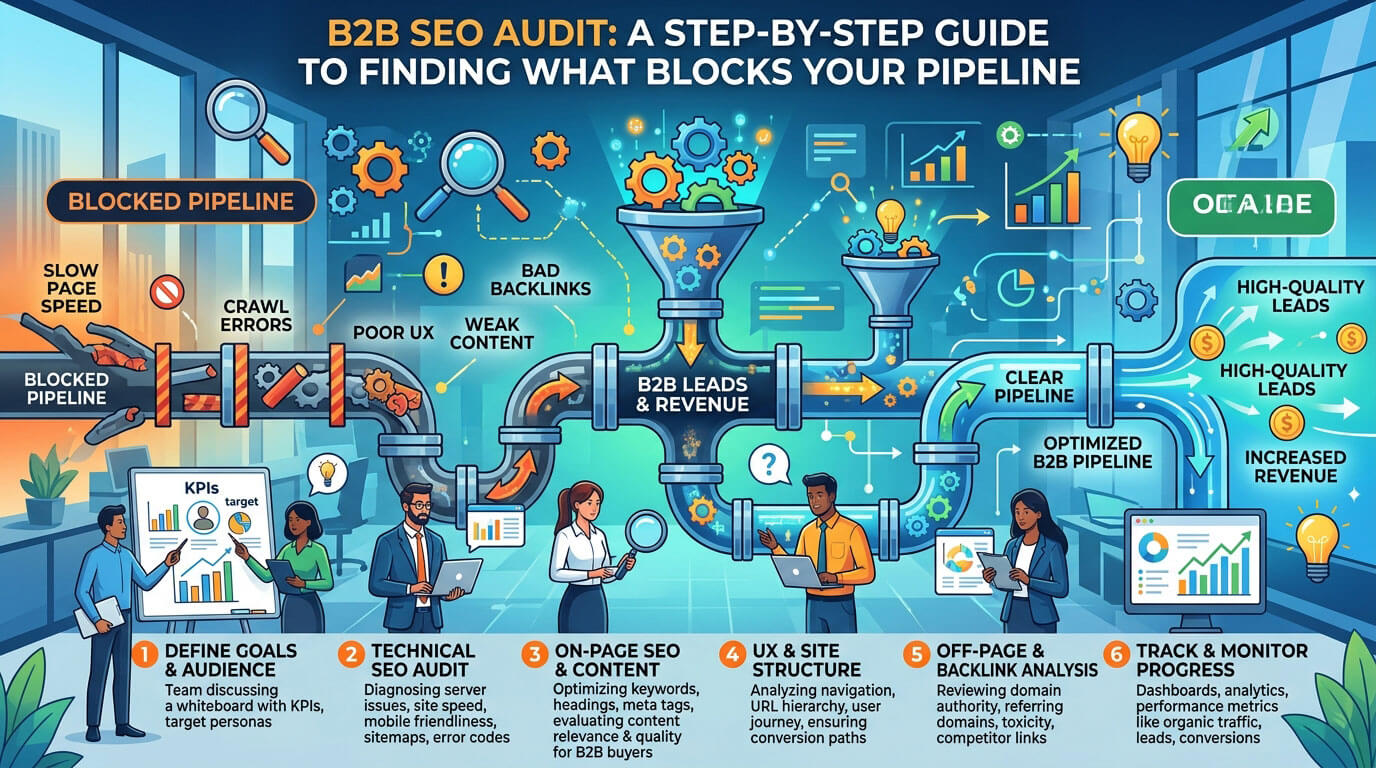
A B2B SEO audit is a structured review of how well your website turns search visibility into qualified pipeline. It covers the usual technical SEO audit checks, such as crawling, indexing and site speed. It also asks a harder question: do the right buyers find the right pages, and do those pages move them toward a sales conversation?
For companies with long sales cycles, small keyword volumes and several people involved in every purchase, that second question often decides whether organic traffic produces revenue or just sessions.
This guide walks you through an eight-step B2B SEO audit process, from crawlability to CRM attribution and validating your fixes. You’ll also see page-type checks, tools, prioritization and honest limitations.
How to Run a B2B SEO Audit That Connects Search to Revenue
The steps run in order: a page Google can’t crawl can’t be indexed, and an unindexed page can’t rank.
What Is a B2B SEO Audit?
A B2B SEO audit is a review of your website’s technical health, content, visibility and conversion paths, judged by one standard: whether each finding helps or blocks qualified buyers on their way to a sales conversation.
It covers five layers:
- Technical health: whether search engines can crawl, render and index your priority pages
- Intent fit: whether each page matches what buyers expect when they search
- Content quality: whether content is accurate, current and distinct from your other pages
- Visibility: rankings, click-through rate and presence in AI-generated answers
- Conversion and attribution: whether organic visitors become leads your sales team accepts
The main benefits are focus and alignment: you see which pages leak pipeline, developer time goes to fixes that matter, and marketing and sales share one view of organic search. That is why a B2B SEO audit needs CRM data, not just a crawler.
B2B SEO Audit vs. a Standard SEO Audit
A standard audit usually ends with a crawler score and warnings. The B2B version filters each warning through buyer intent, commercial intent and business value. A missing meta description on your privacy policy can wait. A search intent mismatch on your pricing page can’t.
| Question the audit asks | Standard audit | B2B-focused audit |
| Which keywords matter? | Highest search volume | Terms your ICP searches before buying, even at low volume |
| Who is searching? | One generic visitor | Several roles: end user, IT, finance, leadership |
| What counts as success? | More traffic, a higher crawler score | More sales-accepted leads from organic search |
| Which fixes come first? | Highest-severity warnings | Issues on pages closest to revenue |
| Where does the data come from? | Crawler and Search Console | Crawler, Search Console, analytics and CRM |
Before You Start: Goals, Scope, and Data Access
Settle these before your B2B SEO audit begins:
- Goals: Name the conversion that creates a qualified lead (demo request, trial signup, contact form). Document your ideal customer profile (ICP) and the roles that influence buying.
- Scope: List the directories, subdomains, languages and templates in scope, excluding staging and logged-in areas.
- Access: Confirm access to Google Search Console, GA4, your CRM (HubSpot, Salesforce or similar), your CMS and, for larger sites, server logs.
- Baseline: Export clicks, impressions, rankings and organic conversions by landing page. Search Console keeps roughly 16 months of performance data, so save exports if you’ll need longer history.
Step 1: Check Crawlability and Rendering
Every B2B SEO audit starts with crawlability: whether search engine bots can reach your pages.
- Read your txt file and confirm it doesn’t block priority pages or the CSS and JavaScript files they need.
- Run a full crawl with Screaming Frog or Sitebulb. Priority pages should return a 200 status code, internal links shouldn’t hit 4xx/5xx errors, and redirect chains (one redirect pointing to another) should collapse into one hop.
- Compare the crawl with your XML sitemap and analytics to find orphan pages (pages no internal link points to), starting with older integration and use-case pages.
Next, check JavaScript rendering. Many B2B sites use frameworks that load content in the browser, and Googlebot can execute that JavaScript.
AI crawlers are different. A December 2024 study by Vercel found that major AI crawlers, including GPTBot, ClaudeBot and PerplexityBot, did not render JavaScript.
Crawler behavior can change, so compare raw HTML with the rendered page for one URL per template; copy that appears only after scripts run is a risk.
Step 2: Confirm the Right Pages Are Indexed
Open the Page Indexing report in Search Console and check priority pages before sitewide totals. Group exceptions by the reason Google gives:
- “Discovered – currently not indexed”: Google found the URL but hasn’t crawled it yet. Review internal links to it.
- “Crawled – currently not indexed”: Google crawled the page and didn’t index it. Check for thin content, near-duplicate templates or weak value.
- Duplicate, Google chose a different canonical: confirm Google’s choice matches your intent.
- Excluded by noindex: confirm the exclusion is deliberate.
Then line up your signals. A standalone page’s canonical tag should normally point to itself, priority pages shouldn’t carry a noindex tag, and your sitemap should list only indexable URLs returning 200. Google notes that canonicalization methods, such as rel=”canonical”, redirects and sitemaps, become more effective when combined.
Step 3: Map Keywords to Search Intent and the Buyer Journey
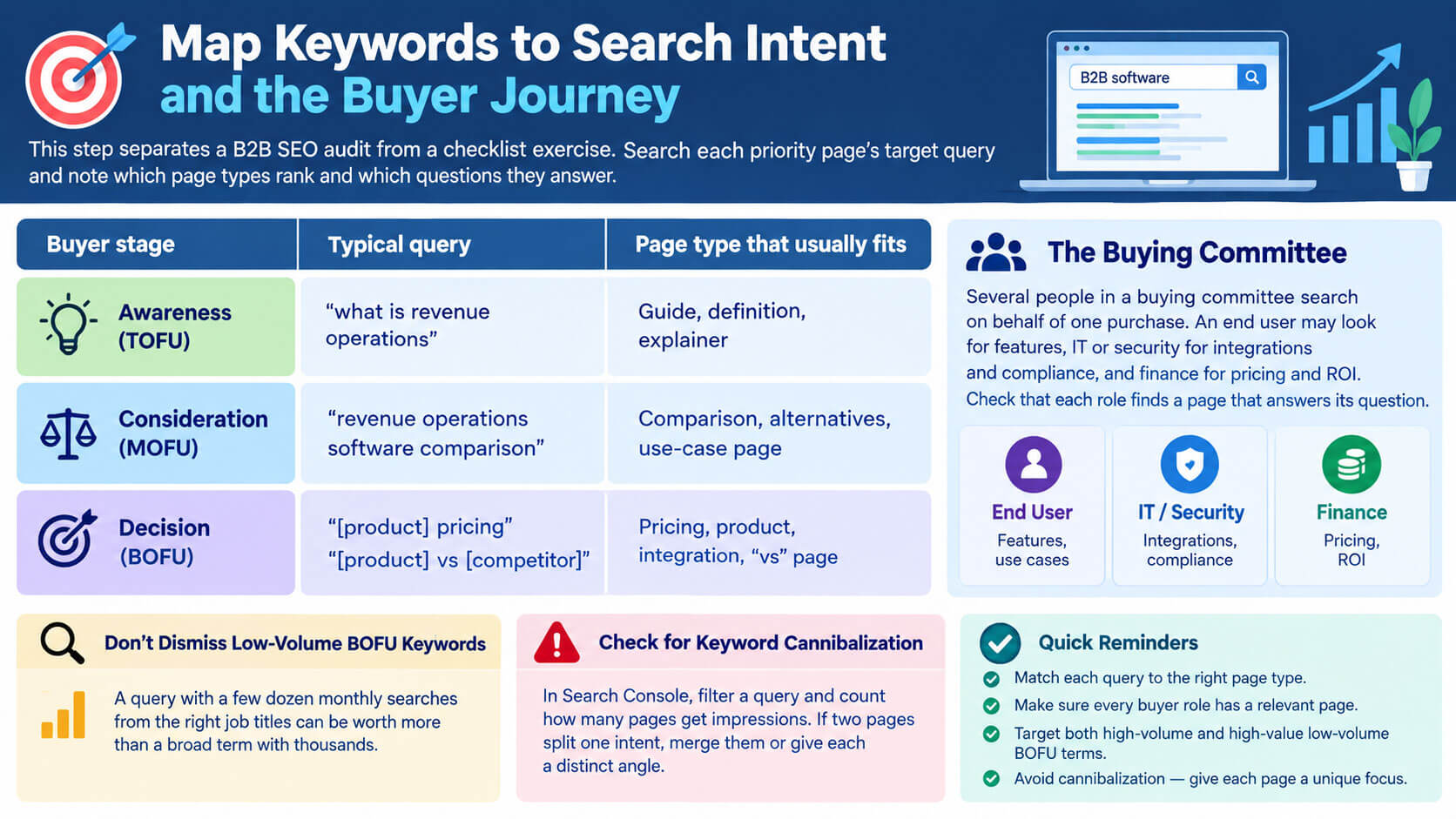
This step separates a B2B SEO audit from a checklist exercise. Search each priority page’s target query and note which page types rank and which questions they answer.
Several people in a buying committee search on behalf of one purchase. An end user may look for features, IT or security for integrations and compliance, and finance for pricing and ROI. Check that each role finds a page that answers its question.
| Buyer stage | Typical query | Page type that usually fits |
| Awareness (TOFU) | “what is revenue operations” | Guide, definition, explainer |
| Consideration (MOFU) | “revenue operations software comparison” | Comparison, alternatives, use-case page |
| Decision (BOFU) | “[product] pricing”, “[product] vs [competitor]” | Pricing, product, integration, “vs” page |
Don’t dismiss low-volume BOFU keywords. A query with a few dozen monthly searches from the right job titles can be worth more than a broad term with thousands.
Finally, look for keyword cannibalization, where several of your URLs compete for one query. In Search Console, filter a query and count how many pages get impressions. If two pages split one intent, merge them or give each a distinct angle.
Step 4: Audit Content Quality and Topical Coverage
A content audit gives each page one treatment:
- Refresh: the page earns visibility but has outdated facts, screenshots or pricing.
- Consolidate: several pages cover one intent. Merge the best material into the strongest URL and 301-redirect the rest.
- Rewrite: demand exists, but the page misses the intent.
- Prune: the page has no traffic, links or business purpose. Remove it, and redirect only if a close replacement exists.
Check E-E-A-T signals too, meaning experience, expertise, authoritativeness and trustworthiness: named authors, clear sourcing, and product claims your sales team would stand behind. Then find gaps in topical authority: buyer questions no page on your site answers.
Step 5: Review Backlinks and Authority
Compare referring domains for your commercial pages against the pages outranking them, and look for lost links and unlinked brand mentions (sites naming you without a link). Check whether internal linking passes blog authority to product and pricing pages.
Be careful with “toxic link” cleanup. Google says most sites won’t need the disavow tool and recommends it only when spammy links have caused, or are likely to cause, a manual action.
Step 6: Measure SERP Visibility, CTR, and AI Search Readiness
Commercial queries ranking in positions 11–20, called striking distance keywords, are a reasonable place to look for early gains.
For click-through rate, compare pages with similar positions; high impressions with weak CTR suggest a listing problem. Review title tags too, knowing Google may replace them with headings or other page text.
Validate structured data, such as Organization, Product (or SoftwareApplication) and BreadcrumbList markup, with the Rich Results Test, and make sure it matches visible content. Adjust expectations for FAQ markup, though: Google has not shown FAQ rich results since May 2026.
For AI search, often called generative engine optimization (GEO), check three things:
- Access: robots.txt rules for AI crawlers. OpenAI, for example, runs OAI-SearchBot for ChatGPT search and GPTBot for model training, and each can be allowed or blocked separately. Blocking Google-Extended affects Gemini training, not inclusion in Google Search.
- Readability: core content present in raw HTML (see Step 1).
- Presence: run the same buyer prompts in ChatGPT, Perplexity and Google AI Overviews several times. Log whether your brand appears, how it’s described, and which sources get cited.
Step 7: Audit Page Experience and Conversion Paths
Check Core Web Vitals by template, not by single URL. Google’s “good” thresholds are LCP within 2.5 seconds, INP of 200 ms or less, and CLS of 0.1 or less.
Then test the conversion path as a buyer would, on desktop and mobile:
- Submit every demo request and contact form with valid and invalid inputs.
- Confirm event tracking fires once per submission. Consent banners, embedded schedulers and strict security headers can block tracking scripts.
- Check that informational articles link to relevant solution pages, not only to “Book a demo.”
Finally, follow leads into the CRM and compare lead quality by landing page. Do comparison-page leads reach sales-accepted stages more often than blog leads? That organic pipeline view is what earns leadership’s trust.
Step 8: Validate Fixes Against a Baseline
The last step of a B2B SEO audit proves that your fixes worked. Log each change’s URL, edit, owner and deploy date, then confirm it’s live and indexed with URL Inspection.
Compare the edited page with its own baseline over equal periods: clicks, impressions, CTR, average position and conversions. If similar untouched pages moved the same way, a sitewide or seasonal effect is the likelier cause. Low-volume pages and long sales cycles need longer observation windows.
How to Audit Each B2B Page Type
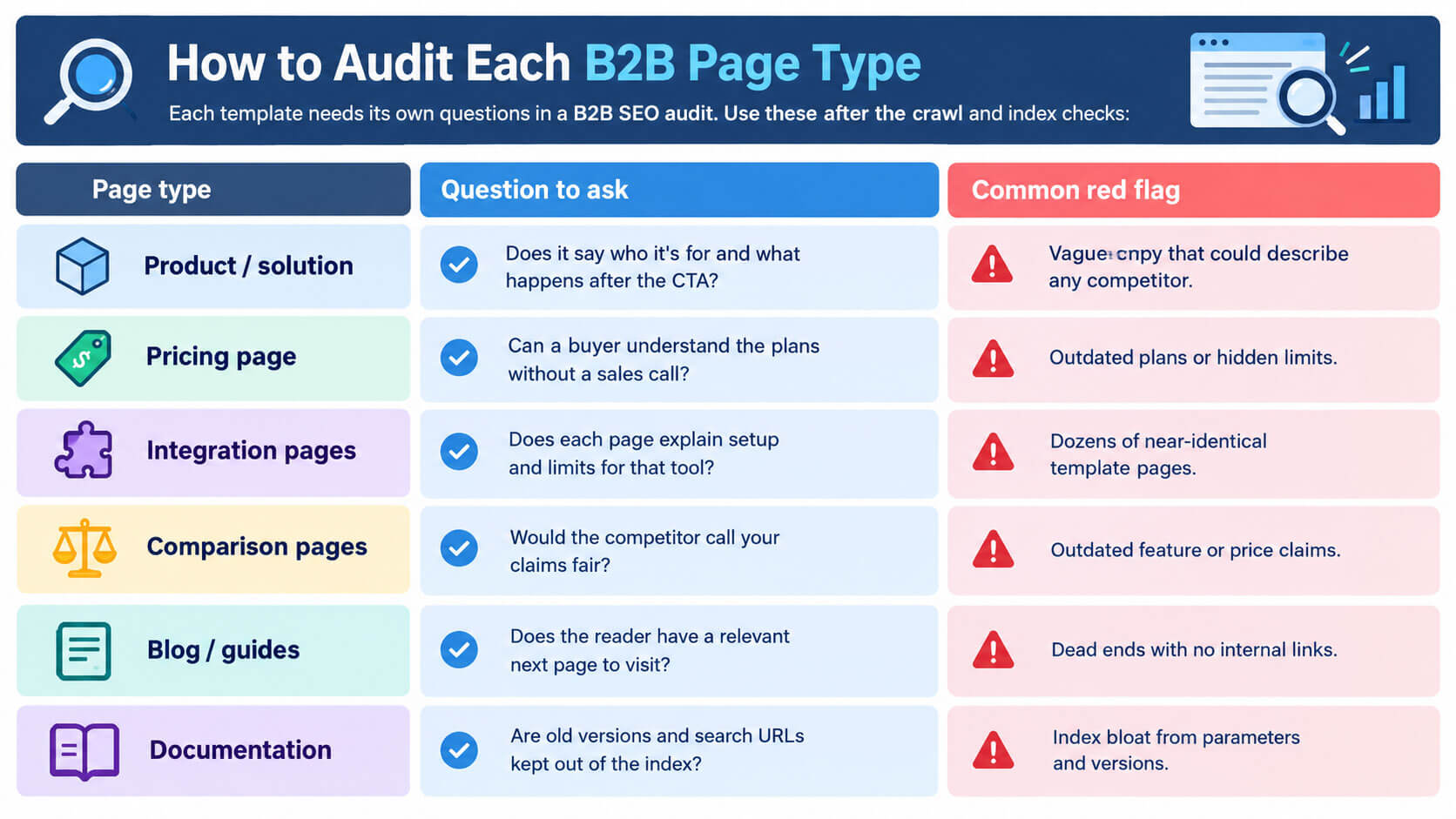
Each template needs its own questions in a B2B SEO audit. Use these after the crawl and index checks:
| Page type | Question to ask | Common red flag |
| Product / solution | Does it say who it’s for and what happens after the CTA? | Vague copy that could describe any competitor |
| Pricing page | Can a buyer understand the plans without a sales call? | Outdated plans or hidden limits |
| Integration pages | Does each page explain setup and limits for that tool? | Dozens of near-identical template pages |
| Comparison pages | Would the competitor call your claims fair? | Outdated feature or price claims |
| Blog / guides | Does the reader have a relevant next page to visit? | Dead ends with no internal links |
| Documentation | Are old versions and search URLs kept out of the index? | Index bloat from parameters and versions |
How to Prioritize Your Audit Findings
Much of a B2B SEO audit’s value comes from the order of fixes, and crawler severity labels shouldn’t set that order. A “minor” issue on a pricing page can cost more than a “critical” error on an old tag archive. Find your main bottleneck first (pages aren’t indexed, pages attract the wrong visitors, or visitors don’t convert) and fix that layer.
| Low effort | High effort | |
| High impact | Do now (e.g., remove noindex from a product page) | Schedule a sprint (e.g., fix template rendering) |
| Low impact | Batch later | Defer or drop |
Write every finding as a ticket with:
- URL and exact fix: “Improve this page” is not a ticket.
- Why it matters: the buyer or revenue outcome it blocks.
- Dependencies: dev, design, legal or tracking work needed first.
- Owner and deadline
- Proof: the baseline metric Step 8 will check.
Common Mistakes to Avoid
These mistakes quietly undo good audit work:
- Auditing only the blog. Pricing, integration, comparison and documentation pages usually sit closer to revenue.
- Leaving sales out. Your sales team knows which questions buyers ask and which leads never close.
- Shipping many changes at once. When ten edits go live together, Step 8 can’t show which one worked.
- Trusting an inherited robots.txt. Rules copied from an old template may block crawlers you now want, including AI search bots.
- Ending with a report. Findings without owners and deadlines rarely get fixed.
Tools You Need for the Audit
You can run a B2B SEO audit with one reliable tool per category.
| Category | Example tools | What it shows |
| Search performance | Google Search Console, GA4 | Queries, indexing, clicks, key events |
| Technical crawling | Screaming Frog, Sitebulb | Status codes, canonicals, links, rendering |
| Competitive data | Ahrefs, Semrush | Rankings, backlinks, content gaps |
| Page experience | PageSpeed Insights, Lighthouse | Core Web Vitals by template |
| Behavior | Microsoft Clarity, Hotjar | Heatmaps, session recordings |
| Pipeline | HubSpot, Salesforce | Lead stages by landing page |
Limitations to Keep in Mind
A B2B SEO audit is a diagnosis, not a guarantee:
- Crawler scores measure hygiene, not revenue. Ahrefs’ Health Score, for example, reflects the share of crawled internal URLs without errors.
- Attribution is imperfect. Buyers research anonymously and across devices.
- AI answers are volatile. One mention in ChatGPT is a signal, not a trend.
Cost, Timeline, and Who Should Run It
The cost of a B2B SEO audit depends on page count, template variety, JavaScript complexity, languages, data readiness and deliverables. Ask providers to price diagnosis, remediation and validation separately.
- In-house: works when your team has SEO judgment, data access and protected time.
- Consultant or agency: suits specialist diagnosis, site migrations, or teams that also need implementation help.
- Automated tools: handle repeatable checks at scale, with human review.
Frequently Asked Questions
What does the audit cover?
A B2B SEO audit covers the eight steps above: crawling and indexing, intent, content, authority, SERP and AI visibility, page experience and conversions, and validation.
How often should you run one?
There’s no fixed rule. A common approach is a full review once or twice a year, lighter monthly checks on key commercial pages, and an extra audit after a CMS migration, redesign or sustained traffic drop.
How long does it take?
It depends on scope. A small site may need a week or two of hands-on work; large, multilingual or JavaScript-heavy sites can take several weeks, plus validation time.
Can I do it myself?
Yes. Search Console, a crawler, a competitive SEO tool and CRM access are enough. The harder part is usually judgment and prioritization.
Should the audit include AI search visibility?
For most B2B companies, it’s worth including. Check AI crawler access, raw-HTML content and repeated prompt tests, and treat the results as directional.
What is a good SEO audit score?
There’s no universal pass mark, since each tool scores differently. Track improvement against your own baseline and judge success by qualified leads.
Read More: https://linkneon.com/what-is-google-stacking/
Conclusion: Your Next Step
The main takeaway: a B2B SEO audit is worth running only when it ties every finding to a page’s role in the buying journey and proves each fix with baseline data. Fix issues in the order they block qualified buyers.
Start small. This week, list your ten most valuable commercial pages (pricing, product, integration, comparison), check each one in the Page Indexing report, and pull its organic leads from your CRM. That list shows where your first B2B SEO audit fixes belong.