

The fastest WordPress page builder is the one that adds the least extra code to each page while still giving site owners the design and functionality they need. Every page builder plugin sits between your content and the visitor’s browser, and the HTML, CSS and JavaScript it outputs decide how quickly that page appears.
With a heavy builder, even good hosting has trouble hiding the bloat, and slower pages tend to mean higher bounce rates and a weaker user experience.
This article explains what makes a builder fast or slow, how builder code connects to Core Web Vitals, and why many speed rankings online can’t be trusted.
It then compares 12 builders, grouped roughly by how much code they tend to add, matches each one to a use case, and shows you how to test the fastest WordPress page builder on your own site instead of relying on someone else’s benchmark.
A Speed-First Guide to Choosing the Fastest WordPress Page Builder
Most builder comparisons start with features and aesthetics, treating speed as a footnote. This guide flips that order. It looks first at how builders produce code, then judges each tool on how much weight it adds and what you get in return.
Features still matter, but only after you know what they cost in page speed and performance. Prices below are starting prices at the time of writing and can change, so confirm them before you buy.
What Is a WordPress Page Builder and Why Does It Affect Speed?
A WordPress page builder lets you design pages visually, usually with a drag-and-drop interface, so you can arrange content and content elements without writing code. Builders come in three forms:
- Plugin builders that run on top of any WordPress theme, such as Elementor and Beaver Builder
- A theme builder or site builder that also controls the header, footer, sidebar and archive pages
- Theme-replacing builders, such as Bricks, that act as the theme itself
The speed cost comes from translation. Your visual layout has to become markup, and each builder translates it differently. One builder may output a single <div> for a section, while another wraps that same section in three or four wrappers.
A plugin builder on a heavy multipurpose theme also carries two layers of CSS and JavaScript, while a theme-replacing builder carries one. That’s why the same builder can feel fast on one site and slow on another.
What Actually Makes a Page Builder Fast or Slow?
Before you pick the fastest WordPress page builder, it helps to know what “fast” means in practice. Five factors explain most of the gap:
- DOM size and depth: The DOM is the tree of HTML elements the browser builds. More nested wrappers mean more work to style and render.
- CSS and JavaScript per page: Some builders load their full stylesheets and scripts everywhere. Better ones load only what a page uses.
- Render-blocking assets: Files the browser must download before showing anything delay the first view.
- Icon libraries and fonts: Loading a complete icon set and extra fonts to display a few elements wastes bytes.
- Plugin dependencies: If forms, popups or sliders each need separate add-ons, every add-on can bring its own assets.
A builder that does well on all five produces leaner code by design. One that struggles with two or three needs careful performance optimization before it delivers a faster website. Of these factors, conditional asset loading often makes the biggest practical difference: a builder that loads slider scripts only on pages with a slider keeps every other page light.
How Page Builders Affect Core Web Vitals (LCP, INP, CLS)
Core Web Vitals are Google’s user-experience metrics, and they’re part of its page experience signals. Builder code affects all three:
| Metric | What It Measures | “Good” Threshold | How a Builder Affects It |
| Largest Contentful Paint (LCP) | Loading speed of the main visible element | 2.5 seconds or less | Heavy CSS and render-blocking JS delay the hero image or heading |
| Interaction to Next Paint (INP) | Responsiveness to clicks and taps | 200 ms or less | Large JS bundles, sliders and animations keep the browser busy |
| Cumulative Layout Shift (CLS) | Unexpected movement of page content | 0.1 or less | Late-loading fonts and sliders without reserved space push content around |
INP replaced First Input Delay as a Core Web Vital in March 2024.
A lighter builder doesn’t guarantee passing scores, but it removes one of the most common obstacles to technical SEO, website speed and your wider SEO requirements.
Google assesses these metrics at the 75th percentile of real visits, so slower visitors on mobile phones and tablets matter most, and that’s exactly where heavy builder JavaScript hurts.
Why Most “Fastest Page Builder” Speed Tests Are Misleading
Many rankings test a blank page with one heading, then declare a winner. That tells you very little about a real homepage with a slider, contact forms and twenty sections. Watch for these problems:
- Different hosting or server locations between tests
- Caching enabled for some builders and not others
- Blank test pages instead of realistic layouts
- Different themes, which can add more weight than the builder itself
- Single test runs, even though lab scores vary from run to run
- Affiliate incentives that favor one product
The honest takeaway: the fastest WordPress page builder in someone’s lab test may not be the fastest on your site. Lab tools simulate one device and one connection, while field data reflects your real audience, user journeys, images and integrations. Treat published tests as a shortlist, not a verdict.
Fastest WordPress Page Builders Compared: Code Output, Learning Curve and Price
Here’s how the main contenders for fastest WordPress page builder compare. The code output column reflects each tool’s general reputation among developers, not our own benchmark. Prices are starting prices at the time of writing.
| Builder | Best For | Code Output Reputation | Learning Curve | Free Version | Starting Price |
| Gutenberg (Block Editor) | Blogs, simple sites | Very lean | Low | Yes (core) | Free |
| Breakdance | Agencies, WooCommerce | Lean | Low–medium | Yes | $99.99/year |
| Bricks | Developers | Lean | Medium–high | No (online demo) | $79/year; $599 lifetime |
| Oxygen | Developers | Lean, code-level control | High | No (trial offered) | $199.50 one-time |
| CrocoBuilder | AI-assisted dev workflows | Lean (atomic DOM) | Medium–high | No | $52/year |
| Beaver Builder | Freelancers, stability | Clean | Low | Yes (Lite) | $89/year |
| SeedProd | Landing pages, funnels | Lean for single pages | Low | Yes (Lite) | $79 |
| Kirki (formerly Droip) | No-code designers | Lean (by design claims) | Medium | Yes | $59/year |
| Elementor | Beginners, broad needs | Medium; heavier with add-ons | Low | Yes | $60/year |
| Divi Builder | Design-heavy projects | Heavier | Medium | No | $89/year; $249 lifetime |
| WPBakery | Theme-bundled sites | Heavier (shortcodes) | Low–medium | No (online demo) | $82 one-time |
| Visual Composer | Marketers, all-in-one | Medium | Low | Yes | $49/year |
Read the table as a starting point for your shortlist. If you’re one of the beginners with no coding experience, the learning curve column may matter more than code output, since a lean builder you can’t use well won’t produce a fast site. If you’re a developer, clean code and the pricing model will likely carry more weight.
WordPress Block Editor (Gutenberg): The Fastest Native Option With Zero Builder Overhead
Gutenberg became WordPress’s default content editor in WordPress 5.0, released in December 2018. It’s a native, lightweight block-based system that adds no separate builder plugin, and recent WordPress versions can load styles only for blocks that appear on a page, especially with block themes.
If you only care about raw weight, Gutenberg is the fastest WordPress page builder option most sites can use, with minimal overhead. For content-heavy blogs and simple sites, its SEO-friendly structure is hard to beat.
With full-site editing, block patterns and reusable blocks, it now handles headers, footers and templates too, though its limited flexibility shows on advanced layouts.
A Gutenberg plugin such as ZoloBlocks acts as a block extension, adding a mega menu, a query loop builder and dynamic content. Each block plugin still adds some CSS and JavaScript, so enable only the blocks you actually use, or you’ll give back part of Gutenberg’s speed advantage.
Breakdance: Lightweight Visual Builder Without Plugin Bloat
Breakdance comes from Soflyy, the team behind Oxygen Builder, and its 1.0 release arrived in 2022. As a newer builder with a modern interface, it bundles forms, popups and WooCommerce tools as built-in elements, which cuts down on additional plugins.
That makes it a strong candidate among full visual tools. Its free plan includes 80 elements on unlimited sites, and Pro starts at $99.99 per year.
The speed benefit comes from consolidation: its header builder handles dropdowns and mega menus without a separate menu plugin, and fewer plugins usually means fewer stylesheets and scripts.
The main limitation is a smaller ecosystem of third-party add-ons than Elementor, so check that the features you need are built in, especially when performance priority is part of your brief.
Bricks: Clean-Code Theme Builder for Performance-Focused Developers
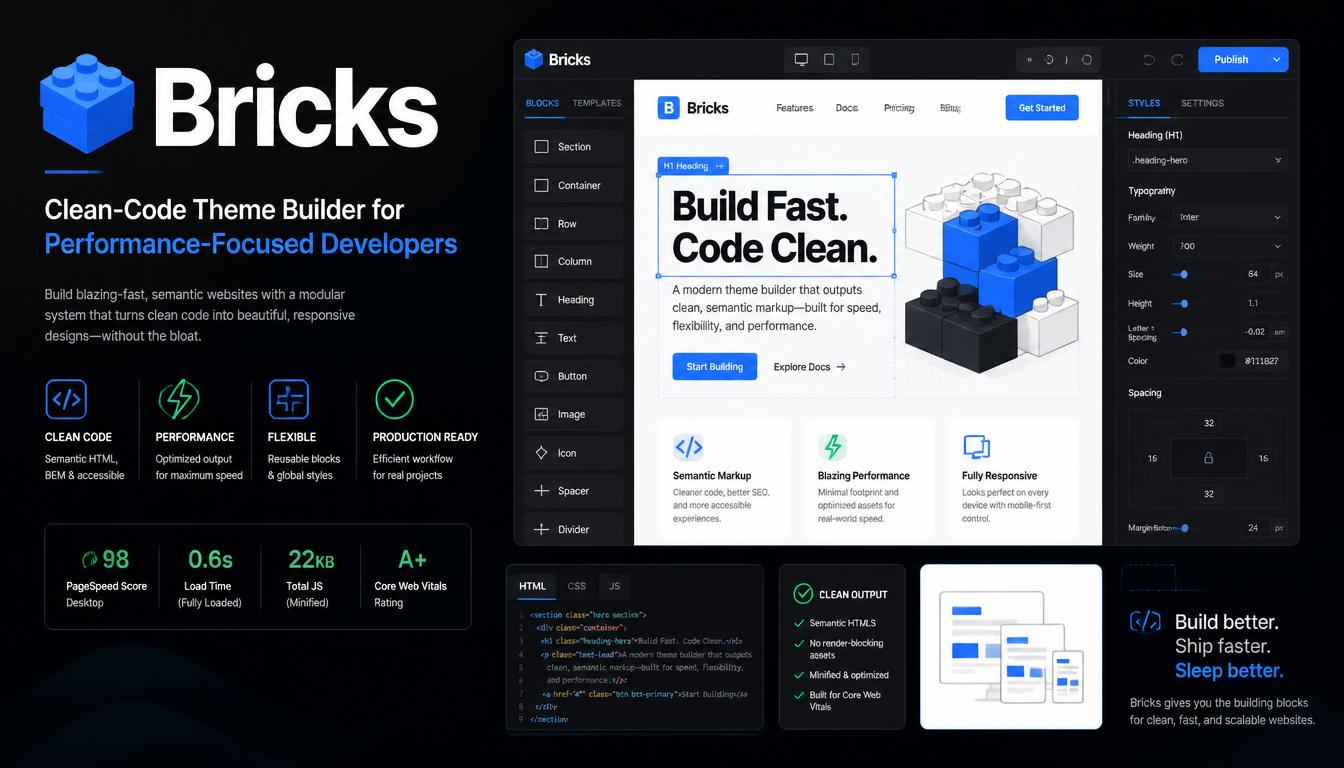
Bricks installs as a theme, so there’s no separate theme layer adding weight. It’s known for cleaner code, clean output and query loops, and it often appears near the top of performance-focused builder lists.
Expect a steeper learning curve: Bricks rewards experienced users who understand CSS classes and layout. There’s no free version, it has a smaller community than Elementor, and plans start at $79 per year, plus a $599 lifetime option.
Bricks also supports class-based styling, where you define a style once and reuse it across the site. That keeps the total CSS smaller than styling each element individually, which gives you deep customization while helping page weight stay under control as a site grows from ten pages to hundreds.
Oxygen: Theme-Free Builder With Full Code Control
Oxygen disables the active theme and gives you complete control, with direct access to HTML, CSS, JavaScript and PHP for custom code. Oxygen 6 is a ground-up rebuild, and it’s sold as a one-time lifetime license for $199.50. It suits advanced users who want pixel-level customization; beginners will likely find it hard.
For speed, the theme-free approach bypasses the WordPress theme system, so you start from almost nothing, and page weight depends largely on what you add.
That makes Oxygen a strong fit for high-performance websites that use dynamic data and conditional logic, but only if the person building them writes efficient markup. Existing Oxygen users should read the migration notes before upgrading live sites to version 6.
CrocoBuilder: AI-Native Builder With One-Element-One-Node Markup
Crocoblock positions CrocoBuilder as an AI-native, developer-grade builder with atomic DOM output and unified CSS controls for complex websites. “Atomic DOM output” means each element you add maps to one DOM node, with no extra wrappers, which produces more predictable code. It costs $52 per year, and there’s no free version.
Fewer wrappers should mean a smaller DOM, which is exactly the factor that slows heavier builders down. Because CrocoBuilder is new, though, its real-world track record is short.
Agencies building AI-assisted workflows with reusable components, and adding several of Crocoblock’s JetPlugins on top, should measure the combined weight, not just the builder on its own.
Beaver Builder: Stable Mid-Weight Builder With Clean Output
Beaver Builder has a long-standing reputation for stability, reliability and clean code, and it works with almost any theme. A free Lite version is available on WordPress.org, and paid plans start at $89 per year.
Theme building requires the separate Beaver Themer add-on. Many users find the interface dated and the design options more limited than newer tools.
Its speed profile is steady rather than exceptional. Because it offers fewer flashy effects, sites built with it are less likely to collect heavy animations and widgets over time, which supports maintainability and helps freelancers keep client sites fast long after handover. Its developer-friendly setup, live preview and frontend editing also keep small client edits simple.
SeedProd: Lightweight Choice for Fast Landing Pages and Sales Funnels
SeedProd focuses on high-converting landing pages, coming-soon pages and sales funnels, with email marketing integrations built in. Its landing pages can run independently of your theme’s styling, which keeps them lean and close to bloat-free code.
A free Lite version is on WordPress.org, and paid plans start at $79. It also offers a theme builder, but it’s less flexible for complex full sites than Bricks or Breakdance.
A practical speed setup is to keep your main site on a lightweight theme or Gutenberg and use SeedProd only for campaign pages. That way, marketers get fast, conversion-focused pages from a lightweight editor without loading a full visual builder on every post.
Kirki (Formerly Droip): No-Code Builder That Replaces Extra Plugins
Droip has been rebranded as Kirki, which brings Droip’s visual builder and the Kirki Customizer framework together as one product from Themeum. It’s a no-code builder that combines a drag-and-drop editor, form builder, popup builder, interaction tools and animation tools, aiming to replace excessive plugins. Kirki has a free version, and Pro starts at $59 per year.
Replacing separate form and popup plugins can cut the number of files a page loads. The catch is animation: heavy use of interactions adds JavaScript, which can hurt INP on slower phones.
Use interactions where they help the user, not on every section, and you keep creative freedom without paying a large speed penalty.
Elementor: The Most Popular Builder and Where Its Speed Slips
Elementor has 10+ million active installations, which makes it one of the most widely used builders available. Its huge template library, pre-designed templates, WooCommerce integration and third-party add-ons are hard to match. Pro plans start at $60 per year. Elementor rarely wins fastest WordPress page builder comparisons, though. Speed slips through:
- Older section and column layouts with deep nesting (the newer container layout reduces this)
- Third-party add-on packs loading extra CSS and JS
- Global widgets and animations used everywhere
Built carefully, Elementor sites can perform well. Built carelessly, they get bloated fast. Its large community means most common speed problems already have published fixes, so teams that value live preview editing, responsive design controls and template variety over raw speed often accept the trade and tune the site afterward.
Divi Builder: Design Power at a Higher Resource Cost
Divi, from Elegant Themes, comes with the Divi theme, pre-made layouts, Divi AI and A/B testing. It’s excellent for design-heavy projects and any agency managing many sites through its visual drag-and-drop interface.
Divi costs $89 per year or $249 for a lifetime license, both for unlimited websites. The downside is extra resource weight, which can make it slower than leaner builders.
Because Divi bundles so many effects, the key to keeping a Divi site fast is restraint. Use hover effects, animations and sliders selectively, and turn off features you don’t use. Global design settings and responsive editing help here, because you style elements once instead of adjusting every module separately.
WPBakery Page Builder: Theme-Compatible Builder With Frontend and Backend Editors
WPBakery is often bundled with premium ThemeForest themes and offers both a WYSIWYG frontend editor and a backend editor. It stores layouts as shortcodes, which creates lock-in: deactivate it and pages fill with bracketed code. A one-time license starts at $82, and there’s no free plugin tier. It’s practical if your theme depends on it but a weak choice for a new, speed-focused build.
If you already run a WPBakery site, you don’t have to rebuild immediately. Optimizing images, caching and removing unused add-ons can improve speed while you plan a gradual move to a leaner setup during your next redesign.
Visual Composer: Feature-Rich Builder With a Cloud Element Library
Visual Composer Website Builder is a different product from WPBakery, even though WPBakery once used the Visual Composer name. It pulls elements and templates from its Visual Composer Hub cloud library and includes a theme builder and popup builder. There’s a free version, and paid plans start at $49 per year.
It suits business owners and marketers who want an all-in-one drag-and-drop website builder. The cloud library helps with speed in one specific way: you download only the elements you use instead of installing the full set. Keep that list short, and a Visual Composer site stays reasonably light.
Fastest WordPress Page Builder for Every Use Case
- Beginners: Gutenberg for simple sites; Elementor or Beaver Builder for more visual control
- Developers: Bricks, Oxygen or CrocoBuilder
- Marketers: SeedProd for landing pages
- Agencies: Breakdance or Bricks for speed; Elementor for ecosystem depth
- Blogs and content sites: Gutenberg
- WooCommerce stores: Breakdance, Bricks or Elementor Pro
These picks are reasonable starting points for choosing the fastest WordPress page builder for your situation, not fixed rules. Your team skill level, site complexity, integration needs and budget can shift the right choice.
An agency already skilled in Elementor may get faster results with careful Elementor builds than by switching tools mid-project.
Speed vs Features: What You Give Up for a Lighter Builder
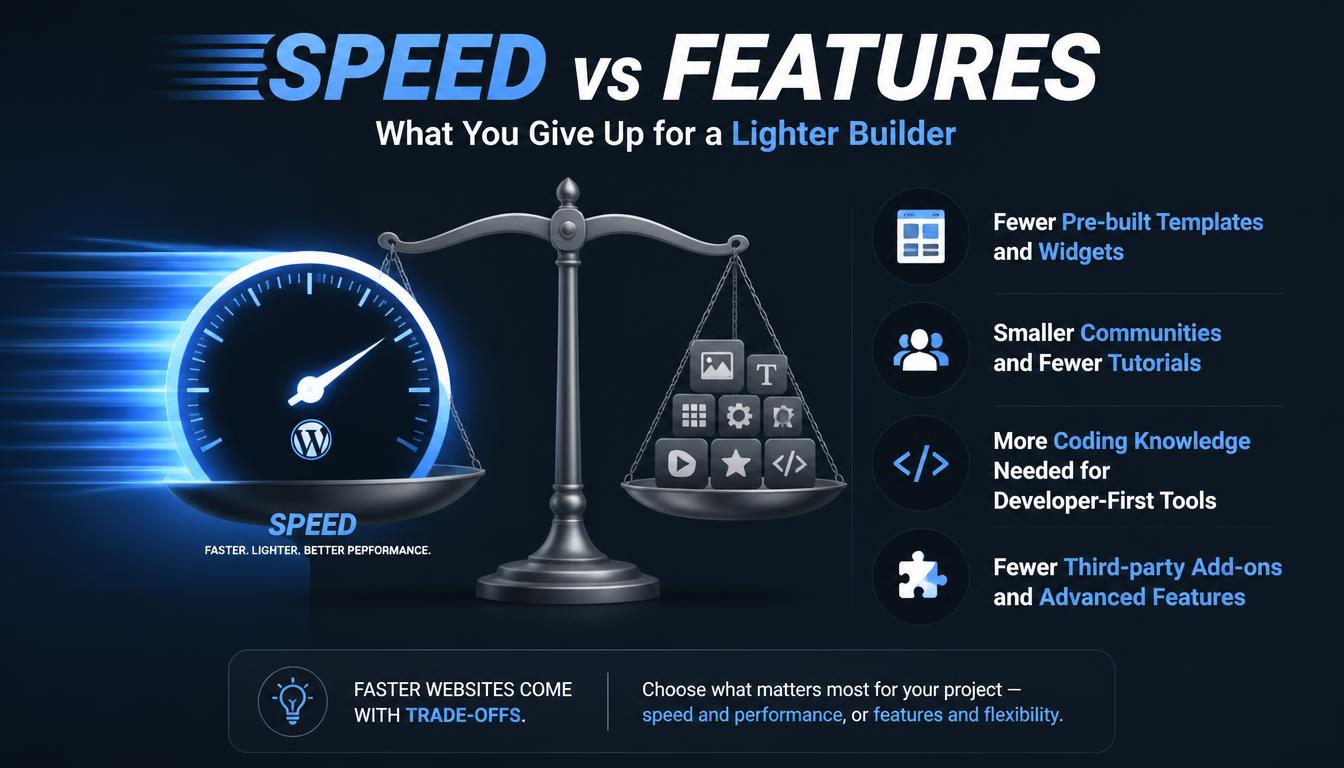
Choosing the fastest WordPress page builder means accepting trade-offs:
- Fewer pre-built templates and widgets
- Smaller communities and fewer tutorials
- More coding knowledge needed for developer-first tools
- Fewer third-party add-ons and advanced features
Choosing the fastest WordPress page builder means accepting trade-offs:
- Fewer pre-built templates and widgets
- Smaller communities and fewer tutorials
- More coding knowledge needed for developer-first tools
- Fewer third-party add-ons and advanced features
For many users, a mid-weight builder they can use well beats a lean one they fight with. List what your site truly needs, such as forms, popups, eCommerce integration or marketing tools, and check which lean builders include them natively. If a light builder forces you to add five plugins to match a heavier one, the speed advantage may disappear, along with its simplicity.
Hidden Speed Costs: Add-ons, Animations, Icon Libraries and Global Assets
The builder itself is often not the biggest problem, and even the fastest WordPress page builder slows down under a pile of extras. An Elementor addon such as Element Pack can extend Elementor with hundreds of widgets; if your add-on lets you switch off unused widgets, do it. Also watch:
- Entrance animations on every section
- Full icon libraries loaded for a handful of icons
- Multiple Google Fonts and font weights
- Sliders and carousels above the fold, which often hurt LCP
These costs usually build up slowly. A site launches fast, then each new campaign adds a widget pack, a popup tool or another font. A quick performance audit every few months helps you catch that creep before it affects rankings and conversions.
How to Test Page Builder Speed on Your Own Website
The only reliable way to find the fastest WordPress page builder for your project is to test it yourself:
- Build the same realistic page in each builder, on the same hosting and theme.
- Test with PageSpeed Insights, GTmetrix and WebPageTest.
- Run tests uncached first to see raw builder weight, then cached.
- Run each test 3–5 times and compare the median.
- Compare DOM element count, total page size, request count and LCP, not just the overall score.
Use a staging site for these tests so you don’t affect live visitors or search engines. Once your site has real traffic, check the Core Web Vitals report in Google Search Console, which shows how real users experience your pages over time.
How to Make Any WordPress Page Builder Load Faster
- Use a lightweight theme or the builder’s own theme
- Turn on page caching and a CDN
- Disable unused widgets and features your builder doesn’t need
- Host fonts locally and limit font weights
- Compress images to WebP or AVIF, and don’t lazy-load the LCP image
- Avoid stacking multiple add-on packs
Start with changes that affect every page, such as caching and image compression, before fine-tuning individual layouts. After each change, retest the same page so you know which step actually helped.
Switching Builders for Speed: Lock-In, Shortcodes and Migration Costs
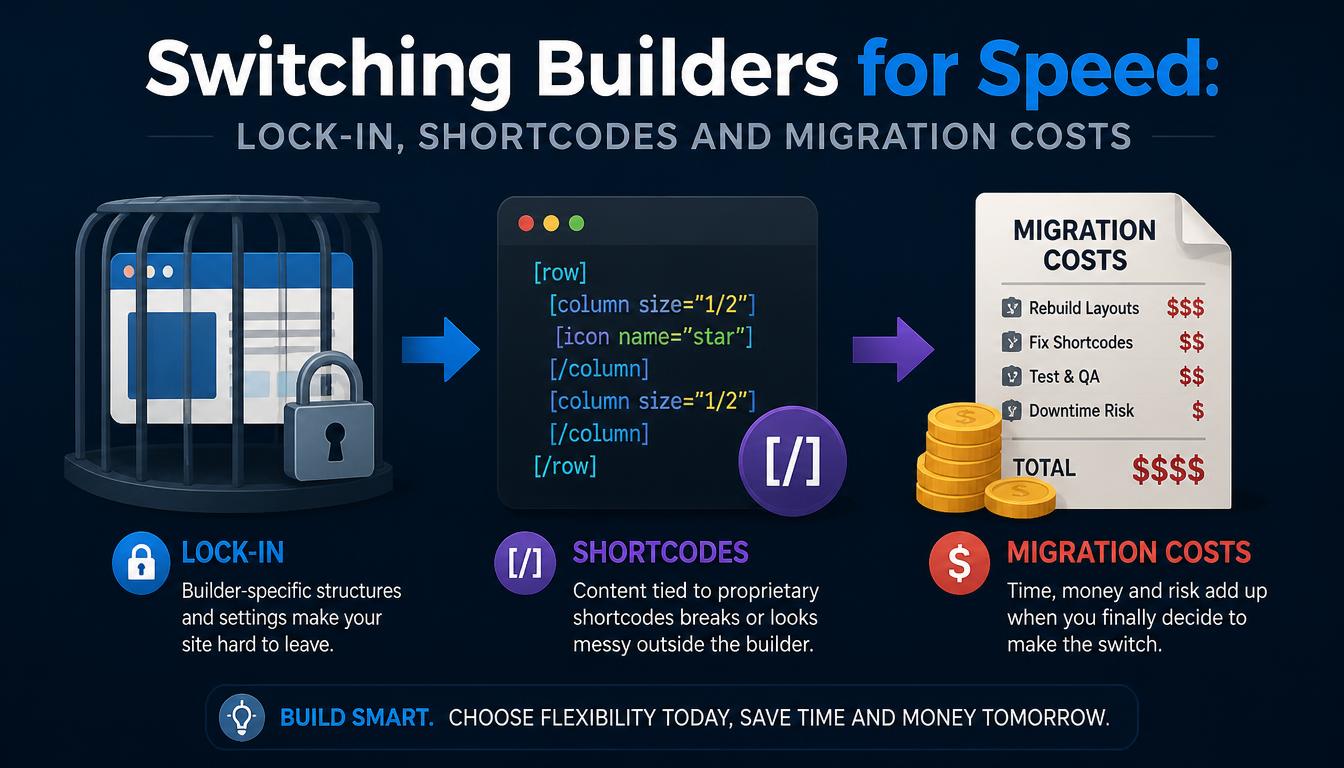
Switching is rarely clean. Shortcode-based builders like WPBakery leave code behind, and most builders create structural dependencies by storing layouts in their own formats, so pages usually need rebuilding, not converting. Budget time for redesigning, redirect checks and fresh speed testing, because switching WordPress page builders is often time-consuming.
Before switching, protect your SEO foundations: keep the same URLs where possible, preserve titles, headings and internal links, and set up 301 redirects for any URL that changes. A faster builder won’t help if the migration breaks the pages that already rank.
When a Custom Build Beats the Fastest Page Builder
Even the fastest WordPress page builder adds an abstraction layer. A bespoke build with a custom theme and Advanced Custom Fields (ACF) gives full code control, custom architecture and better scalability for large or complex sites.
It costs more upfront and needs developer input, so it suits businesses planning for growth more than a first website.
On speed, a custom theme loads only the code your design needs, with no unused builder features. That advantage grows with traffic and site size, which is why bespoke development often makes sense for sites connected to CRMs, ERPs or booking systems, or for brands whose brand DNA needs more than templates allow.
It also gives you complete ownership of the code. The trade-off is that content editors depend more on developers for layout changes.
Frequently Asked Questions
Which WordPress page builder is the fastest?
For most sites, the fastest WordPress page builder is the native block editor, because it adds no separate plugin. Among performance-focused builders, Bricks and Breakdance have strong reputations for cleaner code output and fewer plugin dependencies.
Is Gutenberg faster than Elementor?
Usually, yes. Gutenberg is part of core and loads fewer assets, while Elementor adds its own CSS and JS. A well-built Elementor page can still perform well.
Does Elementor slow down WordPress?
It can, mainly through deep nesting, add-on packs and heavy animations. Using containers, disabling unused widgets and caching reduce the impact.
Are WordPress page builders bad for SEO?
Not by themselves. Problems come from bloated code and slower load times. Good content, clean structure and solid Core Web Vitals matter more than the tool.
Is Bricks faster than Breakdance?
Neither has a clear, proven lead. Bricks gives developers more manual control over markup, while Breakdance bundles more built-in features that can replace extra plugins. Test the same layout in each on your own hosting.
What is the fastest WordPress page builder for beginners?
Gutenberg is the lightest option. Beginners who want an intuitive builder with a large template library often choose Elementor or Beaver Builder and keep add-ons to a minimum.
Should businesses use a page builder or custom development?
Page builders are a practical starting point for small businesses and early-stage businesses. Custom design makes sense when performance, complex needs or scale become priorities.
Can you switch page builders without losing speed or content?
Content can usually be recovered, but layouts generally need rebuilding. Plan for redesign time and retest speed after the switch.
Read More: https://linkneon.com/wordpress-security-tips/
Final Verdict: The Fastest WordPress Page Builder for Most Sites
There’s no single fastest WordPress page builder for everyone. Gutenberg is the lightest starting point, Bricks and Breakdance lead among visual builders for lean output, and Elementor remains the easiest all-rounder for ease of use if you build with discipline.
The practical next step: shortlist two builders, build one identical, realistic page in each, and let your own test results guide an informed decision.
Remember that the builder is only one part of site speed. Hosting, theme choice, images, caching and your own build habits matter just as much. Pick the tool that fits your specific needs and design goals, keep your setup lean, and review performance regularly as the site grows.