

WordPress runs about 4 in every 10 websites on the internet, which makes it the most widely used content management system in the world. That reach is exactly why so many companies now outsource WordPress development instead of hiring a full-time coder.
Somewhere out there, a team has already built the online store, the booking system, or the speed fix you need, and you can tap into that hands-on experience without adding a single desk to your office.
But outsourcing done badly can cost more than it saves. In this guide, I’ll walk you through how it really works, from choosing between freelancers, studios, and white-label agencies to understanding what you’ll actually pay compared with an in-house hire.
You’ll also learn how to write a brief developers can follow and which red flags to watch for before you sign. Finally, you’ll see how to protect your search rankings during a build or site migration, the part most guides skip completely.
What Does It Mean to Outsource WordPress Development?
When you outsource WordPress development, you bring in an outside specialist to handle work you don’t want to staff full time. That specialist could be a solo contractor, a full-service studio, or a team that works quietly under your brand. The job can be anything from a single landing page to a full WooCommerce store, a custom booking system, or an ongoing care plan that keeps your site updated each month.
There are two common setups. In the first, a business owner works directly with a developer or studio to build and look after their own site. In the second, an agency brings in a white-label team to deliver client projects that the agency sells under its own name. The end client never speaks to that team, and the agency keeps the relationship, the pricing, and the margin.
Either way, the idea stays the same. You keep control of the goals, the brand, and the final sign-off, while someone with deeper technical know-how handles the theme files, custom post types, database queries, and server configuration behind the scenes.
Why Businesses and Agencies Choose to Outsource
The honest answer is that most teams don’t need a full-time WordPress developer every week of the year. Work tends to arrive in project spikes. You might have three site releases in a single month and nothing technical for the next six weeks. Paying a salary through the quiet stretch is expensive, and scrambling to recruit during the busy one is slow.
Outsourcing fixes that mismatch. You get flexible bandwidth that grows when projects pile up and shrinks when they wrap up. You also get people who have already solved your exact problem many times, whether that’s a tricky payment gateway, a multisite network, or a site speed fix your own staff has never touched.
For agencies, there’s another reason. Many are excellent at creative direction, branding, and account management but thin on engineering. Instead of turning work away or adding a salary before the pipeline can support it, they outsource WordPress development to a trusted partner and stay focused on winning and keeping clients. For new companies and small businesses, it means going live sooner without carrying payroll, benefits, or office costs before revenue arrives.
That said, outsourcing isn’t automatically cheaper or better. The lowest quote often leads to bloated code, compatibility issues, and security holes that cost more to fix later. The real payoff comes from choosing well, and that’s what the rest of this guide is about.
Onshore, Nearshore, or Offshore: Where Should Your Developers Be?
Your vendor location shapes your budget, your communication, and how quickly your questions get answered, so it’s worth deciding before you compare quotes.
Onshore means hiring a team in your own country. For a US business, that brings shared working hours, no language gap, and easier legal recourse, but usually the highest hourly rates. Nearshore means a team in a nearby region with overlapping time zones. For US companies, that often means Latin America, where much of the working day lines up with yours. Offshore means a team further away, commonly in South Asia, Southeast Asia, or Eastern Europe, where rates are often lower but the time difference can be large.
Lower rates are only one part of the math. If you outsource WordPress development offshore, plan for an agreed overlap window of a few hours each day for calls and quick questions, a named project manager, and written response-time commitments. Once those are in place, a time difference can even work in your favor. Your partner works while you sleep, and you wake up to finished tasks ready for review.
Whichever region you choose, judge the team on its track record, not its location. A strong offshore partner with clear processes will serve you better than a weak local one, and the reverse is just as true. Ask every candidate how they handle end-of-day handoffs, so nothing sits waiting when you start your morning. Teams that work across borders successfully almost always have that routine nailed down.
Freelancer, Agency, or White-Label Partner: Which Model Fits?
Who you hire matters as much as where they sit. Each engagement model suits a different kind of work, and picking the wrong one is one of the most common reasons outsourced projects stall. Before you outsource WordPress development, match the model to the job using the comparison below.
| Model | Best For | How You Pay | Watch Out For |
| Independent contractor | Small, clearly defined jobs like a theme tweak or one plugin fix | By the hour or by the task | No backup when they’re sick, on holiday, or busy with other clients |
| Full-service WordPress studio | Big, complex builds that need design, engineering, and QA under one roof | One agreed project fee | Bigger invoices and more formal processes |
| White-label team | Agencies reselling builds under their own brand | Per page, per build, or by the hour | Needs a strong NDA and a clean handover routine |
| Embedded developer on retainer | Steady work that fills most of a month | A fixed monthly retainer | Paying for idle days if work dries up |
Fixed-Price, Hourly, and Dedicated Pricing
Within those models, you’ll usually see three ways to pay. A fixed quote works best when the scope is clear, such as a five-page site built from approved Figma designs. You know the number upfront, and the partner carries the risk if the work runs long. Time-and-materials billing suits bug fixes, small requests, and anything hard to estimate, so ask for time logs to see where the hours went. A monthly retainer makes sense once your ongoing work is predictable enough to keep one developer busy most of the month.
Here’s a simple rule I’d follow. If you can’t describe the finished result in writing, don’t buy it at a fixed fee. Start on time-and-materials, pin down the finished outputs, then switch to fixed pricing for the next phase.
Which WordPress Tasks Make the Most Sense to Outsource?
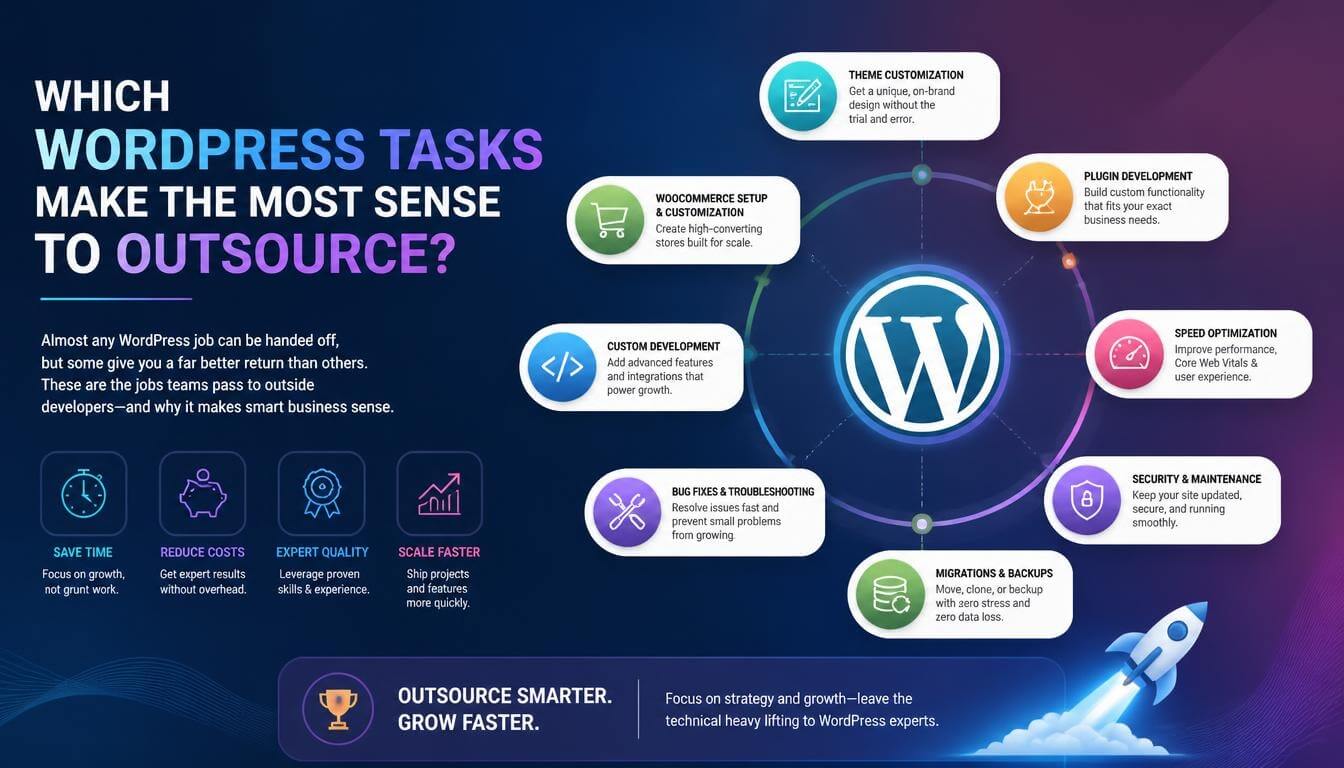
Almost any WordPress job can be handed off, but some give you a far better return than others. These are the jobs teams pass to outside developers most often:
- Bespoke theme builds: a look built around your brand, without the extra code that heavy multipurpose templates carry.
- Custom extensions and third-party connections: linking your site to HubSpot, Salesforce, a reservation tool, or a payment processor that no ready-made add-on covers properly.
- Design-to-WordPress conversion: turning Sketch, Photoshop, or Adobe XD mockups into responsive, editable pages with Gutenberg blocks or a visual page builder.
- Online store builds: product catalogs, custom carts, subscriptions, and store speed tuning.
- Speed work: lazy loading, compressed images, content delivery networks, and fixes for slow Largest Contentful Paint scores.
- Security and upkeep: version updates, off-site backups, malware cleanup, downtime alerts, and login protection.
- Inclusive design fixes: audits and changes that help people who use screen readers and keyboard navigation.
If you’re not sure whether you need a theme or a plugin, here’s the quick difference. A theme controls how your site looks, from page structure to typography and colors. A plugin controls what your site does, such as taking reservations or managing paid members. Theme work leans on HTML, CSS, and JavaScript, while plugin work needs deeper knowledge of PHP, MySQL, and the WordPress hooks system. Knowing which one you need before you hire anyone saves a lot of back-and-forth.
If you’ve never worked with an outside team before, routine site care is often the easiest place to start. The tasks are small, clearly defined, and easy to check, so you get a feel for a partner’s speed, responsiveness, and attention to detail without risking a full build. Once that relationship works, moving bigger projects across feels far less risky.
How Much Does It Cost to Outsource WordPress Development?
There’s no single price, because the bill depends on the pricing model, the region, and how much you’re asking for. What you can do is compare outsourcing with the real cost of hiring someone in-house.
In the US, the median annual wage for web developers was $92,650 in May 2025, with the lowest 10% earning under $48,100 and the top 10% earning more than $162,290. That’s salary alone. Once you add payroll taxes, health insurance, paid leave, equipment, software licenses, and recruiting time, the true cost of one employee climbs well above the wage. You pay it every month, whether there’s work or not.
| Cost Factor | In-House Developer | Outsourced Partner |
| Base cost | Annual salary, paid every month | Per-hour rate, project fee, or monthly retainer |
| Benefits and payroll taxes | Paid by you | Included in the partner’s rate |
| Recruiting and onboarding | Weeks to months of effort | A short briefing and a trial project |
| Equipment and software | Your expense | The partner’s expense |
| Quiet months | Full salary still due | Little or nothing to pay |
| Skill coverage | Limited to one person’s strengths | Access to a wider team of specialists |
Outsourcing has hidden costs of its own. Someone on your side has to write the project brief, answer questions, and check every delivery before it reaches a client. The opening project with any new partner is always slower than the ones that follow. When you compare quotes, add your own management hours to the partner’s bill so you’re judging the total cost of ownership, not just the headline rate.
When Hiring In-House Makes More Sense
Outsourcing isn’t right for every team, and it’s better to admit that upfront. Bringing a developer onto your own staff usually wins when custom WordPress builds are the core service your clients pay for. It also wins when your industry’s legal rules, such as those around patient records or financial data, stop you from passing work to third parties. The same goes for a big site that needs daily care, a role where someone must sit in the room with your designers, or enough ongoing work to keep a person busy all year.
Many agencies end up with a hybrid. They keep a technical lead on staff who owns code standards and site architecture, then outsource WordPress development for the build work that comes in waves.
How to Outsource WordPress Development Step by Step
A good outsourcing process isn’t complicated, but skipping a step is where most problems begin. Start by writing down what you want the site to achieve, which pages it needs, how much you can spend, and when it has to go live. Then look for candidates through people you trust, review sites like Clutch, and the live work they’ve shipped. Shortlist three, talk to each one, and ask to see code samples. Once you pick a partner, settle the price, the check-in points, how and when you’ll pay, and who talks to whom before a single line of code is written.
Write a Project Brief Developers Can Actually Follow
A fuzzy brief is the fastest way to blow your spending plan. Your partner only knows what you put on paper, so list the features you can’t live without and every page with its intended layout. Add the screen sizes it must work on, the editor or builder to use, and any online store or translation requirements. Most importantly, explain what “finished” looks like. Attach example websites you like, rough mockups, your style guide, a list of the add-ons already installed, and login details for a test copy of your site. The clearer your brief, the tighter the estimate and the fewer surprise bills.
Run a Small Paid Trial Before You Commit
Before you outsource WordPress development at scale, test the partner on one genuine but low-risk job, such as a short brochure site or a batch of known bugs, with breathing room in the deadline. Agree on a set fee and a delivery day, have them sign a non-disclosure form, then check the result on a test server across phones and larger screens. Look beyond the code, too. Did they ask smart questions, hit the agreed day, and reply quickly? Run one or two more jobs like this before you commit to an ongoing retainer.
Questions to Ask Before You Hire a WordPress Outsourcing Partner
A short interview tells you more than any polished showcase page. These questions help you separate genuine WordPress pros from teams that only claim the title:
- Can you walk me through two or three live sites you built and what you handled on each?
- Do you write code to the official WordPress guidelines, and can I look at something you’ve written?
- Will you build with the block editor, ACF, or a visual builder for my project, and why?
- Who will actually write the code, and can I speak with that person?
- How do you handle Git, test environments, and pushing changes live?
- What happens if an update breaks something after launch?
- How do you bill for requests that fall outside what we agreed?
- What are your working hours, and how fast do you reply during them?
Red Flags That Signal the Wrong Partner
Some warning signs show up early if you know where to look. Slow down, or walk away, if you notice any of these:
- They quote a fixed price without asking a single question about your project.
- They won’t show you any of their code or let you see work in progress.
- They want to solve everything with a pile of add-ons instead of explaining trade-offs.
- They refuse to sign an NDA or put code ownership in writing.
- They ask for your main admin password instead of their own login.
- Their price sits far below everyone else’s with no clear reason why.
Contracts, Code Ownership, and Security
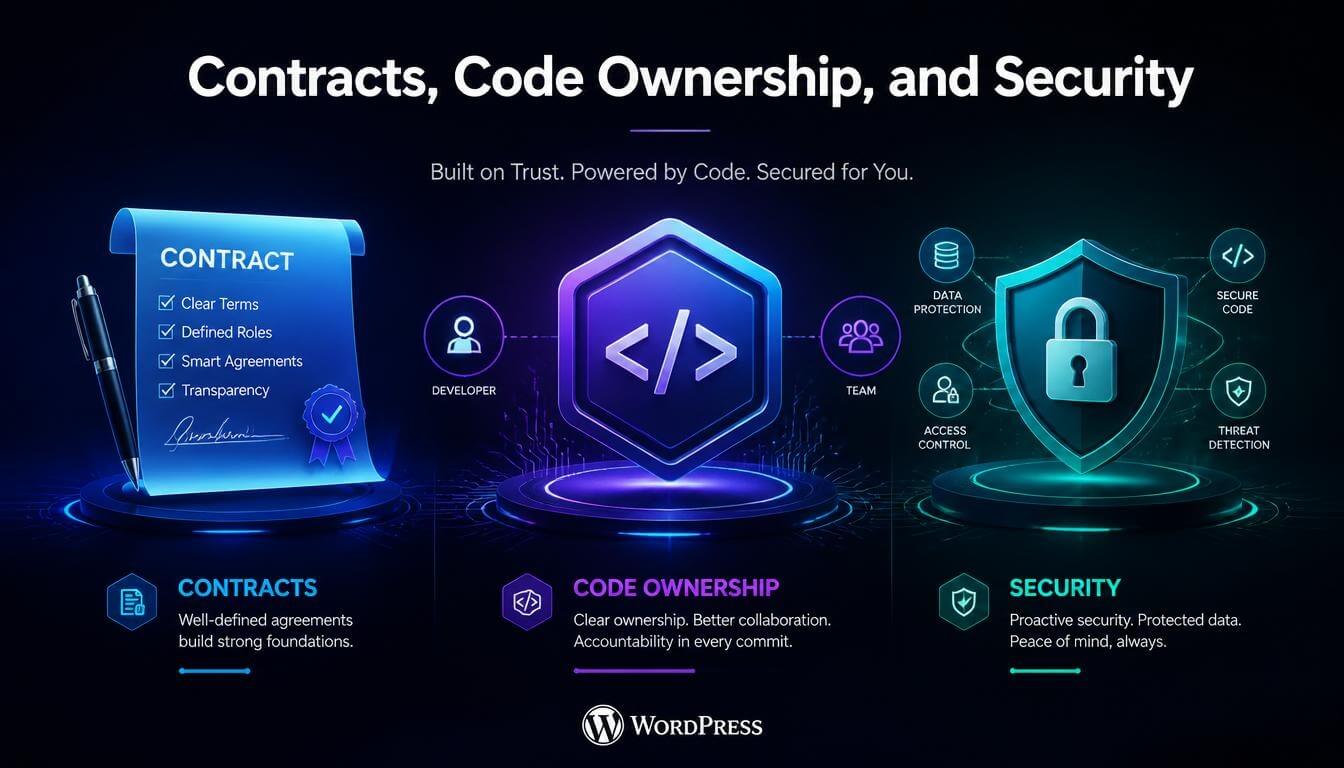
This is the part people skip when they’re excited to start, and it’s the part that hurts most when something goes wrong. Before any work begins, get a written agreement that covers a few essentials.
First, you need a confidentiality agreement that keeps your project details private. If you run an agency, add a no-poaching clause so the partner never reaches out to or pitches your clients. Second, include clear intellectual property terms stating that all code, designs, and content become yours once the last bill is settled. Third, spell out what “finished” means, set dated check-in points, and agree on how often you’ll get progress updates, so quality and timing can actually be measured.
If you plan to sell or give away a custom build, read up on the GNU General Public License, since WordPress is released under it and it shapes how derived code can be shared. And if you hire an individual US freelancer who works fixed hours only for you, check the Internal Revenue Service guidance on how to classify that worker. This isn’t legal advice, so have a lawyer review agreements for larger projects.
On the security side, give each developer their own user account with the lowest user role they need, and delete it when the work wraps up. Keep hosting, domain registration, and premium license keys in your own name, never the partner’s. Ask for every change to go through a test site and a shared code repository, so each update can be reviewed and rolled back if needed.
How to Keep Your SEO Safe During an Outsourced Build or Migration
A new design can look great and still wipe out years of organic traffic if no one is watching the SEO side. Many outsourced projects go wrong right here, because developers are briefed on design and features but not on rankings.
Before work starts, crawl your current site with a tool like Screaming Frog and export every URL, title tag, meta description, and canonical tag. Share that list with your developer and agree that any changed URL gets a 301 redirect to its closest new match. Ask them to keep your heading structure, internal links, schema markup, and image alt text intact unless you’ve approved a change.
During the build, keep the staging site out of search results with a noindex setting or password protection, so Google doesn’t index a duplicate copy. Then, on launch day, make sure that block comes off. Leaving the “Discourage search engines from indexing this site” box ticked in WordPress settings is an easy mistake that can keep a brand-new site out of Google.
After launch, submit the updated XML sitemap in Google Search Console, check the Page indexing report for 404 errors, and compare your Core Web Vitals before and after. When you outsource WordPress development for a redesign, write these checks into the contract as part of the definition of done, not as optional extras.
What to Keep In-House Even When You Outsource
Outsourcing the build doesn’t mean handing over the business decisions. A few things should always stay with you:
- Customer contact: every conversation runs through you, and the hired team never reaches your customers directly.
- Big-picture planning: you decide what gets built, for whom, and why.
- Look and feel: your developers carry out your creative vision, not their own.
- The final yes: nothing ships to a customer until you’ve reviewed it.
- Logins and assets: your web host, your domain names, your code, and your paid add-ons stay registered to you or your customer.
How to Tell If Your Outsourcing Is Working
Teams that get outsourcing right don’t rely on gut feeling. They track a handful of simple signals across every project. Watch your on-time delivery rate, the number of revision rounds each project needs, the bugs found after launch, the average response time to your messages, and how final costs compare with the original estimates. Page speed scores before and after each build are worth tracking too.
If those numbers slip for two or three projects in a row, have an honest review with your partner. Good partners welcome that feedback loop and adjust. If nothing improves, it’s usually a sign to switch providers and start a trial with someone new rather than hoping the next project goes better.
Frequently Asked Questions
Is it cheaper to outsource WordPress development than to hire in-house?
For most small and mid-sized teams, yes. You pay only for the work you actually need, instead of covering a yearly wage, employer-paid perks, and workstation costs through quiet months. A staff hire starts to pay off once your WordPress workload is big enough to fill a full-time schedule.
How long does an outsourced WordPress project take?
It depends on how big the job is. A quick bug can be sorted in a day or two, a single sales page in several days, and a brochure site with a handful of pages in a few weeks. Bigger online shops and custom builds take longer, so ask for a written delivery schedule with dated checkpoints.
Who owns the code when I outsource WordPress development?
Whatever your signed terms say, so never leave it unwritten. Make sure the paperwork hands every file, design, and piece of content to you or your agency once the final invoice clears. At handover, also ask for the full source files and admin credentials.
Do I have to tell my clients that development is outsourced?
That depends on the agreements you’ve signed with each customer. Many allow third-party help as long as you stay responsible for the work, while others ban it or require notice. Read the fine print on outside help and privacy in your existing deals, and add a clear line about it to new ones.
Can I outsource only part of a WordPress project?
Yes, and many teams do. You might design everything yourself and hand off only the coding. Or you might keep the coding but pass one tricky custom feature to a specialist, or launch the site yourself and let someone else handle the monthly upkeep. Just mark clearly in your instructions where your job ends and theirs begins.
How do I keep my website secure with an outside developer?
Start with the basics: two-factor authentication on every admin account, an activity log that records who changed what, and daily cloud backups you can restore without the developer’s help. Then give the hired developers limited permissions and switch them off as soon as the job is done.
Should I hire a freelancer or an agency to outsource WordPress development?
A solo developer suits now-and-then jobs with a clear finish line. A studio or white-label company suits ongoing work, because several people can cover sick days and juggle more than one build at a time. If your solo developer keeps slipping because other customers come first, that’s a strong sign it’s time to switch.
A Quick Pre-Signing Checklist
Before you sign with any partner, run through six quick questions. Have you seen their live work and a real sample of their code? Is there a written scope document with prices and dates attached? Does the agreement cover IP transfer, privacy, and a promise not to approach your customers? Have you tested them on a small paid job first? Will your hosting, domains, and licenses stay in your own name? And does the plan include redirect mapping and an SEO review on launch day? If you can answer yes to all six, you’re ready to sign with confidence.
Read More: https://linkneon.com/most-customizable-wordpress-themes/
Final Thoughts
To outsource WordPress development well, you don’t need a huge budget or a technical background. You need a clear brief, the right hiring model, a small paid trial, and a signed contract covering ownership, security, and SEO. The teams that get the best results treat their partner as an extension of their own team, with regular check-ins and honest feedback.
Start with one project, measure how it goes, and scale up only when the partner has earned it. If you’re comparing partners right now, take the questions and red flags from this guide into your next call.