

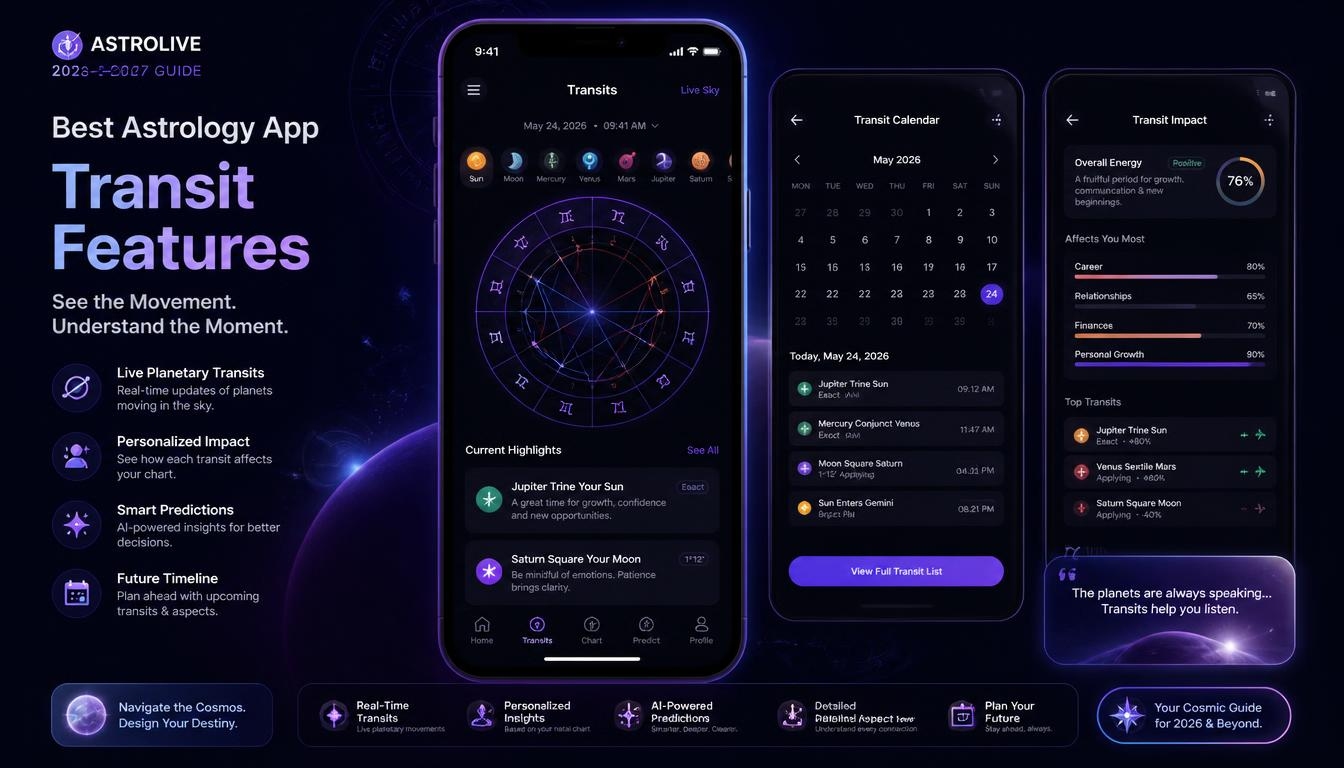
You open your astrology app in the morning, and it tells you, “Mars is squaring your Venus today.” It sounds important, but what does it mean for your day, and what should you do about it?
That gap between data and meaning is the real test of any astrology app. Transits, the way today’s planets interact with your birth chart, are the most powerful feature an app can offer, yet they only help when the app explains them in plain language and shows them in a design you can read at a glance.
That’s why the best astrology app transit features UI design combination matters far more than a long feature list or a pretty home screen.
In this guide, I’ll walk you through it the way I’d explain it to a friend. You’ll learn what transit features are, which ones deserve your money and what good astrology app design looks like on a real screen.
Then we’ll compare the most popular apps side by side, look at AI versus human-written readings, relationship transits, free versus paid plans and app versus website, match one to your level, spot the red flags and explore the design trends set to shape 2027.
By the end, you’ll also have a simple seven-day test to try any app before you pay a cent.
Key Takeaways
- The most useful transit features compare today’s sky with your full birth chart, not just your Sun sign
- Look for a transit calendar, moon and retrograde alerts, and readings that name the planet, aspect and house
- Great UI design means clear hierarchy, an interactive chart wheel, readable contrast and calm notifications
- TimePassages leads on transit depth, Co–Star and CHANI lead on design, and Astro.com is the best free accuracy check
- Human-written, algorithm-based and AI readings each have trade-offs, so choose an app that shows the chart behind every reading
- Test any app for seven days on its free tier before you pay for a subscription
What Are Transit Features in an Astrology App?
Let’s start with the basics. Your natal chart is a snapshot of where the planets were at the exact moment and place you were born. It shows your Sun sign, Moon sign and Rising sign, along with the 12 houses that represent different areas of life.
Each zodiac sign also carries its own element and modality and is divided into three 10-degree decans, and all of these shape how a planet expresses itself.
A transit is where a planet is right now, and a transit feature is any tool that compares the current sky with that birth snapshot. When transiting Saturn reaches the spot where your Sun sat at birth, for example, the app calls that a Saturn transit to your Sun. Apps also show collective transits, sometimes called astro weather, such as a Full Moon that affects everyone in a general way.
Good apps measure these relationships through aspects, the angles between planets such as conjunctions, sextiles, squares, trines, oppositions and the subtler quincunx. They also use an orb, the number of degrees a transit can be from exact and still count.
A transit is strongest at the exact hit. While a planet is moving toward that point, astrologers call it an applying aspect, and once it moves past, it becomes a separating aspect that gradually fades.
This is the key difference between an astrology app and a basic horoscope app. A horoscope app writes one sun-sign horoscope for everyone who shares your Sun sign.
An app with personalized transit features uses your full birth date, time and place, so the reading is built around your chart, not around one-twelfth of the population. When you judge the best astrology app transit features UI design options, this personalization is the first thing to check.
Why Transit Features and UI Design Matter in 2026 and 2027
Astrology apps have become a daily habit for millions of people. Co–Star alone reported more than 20 million downloads by April 2021. With that many users checking their phones every morning, two things decide whether an app truly helps: how accurate and personal its transit data is, and how clearly its interface presents that data.
Accuracy depends on the calculation engine underneath. Many serious apps use the Swiss Ephemeris, a calculation library developed by Astrodienst, the company behind Astro.com, and based on NASA JPL planetary data. Co–Star also says it works from publicly available NASA JPL data. When the math is right, the next question is whether you can understand it.
That’s where UI design comes in. A transit can be calculated perfectly and still be useless if it’s buried in tiny text, shown with symbols you don’t know or delivered through an alarming notification. The best astrology app transit features UI design approach treats data and design as one product: accurate timing, explained in plain language, on a screen that’s comfortable to read every day.
Core Transit Features the Best Astrology Apps Offer
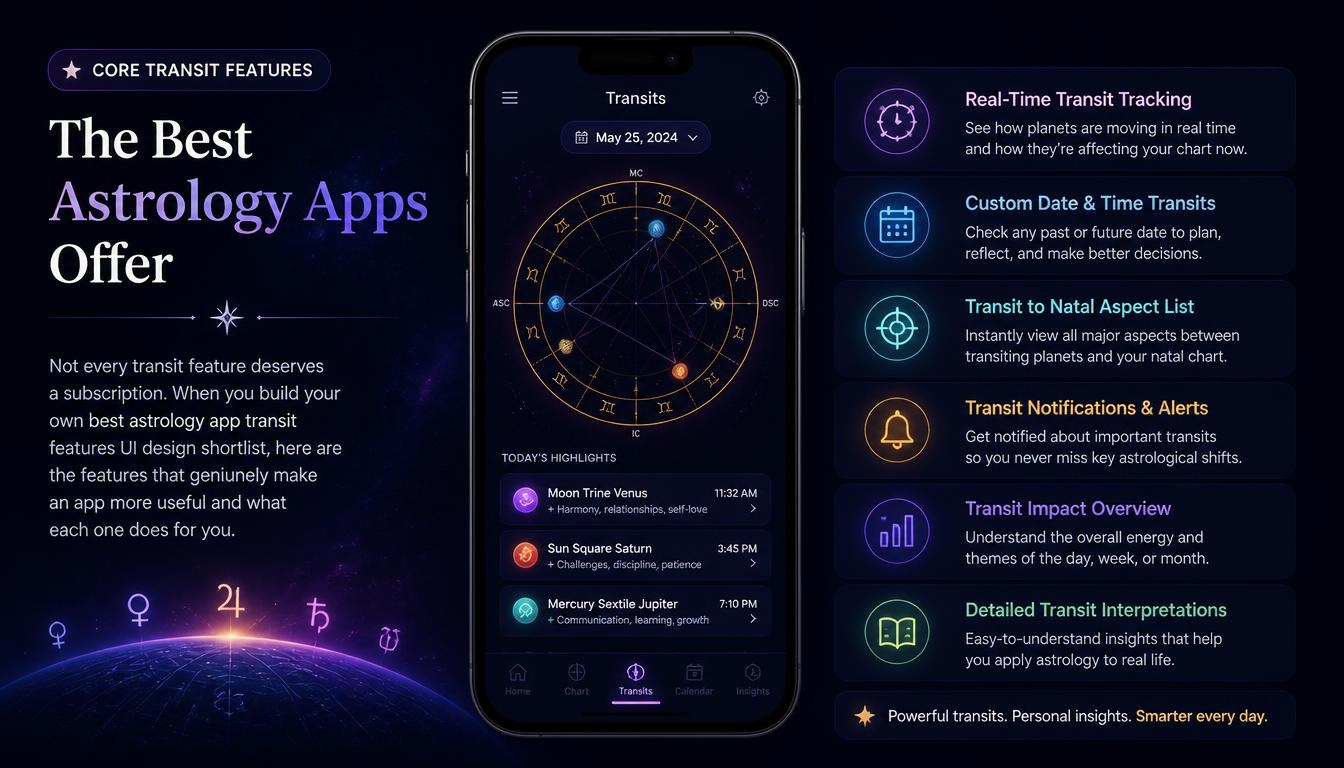
Not every transit feature deserves a subscription. When you build your own best astrology app transit features UI design shortlist, here are the features that genuinely make an app more useful and what each one does for you.
Personalized Transit-to-Natal Readings
This is the foundation. The app should tell you which transiting planet is touching which point in your chart, which aspect it forms and what that means for your day. Those points include your natal planets and the four sensitive angles: the Ascendant, Descendant, Midheaven and IC. The strongest apps show the planets involved, the aspect type and the orb, then explain it in plain English.
They also point out larger aspect patterns, such as a T-square or a Grand Trine, and flag when a slow transit hits a stellium, a cluster of three or more planets in one sign, because that activates several areas of your chart at once. Weaker apps hide the mechanics and give you a vague line with no explanation of where it came from.
Transit Calendar and Timeline
A single daily message only shows you today. A transit calendar or timeline view lets you see when a transit starts, when it peaks and when it ends, so you can plan ahead.
Fast personal planets like the transiting Moon, Mercury, Venus and Mars move through in hours or days, so a timeline matters most for slow-moving outer planets like Saturn, Uranus, Neptune and Pluto, often called generational planets, whose transits can last for months, especially when a retrograde cycle takes a planet back and forth over the same degree.
A big life cycle such as your Saturn return, which arrives roughly every 29 to 30 years, is much easier to understand when you can see its full timeline. The same goes for other planetary returns, such as your Jupiter return about every 12 years.
Retrograde, Moon Phase and Eclipse Alerts
Most people want a heads-up when Mercury stations and turns retrograde, ideally with its shadow period marked before and after. They also want to know when each lunation arrives as a New Moon or Full Moon, and when a solar eclipse or lunar eclipse falls near a sensitive point in their chart during eclipse season.
More experienced users also like alerts for a planet’s ingress into a new zodiac sign, a stationary direct turn, a lunar return or a void-of-course Moon, and some track the lunar nodes and Chiron as well. A few apps even calculate planetary hours for timing everyday tasks. Lunar cycle tracking and well-timed alerts turn the app into a planning tool rather than something you only open out of curiosity.
Progressions, Solar Returns and Advanced Timing
Once you’re comfortable with transits, you may want deeper timing techniques. Secondary progressions show how your chart slowly evolves, a solar return chart describes your year from one birthday to the next, and solar arc directions add another layer of timing. Advanced users also look for Hellenistic methods like profections and zodiacal releasing. You don’t need these on day one, but it helps to choose an app you won’t outgrow.
Calculation Accuracy and Chart Settings
Different apps can give you slightly different charts, sometimes by only a degree or a few minutes of arc. That usually comes down to three settings: the house system (such as Placidus, Whole Sign or Equal), the zodiac (tropical in Western astrology, sidereal in Vedic astrology) and the precision of the calculation.
Your birth time also matters, because a difference of a few minutes can move your Ascendant and house cusps, and a good app handles time zone and daylight saving time history correctly. Vedic apps add their own timing layers on top, such as nakshatras and dasha periods. A trustworthy app lets you see and change these settings, including orb settings, instead of hiding them.
Here’s a quick summary of how these features help at different levels:
| Transit Feature | What It Shows You | Who Needs It Most |
| Daily transit-to-natal readings | Today’s planets against your birth chart | Everyone |
| Transit calendar or timeline | Start, peak and end dates of each transit | Planners and regular users |
| Retrograde and moon phase alerts | Key sky events as they happen | Beginners and daily users |
| Progressions and solar returns | Longer life cycles and the year ahead | Intermediate users |
| Profections and zodiacal releasing | Traditional time-lord techniques | Advanced students |
| House system and zodiac settings | How your chart is calculated | Anyone who compares apps |
What Great Astrology App UI Design Looks Like
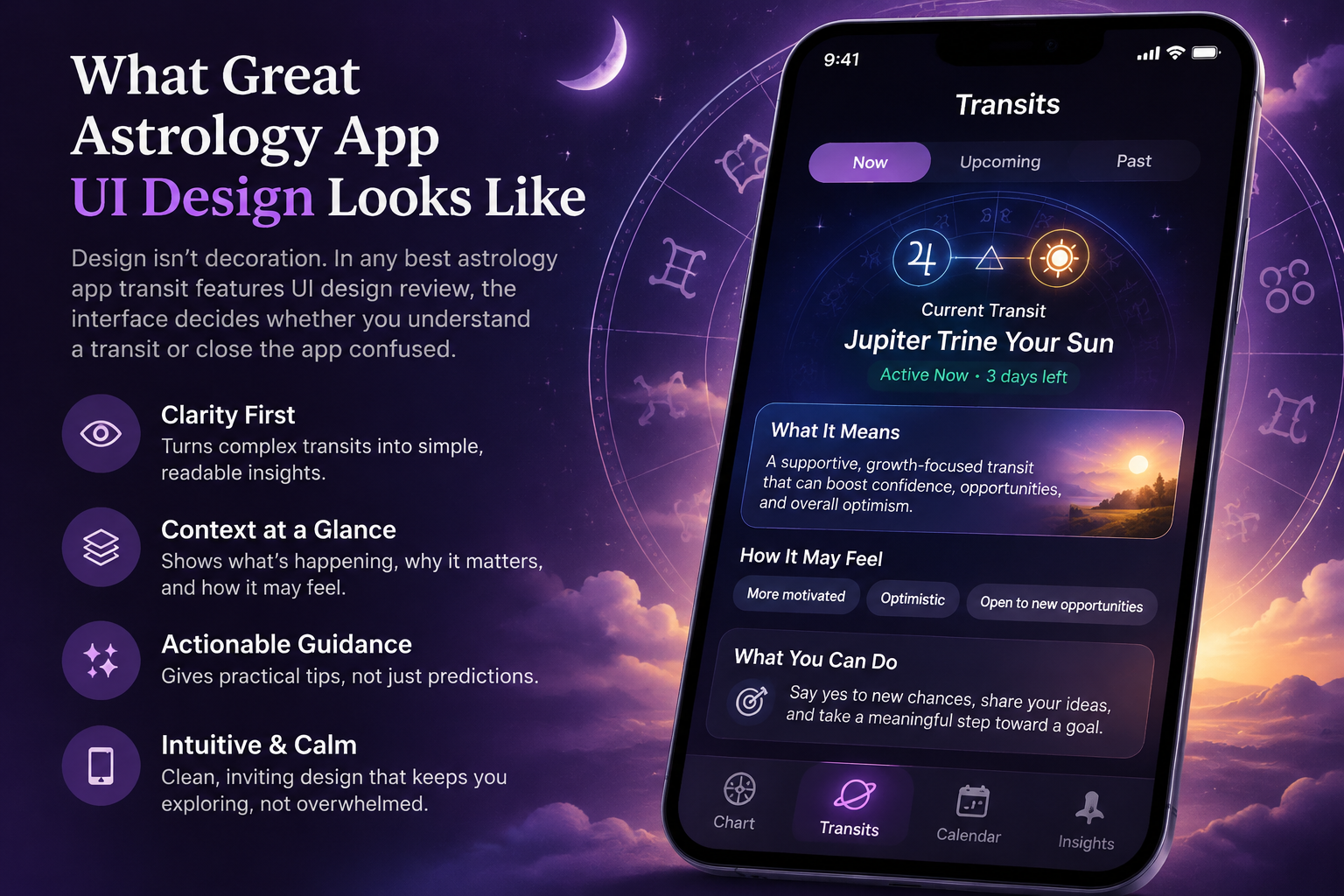
Design isn’t decoration. In any best astrology app transit features UI design review, the interface decides whether you understand a transit or close the app confused. These are the design qualities that separate a great app from a merely attractive one.
Clear Visual Hierarchy and Readable Typography
Your eye should know where to go first. Generous white space and a simple card layout improve scannability. Good information architecture puts today’s most important transit at the top, and consistent iconography makes planet glyphs easy to recognize.
Headlines should be larger and heavier than the text beneath them, and important details like the transit name and dates should stand out. A design critique of Co–Star from Pratt Institute, based on Don Norman’s well-known design principles, praised its distinctive black-and-white look but pointed out that centered text everywhere, very thin typefaces and light grey text made the app harder to scan and read. Beauty that costs readability is a poor trade.
An Interactive Chart Wheel With a Table View
The chart wheel is the signature visual of astrology, but a static wheel full of glyphs means little to most people. The best apps make it interactive: you tap a planet, an aspect line or a house and get an explanation. Many advanced apps add an aspect grid that lists every connection in one table.
That same Pratt critique noted that Co–Star scrolls you to the matching explanation when you tap a chart element, and that offering both a circle chart and a table view serves beginners and advanced users at once. It also flagged that the chart elements didn’t look tappable.
In design terms, that’s a missing affordance, and it hurts discoverability because users might never find the feature. For transits, a bi-wheel that places the current sky around your natal chart is the clearest way to see what’s happening, especially when you can pinch to zoom on crowded areas and swipe between dates with a simple gesture.
Transit Data Visualization: Timelines, Color Coding and Legends
Transits are time-based data, so they need more than a wheel. The clearest apps show a timeline view where each transit appears as a bar with a start date, an exact date and an end date. Color coding by aspect type, such as one color for harmonious aspects and another for challenging ones, lets you read the week at a glance.
A small legend or tooltip that explains each glyph keeps the screen clean for beginners without slowing down experienced users. Good data visualization reduces cognitive load: you understand the shape of your month before you read a single paragraph.
Accessible Contrast and Touch Targets
Many astrology apps love a dark, moody color palette, which can look stunning but cause trouble if the text is too faint. The Web Content Accessibility Guidelines (WCAG) recommend a contrast ratio of at least 4.5:1 for normal text and 3:1 for large text. Apple’s design guidelines also recommend touch targets of at least 44 by 44 points so buttons are easy to tap.
These standards make an app comfortable for everyone, including people with low vision. Well-built iOS apps also support Dynamic Type for font scaling and label every button for VoiceOver, so screen reader users can follow their transits too.
Calm, Non-Manipulative Notifications
Push notifications are where transit features meet your daily life, and they can either help or harm. A useful alert tells you what’s happening and why, such as “The Moon is entering your 10th house today, a good time to focus on work goals.” A poor one uses fear or urgency to make you open the app.
Good design lets you choose which events trigger alerts and how often they arrive, offers quiet hours and asks you to opt in rather than switching everything on by default. That’s how an app avoids notification fatigue and the dark patterns that push you to open it out of anxiety.
Smooth Onboarding and Birth Data Entry
Everything depends on accurate birth data, so the first screens of the user journey matter. A well-designed onboarding flow explains why it needs your birth time, offers a city search with correct time zone handling and tells you clearly what happens if you don’t know your exact time.
Just as important, it explains how your birth data privacy is protected before you type anything in. Clear microcopy, the short helper text beside each field, does a lot of quiet work here. If you don’t know your birth time, a careful app suggests birth time rectification with an astrologer or shows which parts of your chart are uncertain.
Best Astrology Apps for Transit Features and UI Design in 2026
No single app wins on everything, so the honest answer depends on what you value. Here’s how the most popular options measure up against the best astrology app transit features UI design criteria above.
TimePassages: Best for Transit Depth
TimePassages, from AstroGraph Software, is the choice for people who want to see the actual transit chart. The app lets you track transits and progressions, and its developer says every interpretation is written by experienced astrologers rather than generated by AI.
Recent updates added a Moon Phase Cycle tracker, and you can buy single charts such as transit, progressed and solar arc charts or subscribe to Pro for unlimited access. The trade-off is design: several reviewers describe its interface as functional and dated next to mobile-first apps.
Co–Star: Best for Minimal Design and Daily Alerts
Co–Star launched in 2017 and helped bring personalized astrology into the mainstream with a striking black-and-white aesthetic and short daily push notifications built from your transits. It’s quick to read, and its friend chart comparisons offer a simple, social form of synastry.
On the other hand, critics and long-time users often describe its daily lines as generic, and it offers little for advanced timing techniques.
CHANI: Best for Calm, Human-Written Design
CHANI, created by astrologer and bestselling author Chani Nicholas, pairs a soft, cohesive visual style with warm, psychologically grounded writing. Its App Store listing says the app is made by real astrologers, not AI, and it offers personalized transit readings plus yearly forecasts.
As of November 2026, Premium costs $11.99 per month or $107.99 per year in the US. App prices can change, so check the current price in the App Store before you subscribe. The free tier is limited, so you see the best features only after subscribing.
The Pattern: Best for Jargon-Free Timing
The Pattern turns astrology into plain-language personality and timing insights, with a section dedicated to the emotional cycles you’re moving through. It’s highly approachable for beginners who don’t want to learn the symbols. However, it avoids traditional astrology terms and keeps the chart mechanics out of sight, so you can’t easily check or learn the technique behind a reading.
Astro.com: Best Free Companion for Chart Accuracy
Astro.com isn’t an app in the usual sense, but it’s worth knowing. It offers free, highly accurate calculations, many house systems and detailed transit tools, powered by the Swiss Ephemeris that its operator, Astrodienst, develops. It also offers specialist chart styles with midpoints, asteroids and fixed stars. The catch is a dense, old-fashioned interface with high information density, so most people use it alongside a mobile app rather than instead of one.
Comparison Table: Transit Features vs. UI Design
Here’s how these options compare side by side, so you can see the trade-offs at a glance.
| App | Transit Depth | UI Design Style | Human or AI Readings | Best For |
| TimePassages | Strong: transit, progressed and solar arc charts | Functional, traditional | Written by astrologers | Serious chart study |
| Co–Star | Basic: daily transit-based notes | Minimal black and white | Algorithm matches written snippets to transits | Quick daily check-ins |
| CHANI | Moderate: personalized transits in premium | Soft, calm, cohesive | Human-written | Warm daily guidance |
| The Pattern | Moderate: timing cycles, chart mechanics hidden | Clean, text-led | Not disclosed in detail | Beginners avoiding jargon |
| Astro.com | Very strong: full calculations | Dated, dense | Calculations plus written reports | Accuracy checks and research |
The trend is clear: apps with the deepest transit tools often have the oldest interfaces, while the most beautiful apps tend to simplify the astrology. That gap is exactly why the best astrology app transit features UI design standard is so hard to meet, and why the apps that close it in 2027 will stand out.
AI vs. Human-Written Transit Interpretations
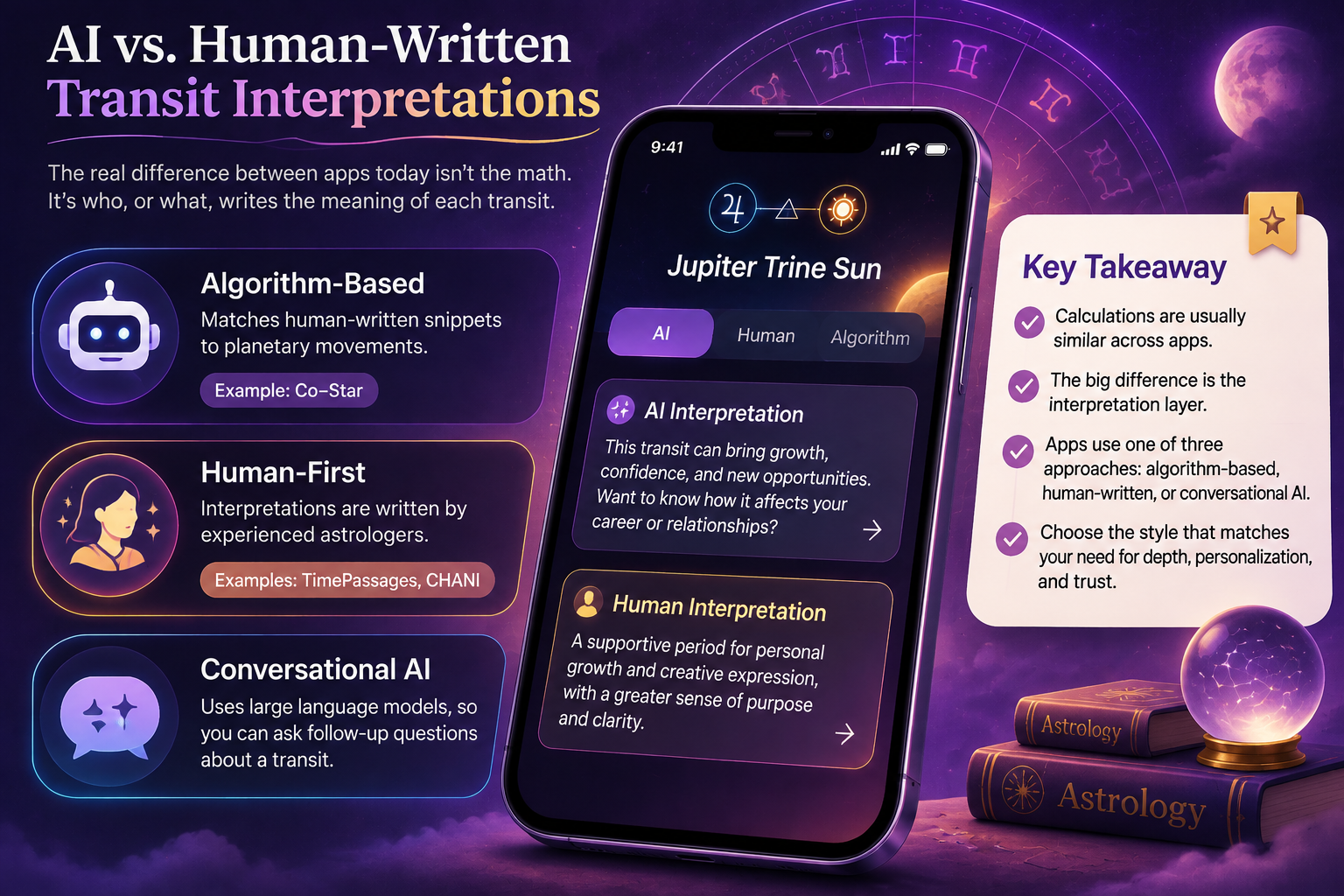
One of the biggest differences between apps today isn’t the math. It’s who, or what, writes the meaning of each transit. Since most serious apps can calculate positions accurately, the interpretation layer is where quality really varies.
Some apps rely on algorithms. Co–Star, for example, uses an algorithm that matches human-written snippets of text to planetary movements to build personalized content.
Other apps take a firm human-first stance. TimePassages says every interpretation is written by experienced astrologers, and CHANI describes its app as made by real astrologers, not AI. A newer group of apps uses conversational AI built on large language models, letting you ask follow-up questions about a transit.
| Interpretation Style | Strengths | Watch Out For |
| Human-written library | Consistent editorial voice and depth | Less flexible for unusual questions |
| Algorithm-matched snippets | Fast, personalized daily content at scale | Can feel generic or repetitive |
| Conversational AI | Follow-up questions and tailored explanations | Confident answers that don’t show the chart behind them |
Neither approach is automatically better. What matters is transparency: the app should tell you which transit a reading is based on, so you can judge the interpretation for yourself.
Transit Features for Compatibility and Relationships
Transits don’t only affect you. Many people use astrology apps to understand relationships, and this is where transit features and compatibility tools meet.
Synastry compares two birth charts to show how they interact, while a composite chart blends two charts into one that represents the relationship itself. Some advanced tools also offer a Davison chart, another way to build a single chart for two people.
The most useful apps go a step further with relationship transits, showing how today’s planets activate your shared chart or the 7th house of partnerships in your own chart.
Co–Star offers free friend chart comparisons, The Pattern focuses on written relationship insights through its Bonds feature, and TimePassages sells a dedicated comparison chart. When you judge these features, look for the same design qualities as before: clear explanations, visible aspects and no fear-based language about your relationships.
Free vs. Paid Astrology Apps: What You Actually Get
Almost every astrology app is free to download, but “free” means very different things. Understanding the subscription tiers before you sign up saves you money and frustration. Keep in mind that the features and prices below reflect each app as of November 2026 and can change in the future.
| App | What’s Free | What You Pay For |
| Co–Star | Daily personalized notes and friend compatibility | Optional paid extras and reports |
| TimePassages | Your birth chart and daily horoscope | Single charts, such as transit or progressed charts, or a Pro subscription |
| CHANI | Limited free content | Premium at $11.99 per month or $107.99 per year in the US (as of November 2026) |
| The Pattern | A basic personality profile | Go Deeper+ for full timing and relationship content |
| Astro.com | Full chart calculations and transit tools | Optional detailed written reports |
Before you commit to an annual plan, try the free tier or a free trial, set a reminder before auto-renewal and check how cancellation works. Some apps also sell pay-per-reading sessions with live astrologers, which can cost far more than a monthly subscription if you use them often. Paying makes sense only when you’ll use the deeper transit features regularly.
App or Website: Where Should You Track Transits?
You don’t have to choose just one. Mobile apps are built for daily habits: quick check-ins, push notifications, home screen convenience and social sharing. Websites like Astro.com are built for deep work: detailed ephemeris tables, many house systems, advanced chart types and data export.
| Need | Better on an App | Better on a Website |
| Daily transit check-ins | Yes | Sometimes |
| Push notifications and alerts | Yes | No |
| Advanced chart types and house systems | Sometimes | Yes |
| Research and data export | Rarely | Yes |
| Sharing with friends | Yes | Rarely |
For most people, the smartest setup is a well-designed app for daily transits and a trusted website for checking calculations and exploring techniques like horary astrology, electional astrology or astrocartography.
Which App Fits Your Astrology Level?
Choosing an app is easier when you match it to where you are, not to what sounds most impressive. The same best astrology app transit features UI design choices mean very different things to a beginner and to an advanced astrologer.
| Your Level | What You Need | Good Starting Choice |
| Curious beginner | Plain language and gentle daily alerts | The Pattern or Co–Star |
| Regular user | Personalized transits and moon cycles | CHANI or Co–Star |
| Learning student | Real chart wheels, aspects and orbs | TimePassages with Astro.com |
| Advanced astrologer | Progressions, returns and time-lord techniques | TimePassages, Astro.com or chart software like Astro Gold |
If you’re unsure, apply this best astrology app transit features UI design advice in the easiest way: start with one lightweight app for daily use and one accurate tool for deeper checks. Many experienced users combine a mobile app for quick check-ins with a website for detailed chart work.
Red Flags in Astrology App Transit Features and UI
Most astrology apps follow a freemium model, with a free tier and a paywall in front of the deeper features, plus in-app purchases for single reports. That model is fair when the free tier is truly useful, but some problems show up across many apps, so it pays to watch for them before you commit. Be cautious if you notice any of these:
- Readings that never show which planet, aspect or house they’re based on
- Notifications that sound urgent, fearful or guilt-inducing
- A free tier made almost entirely of locked previews and upsells
- No way to see or change the house system or zodiac setting
- Vague privacy terms for your birth data and journal entries
- Free trials that switch to yearly charges without a clear reminder
Any one of these is worth a second look, because each one fails the best astrology app transit features UI design test in its own way. Two or more usually means the app is built around engagement and subscriptions rather than your understanding.
UI Design Trends Shaping Astrology Apps in 2027
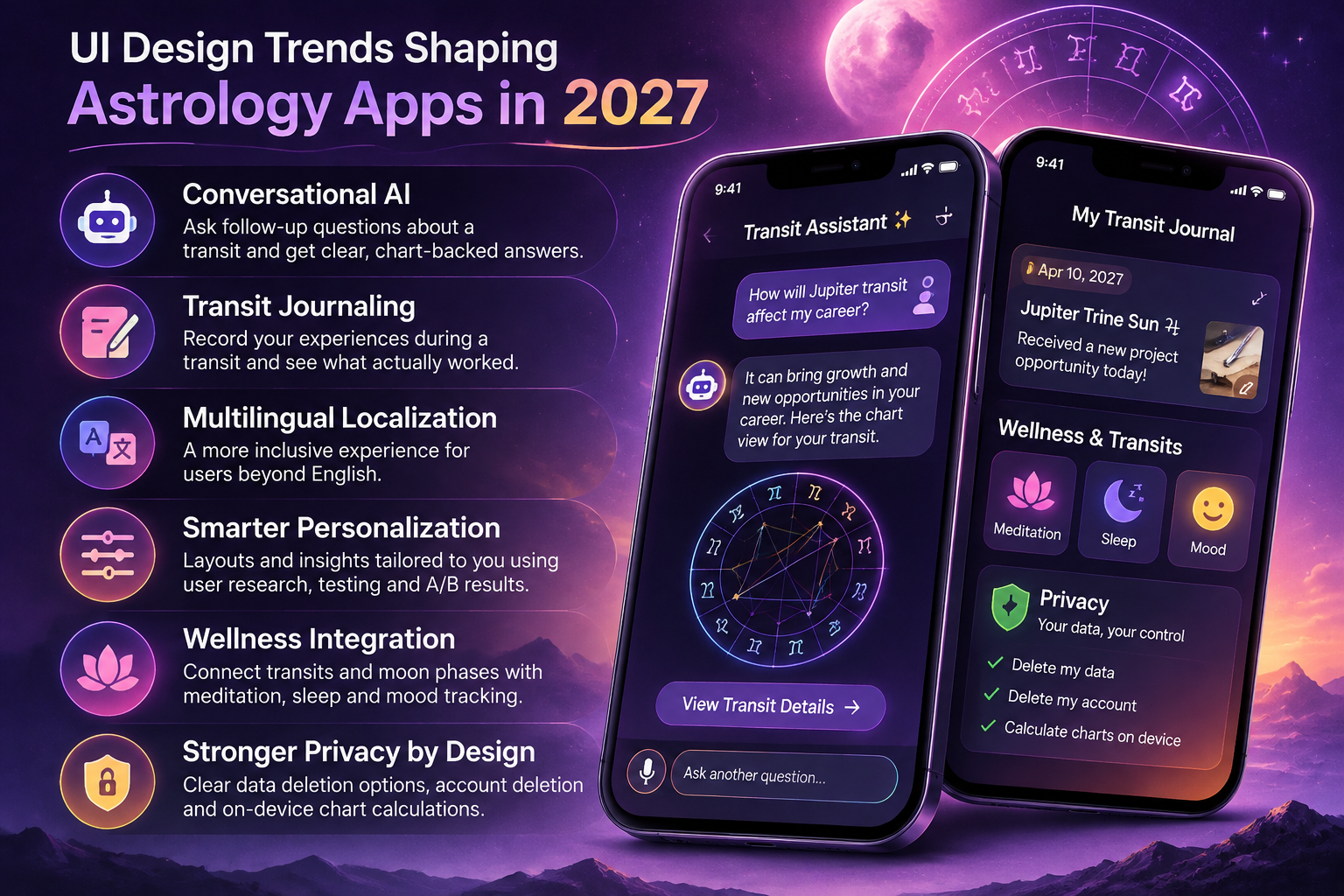
Astrology app design is changing quickly, and several trends already visible in 2026 apps are likely to define 2027. Following them will help you choose an app that stays useful as the best astrology app transit features UI design standards evolve.
Conversational AI is the biggest shift. Newer apps let you ask follow-up questions about a transit instead of reading a fixed paragraph. This can make transits far easier to understand, as long as the app shows the actual chart data behind its answers rather than confident but generic text.
Another trend is transit journaling. Some platforms now let you record what happened during a transit, so you can look back and see which timing windows mattered in your life. This turns the app from a prediction feed into a personal record you can learn from.
Expect multilingual localization as apps grow beyond English-speaking markets, and more personalization driven by user research, usability testing and A/B testing, as apps learn which layouts help people understand transits fastest.
You’ll also see more wellness integration, with apps connecting moon phases and transits to meditation, sleep and mood tracking, and even new visual ideas such as body-based chart maps.
Finally, privacy is becoming a design feature in its own right, with clearer options for data deletion and account deletion, and some apps calculating charts directly on your device instead of sending your birth data to a server.
How to Test an Astrology App Before You Subscribe
Don’t judge an app by its App Store screenshots. Give it a short, honest trial, and use this best astrology app transit features UI design checklist to score what you see:
- Enter your exact birth data and confirm your Rising sign matches a trusted source like Astro.com
- Check whether daily readings name the transiting planet, the aspect and the house
- Open the transit calendar and see if you can plan a week ahead
- Tap the chart wheel and see if every element explains itself
- Read the app in bright daylight and at night to test contrast
- Review notification settings and turn off anything that feels pushy
It also helps to read recent app store ratings and user reviews, especially the one- and two-star ones, because they reveal billing and design problems that screenshots hide. Then try two apps with different strengths for seven days each, at the same time every day. Keep the one that helped you notice patterns or make better decisions, not the one with the flashiest animation.
Tips for Designers Building an Astrology App
If you design or build astrology products, the gap between transit depth and good design is your biggest opportunity. People comparing the best astrology app transit features UI design options are telling you exactly what they want: depth and clarity in the same app. Start with a trusted calculation engine such as the Swiss Ephemeris, so your transit data is accurate from the beginning.
Define clear user personas, such as the curious beginner, the daily user and the serious student, then build a design system and test wireframes and Figma prototypes with real users before you write production code. Invest in UX writing as much as visuals, because the words on each card decide whether a transit feels helpful or confusing.
Then build the experience around a few design principles:
- Use progressive disclosure: one plain sentence about today’s main transit first, with the aspect, orb, dates and bi-wheel one tap deeper
- Make every chart element look tappable, and confirm taps with subtle micro-interactions or haptic feedback
- Keep a consistent grid and type scale across every screen
- Pass WCAG contrast checks in both light and dark mode
- Let users choose which sky events trigger notifications
- Explain how you store birth data before onboarding begins
Trust is part of the interface. When users understand both the transit and how the app handles their data, they stay, and that long-term retention is what keeps an astrology app alive.
FAQs
What is the best astrology app for transit features in 2026?
For transit depth, TimePassages is the strongest mobile choice because it shows full transit, progressed and solar arc charts with interpretations written by astrologers. If you want free, highly accurate calculations, pair any app with Astro.com.
Which astrology app has the best UI design?
Co–Star is widely known for its minimal black-and-white design, while CHANI offers a softer, calmer style. Both are easier to read than traditional chart software, but they offer less transit depth.
What should I look for when comparing the best astrology app transit features UI design options?
Look for personalized transit-to-natal readings, a transit calendar, moon and retrograde alerts, an interactive chart wheel, readable contrast and clear privacy terms. The best apps also explain which planet and aspect each reading is based on.
Why do astrology apps show different transits for the same person?
Differences usually come from the house system, the zodiac (tropical or sidereal), the accuracy of the birth time and the precision of the calculation. Checking these settings first solves most mismatches.
Are free astrology apps good enough for tracking transits?
For daily transits and moon phases, a free tier is often enough to start, and it’s the easiest way to test the best astrology app transit features UI design ideas covered in this guide. Paid plans matter more when you want transit calendars, progressions, solar returns and deeper interpretations.
What is the difference between synastry and a composite chart?
Synastry compares two separate birth charts to show how two people interact, while a composite chart combines both charts into a single chart for the relationship. Good apps let you view relationship transits against either one.
Do I need to know astrology to use a transit app?
No. Beginner-friendly apps explain transits in plain language. As you learn more, an app with a proper chart wheel and aspect details will help you understand why each transit matters to you.
Read More: https://linkneon.com/transformation-platform-strategy/
Conclusion
The right astrology app doesn’t just calculate transits correctly. It explains them in plain language and presents them in a design you’re happy to open every day.
When you measure apps against the best astrology app transit features UI design standard, look for personalized transit-to-natal readings, an easy-to-read calendar, honest notifications, an interactive chart wheel and readable, accessible design.
Keep this best astrology app transit features UI design guide handy whenever you compare apps. Start with the app that fits your level today, test it for a week and upgrade only when you’re using its deeper features regularly.
Choose clarity over hype, and your astrology app will become a genuinely useful planning tool through 2026 and into 2027.